Zyvpee
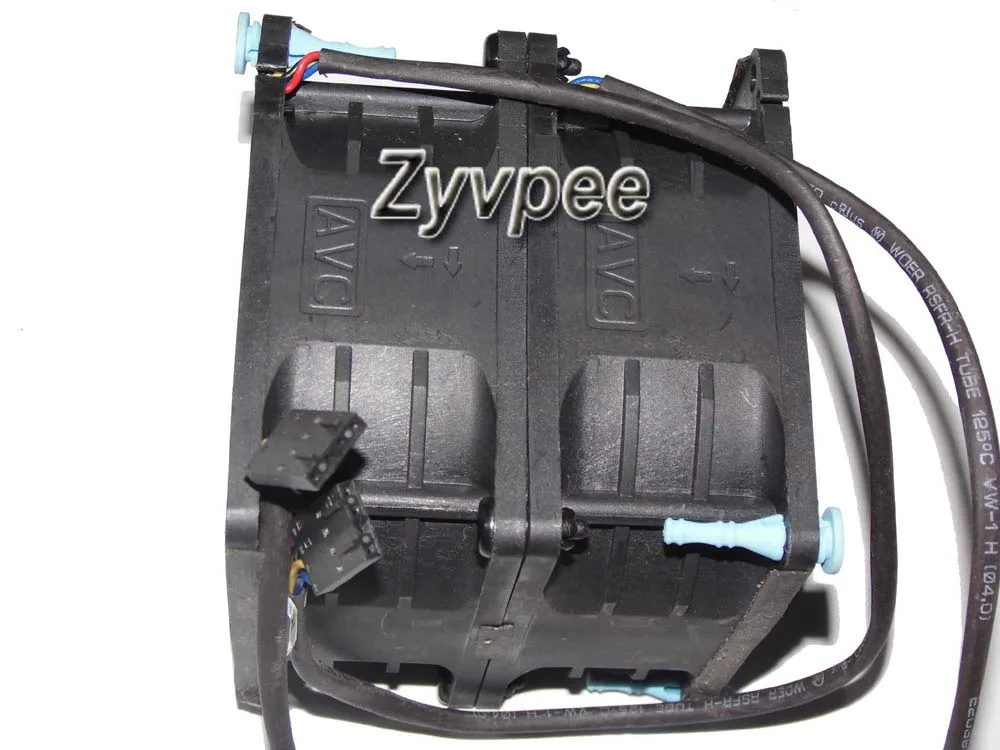
Zyvpee DBTB0838B2S 80mm case fan 12V 2.1A 4-wire 7000 RPM 80 CFM 50 dBA 80x76mm
- Case Fan
- Case
52,99 $
0.00068052BTC
ΔιαθέσιμοΔεχόμαστε κρυπτονομίσματα — έτσι ώστε αυτά που κατέχετε να μπορούν να αγοράσουν πραγματικό εξοπλισμό.Πληρώστε σε κρυπτονομίσματα, ξοδέψτε τα σε πραγματικό εξοπλισμό. Δωρεάν ασφαλισμένη αποστολή παγκοσμίως άνω των 399 $. Ουδέτερες κούτες αποστολής, χωρίς σήμανση, από τη Γερμανία.Δωρεάν ασφαλισμένη αποστολή άνω των 399 $. Η ισοτιμία σας κλειδώνει για 30 λεπτά μόλις ανοίξει το ταμείο.Κλείδωμα ισοτιμίας 30 λεπτών. Κάθε προϊόν είναι σφραγισμένο, ελεγμένο ως προς τον σειριακό αριθμό του, και καλύπτεται από εγγύηση 24 μηνών.Σφραγισμένο, με εγγύηση 24 μηνών.


Fans
Replacement cooling fan for Toshiba Satellite A100, A105 and Tecra A7 Pro 100 series laptops
This new CPU cooling fan fits Toshiba Satellite A100 and A105 notebooks as well as Tecra A7 and Pro 100 series laptops. It restores active cooling when the original fan fails or becomes noisy. Installation follows the standard laptop disassembly procedure for these chassis.
The fan spins to move air across the heatsink and lower CPU temperature under load. Acoustic output stays at a typical notebook level during everyday tasks. Power is drawn from the system fan header at standard laptop voltages.
Δεν έχουν δημοσιευτεί ακόμη προδιαγραφές για αυτό το προϊόν.
Remove the bottom cover, disconnect the old fan cable from the motherboard, unscrew the heatsink assembly, replace the fan, reapply thermal paste on the CPU, then reassemble in reverse order.
Replace the fan when bearing noise becomes audible, airflow drops noticeably, or the laptop throttles under sustained load despite clean vents and fresh thermal paste.
Επίσης σε αυτό το ράφι
Ίδιο ράφι, ίδιο ταμείο — οκτώ νομίσματα και κλείδωμα ισοτιμίας 30 λεπτών.
Το νόμισμα στο οποίο πληρώνετε, και αυτό στο οποίο βλέπετε τις τιμές.
Αποστέλλεται από το πορτοφόλι σας στο ταμείο
Μόνο για προβολή — ο κατάλογος αναγράφεται σε δολάρια
Κανένα νόμισμα δεν αντιστοιχεί.
Επιλέξτε τη γλώσσα στην οποία σας μιλάει ο ιστότοπος.
Καμία γλώσσα δεν ταιριάζει.
Πρώτη επίσκεψη;
Έχετε ήδη λογαριασμό;
Δεν υπάρχει αυτόματη επαναφορά κωδικού: αυτό το κατάστημα δεν στέλνει e-mail, άρα δεν υπάρχει σύνδεσμος μίας χρήσης να ζητήσετε. Αφήστε τη διεύθυνση στον λογαριασμό σας και κάποιος θα την επεξεργαστεί με το χέρι.
Το αίτημα καταχωρίστηκε
Δεν θα λάβετε τίποτα στα εισερχόμενά σας — το κατάστημα δεν στέλνει κανένα e-mail. Κάποιος το διαχειρίζεται με το χέρι.
Τον θυμηθήκατε;