

BFKK
BFKK 3U Rackmount Server Chassis EATX/ATX/MATX 4x5.25 6x3.5 Top/Side Cooling
- Rackmount
214,99 $
0.00277074BTC
KrājumāMēs pieņemam kriptovalūtu — lai tā, kas Jums pieder, varētu nopirkt īstu aparatūru.Maksājiet kriptovalūtā, iztērējiet to īstai aparatūrai. Bezmaksas apdrošināta piegāde visā pasaulē virs 399 $. Vienkāršas, nemarķētas kastes, sūtītas no Vācijas.Bezmaksas apdrošināta piegāde virs 399 $. Jūsu kurss tiek fiksēts uz 30 minūtēm, tiklīdz atveras kase.Kurss fiksēts uz 30 minūtēm. Katra prece ir aizzīmogota, tās sērijas numurs ir pārbaudīts, un uz to attiecas 24 mēnešu garantija.Aizzīmogots, 24 mēnešu garantija.


A-Tech
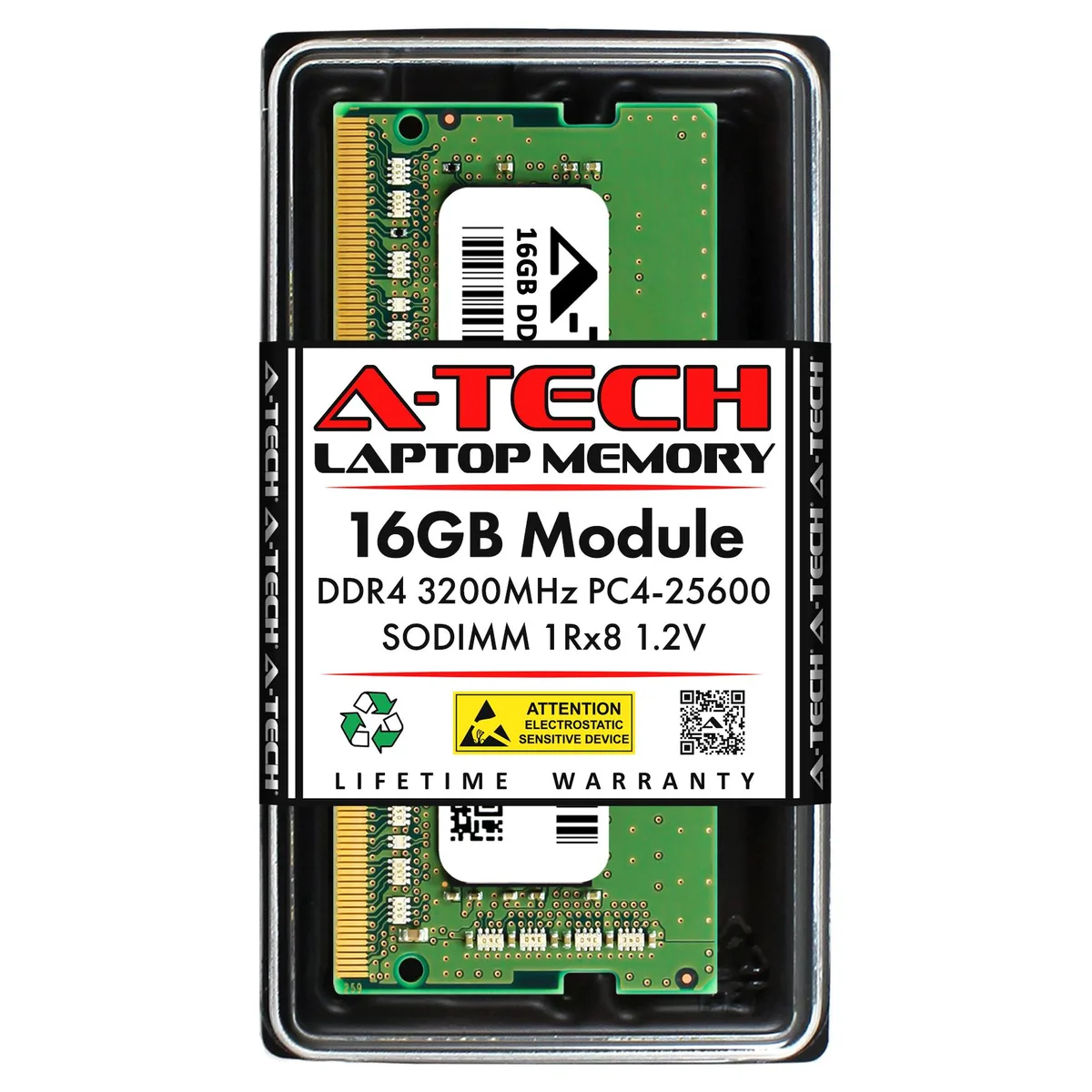
16 GB DDR4 laptop SODIMM running at 3200 MHz with CL22 latency and 1.2 V operation
This 16 GB DDR4 SO-DIMM runs at 3200 MHz with CL22 latency and 1.2 V operation. The 260-pin unbuffered module is built as a direct equivalent for the Kingston K1CXP8-MIE part. It targets laptop, notebook and all-in-one owners who need a straightforward memory upgrade.
Buyers whose devices require ECC or registered memory should look elsewhere. The module is also unsuitable for platforms limited to 262-pin SO-DIMMs or those that cannot run at the stated PC4-25600 speed grade.
Verify that your system supports this exact pin count, voltage and timing before purchase. The 1.20 V standard voltage and non-ECC unbuffered design determine whether the module will be recognised and stable in your machine.
| Brand | A-Tech |
|---|---|
| Series | Compatible Replacement for Kingston |
| Model | K1CXP8-MIE |
| Capacity | 16GB |
| Type | 260-Pin DDR4 SO-DIMM |
| Speed | DDR4 3200 (PC4 25600) |
| CAS Latency | CL22 |
| Voltage | 1.20V |
| ECC | No |
| Buffered/Registered | Unbuffered |
| Heat Spreader | No |
| Features | K1CXP8-MIE |
| Recommend Use | Compatible Replacement for Kingston K1CXP8-MIE |
The module runs at 3200 MHz with a PC4-25600 bandwidth rating; your laptop will operate it at the highest speed both the CPU and motherboard support, which may be lower than 3200 MHz.
Yes, it uses the standard 260-pin DDR4 SO-DIMM form factor used by virtually all modern laptops and all-in-one PCs that accept DDR4 memory.
Power off and unplug the laptop, remove the battery if accessible, open the memory compartment, align the notch on the module with the key in the slot, insert firmly at an angle until seated, then press down until the retention clips click into place.
Arī šajā sadaļā
Tas pats plaukts, tā pati kase — astoņas kriptovalūtas un kursa fiksēšana uz 30 minūtēm.
Kriptovalūta, kurā maksājat, un valūta, kurā redzat cenas.
Nosūtīts no Jūsu maciņa, noformējot pasūtījumu
Tikai informatīvi — katalogā cenas norādītas ASV dolāros
Neviena valūta neatbilst.
Izvēlieties valodu, kurā vietne sarunājas ar Jums.
Neviena valoda neatbilst.
Pirmo reizi šeit?
Jau ir konts?
Automātiskas atiestatīšanas nav: šis veikals nesūta e-pastus, tāpēc nav arī vienreizējas saites, ko pieprasīt. Atstājiet adresi kontā, un tā tiks apstrādāta manuāli.
Pieprasījums saņemts
Uz Jūsu e-pastu nekas neatnāks — šis veikals vispār nesūta e-pastus. Kāds šos pieprasījumus apstrādā manuāli.
Atcerējāties?



