

SanDisk
SanDisk Cruzer Blade 8 GB USB 2.0 USB flash drive Black SDCZ50-008G-B35
391,99 $
0.00497892BTC
KrājumāMēs pieņemam kriptovalūtu — lai tā, kas Jums pieder, varētu nopirkt īstu aparatūru.Maksājiet kriptovalūtā, iztērējiet to īstai aparatūrai. Bezmaksas apdrošināta piegāde visā pasaulē virs 399 $. Vienkāršas, nemarķētas kastes, sūtītas no Vācijas.Bezmaksas apdrošināta piegāde virs 399 $. Jūsu kurss tiek fiksēts uz 30 minūtēm, tiklīdz atveras kase.Kurss fiksēts uz 30 minūtēm. Katra prece ir aizzīmogota, tās sērijas numurs ir pārbaudīts, un uz to attiecas 24 mēnešu garantija.Aizzīmogots, 24 mēnešu garantija.
ASUS
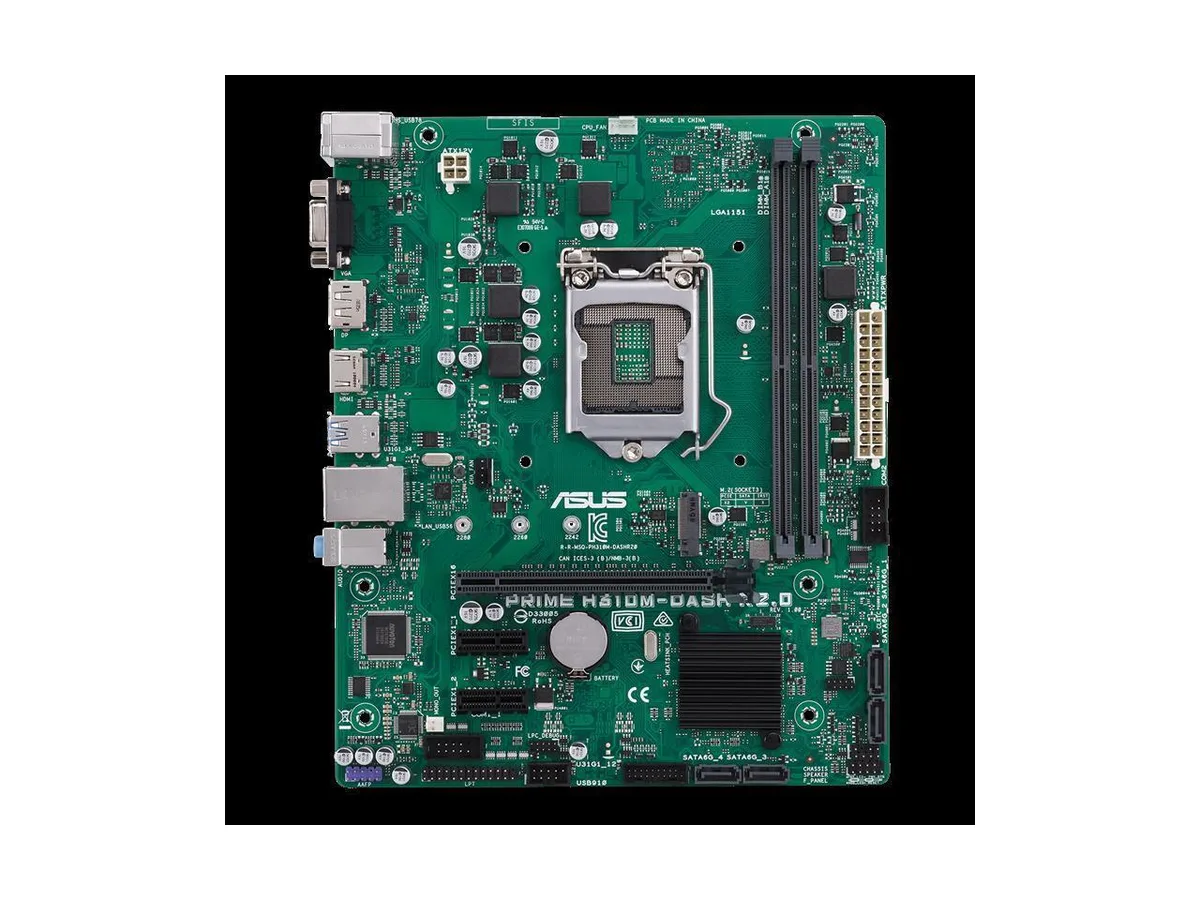
Micro-ATX board with LGA 1151 socket supporting Intel Core 8th Gen CPUs and DDR4 memory
The ASUS PRIME H310M-DASH R2.0 is an Intel motherboard built around the H310 chipset and the LGA 1151 socket. It accepts DDR4 memory and fits Micro-ATX cases. The board is sold alone without an I/O shield or cables.
This board suits builders assembling a basic gaming system with an 8th Generation Intel Core processor on a budget. It will not suit anyone needing a newer socket, a larger ATX layout, or bundled accessories such as shields and cables.
The platform handles standard DDR4 modules for everyday gaming and office workloads. Expansion is limited to one PCI Express 3.0 x16 slot and a single M.2 slot, so multi-GPU arrays or multiple high-speed drives are not supported.
| Brand | ASUS |
|---|---|
| CPU Socket Type | LGA 1151/Socket H4 |
| CPU Type | LGA 1151/Socket H4 |
| Memory Standard | DDR4 |
| Form Factor | Micro-ATX |
The board uses DDR4 SDRAM; any DDR4 modules you already own will fit the slots.
Yes, the single PCI Express 3.0 x16 slot accepts your current graphics card without an adapter.
Enter the UEFI BIOS on first boot and verify the M.2 drive appears in the storage information screen.
Arī šajā sadaļā
Tas pats plaukts, tā pati kase — astoņas kriptovalūtas un kursa fiksēšana uz 30 minūtēm.
Kriptovalūta, kurā maksājat, un valūta, kurā redzat cenas.
Nosūtīts no Jūsu maciņa, noformējot pasūtījumu
Tikai informatīvi — katalogā cenas norādītas ASV dolāros
Neviena valūta neatbilst.
Izvēlieties valodu, kurā vietne sarunājas ar Jums.
Neviena valoda neatbilst.
Pirmo reizi šeit?
Jau ir konts?
Automātiskas atiestatīšanas nav: šis veikals nesūta e-pastus, tāpēc nav arī vienreizējas saites, ko pieprasīt. Atstājiet adresi kontā, un tā tiks apstrādāta manuāli.
Pieprasījums saņemts
Uz Jūsu e-pastu nekas neatnāks — šis veikals vispār nesūta e-pastus. Kāds šos pieprasījumus apstrādā manuāli.
Atcerējāties?



