WRIARICH
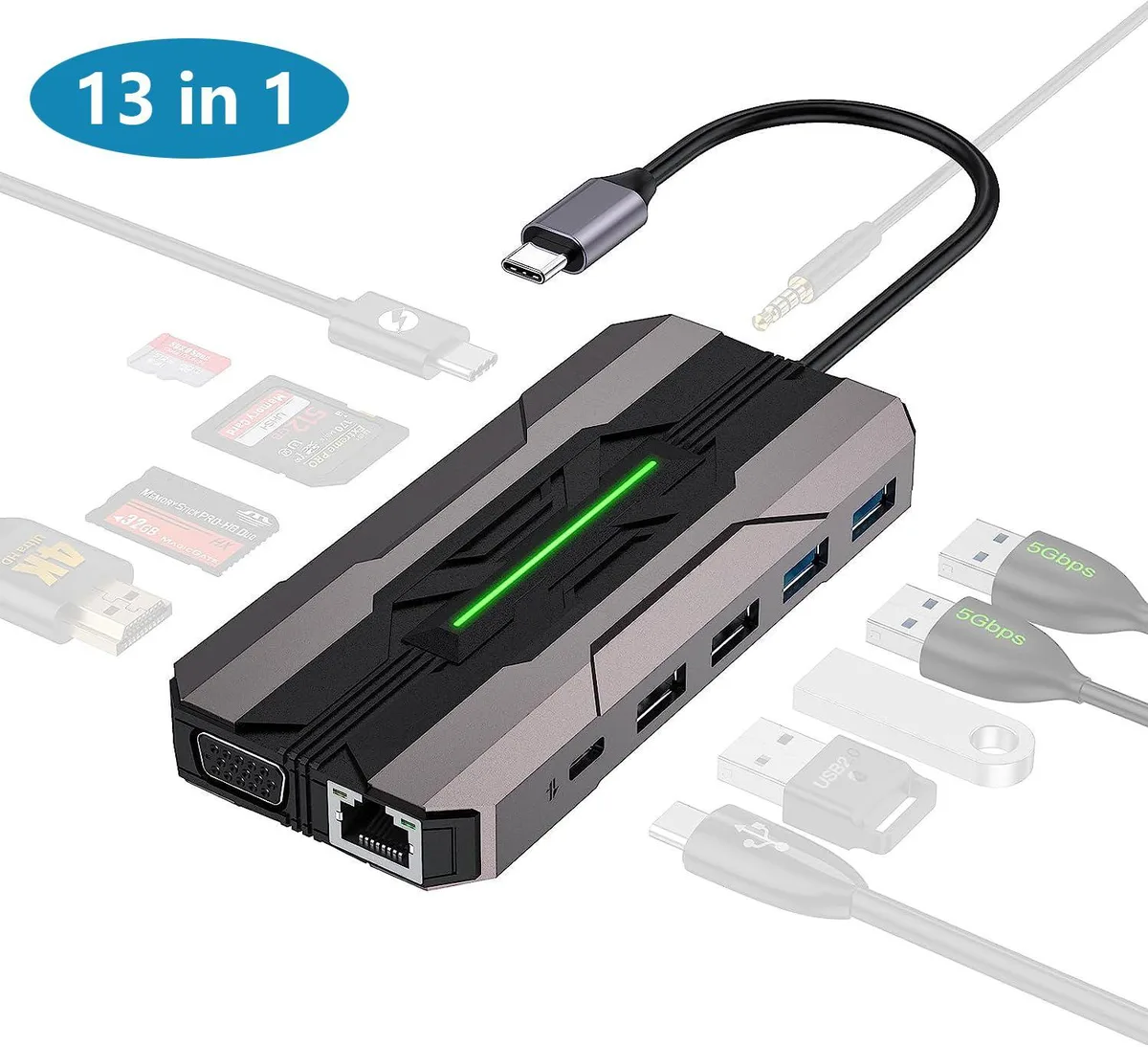
WRIARICH 13 in 1 USB C Hub Gray 100W PD 4K HDMI VGA Ethernet SD TF 2 USB 3.0 2 USB 2.0 USB C 3.0
- Gray
- Up to 5 Gbps
36,99 $
0.00045418BTC
KrājumāMēs pieņemam kriptovalūtu — lai tā, kas Jums pieder, varētu nopirkt īstu aparatūru.Maksājiet kriptovalūtā, iztērējiet to īstai aparatūrai. Bezmaksas apdrošināta piegāde visā pasaulē virs 399 $. Vienkāršas, nemarķētas kastes, sūtītas no Vācijas.Bezmaksas apdrošināta piegāde virs 399 $. Jūsu kurss tiek fiksēts uz 30 minūtēm, tiklīdz atveras kase.Kurss fiksēts uz 30 minūtēm. Katra prece ir aizzīmogota, tās sērijas numurs ir pārbaudīts, un uz to attiecas 24 mēnešu garantija.Aizzīmogots, 24 mēnešu garantija.


Intel
A laptop processor accessory for Socket G2 systems with a 2.2 GHz clock speed and four threads
This Intel Core i3-2330M processor operates at 2.2 GHz and uses a Socket G2 interface. It is a mobile CPU accessory intended for laptop repair or upgrade projects. The unit has been tested under load and visually inspected for defects.
The processor provides 3 MB of cache and two cores with four threads for everyday computing tasks. It handles web browsing and office applications comfortably. Heavy multi-threaded workloads or modern gaming will exceed its capabilities. Buyers needing higher core counts or newer instruction sets should consider other options.
| Brand | Intel |
|---|
The SR04J uses Socket G2 and runs at 2.2 GHz with a 5 GT/s bus, so the motherboard must support Sandy Bridge mobile CPUs and the matching chipset.
Enter the BIOS or open Task Manager in Windows; both will report the current processor speed as 2.2 GHz when the chip is running at its base frequency.
Arī šajā sadaļā
Tas pats plaukts, tā pati kase — astoņas kriptovalūtas un kursa fiksēšana uz 30 minūtēm.
Kriptovalūta, kurā maksājat, un valūta, kurā redzat cenas.
Nosūtīts no Jūsu maciņa, noformējot pasūtījumu
Tikai informatīvi — katalogā cenas norādītas ASV dolāros
Neviena valūta neatbilst.
Izvēlieties valodu, kurā vietne sarunājas ar Jums.
Neviena valoda neatbilst.
Pirmo reizi šeit?
Jau ir konts?
Automātiskas atiestatīšanas nav: šis veikals nesūta e-pastus, tāpēc nav arī vienreizējas saites, ko pieprasīt. Atstājiet adresi kontā, un tā tiks apstrādāta manuāli.
Pieprasījums saņemts
Uz Jūsu e-pastu nekas neatnāks — šis veikals vispār nesūta e-pastus. Kāds šos pieprasījumus apstrādā manuāli.
Atcerējāties?