

SanDisk
SanDisk Cruzer Blade 8 GB USB 2.0 USB flash drive Black SDCZ50-008G-B35
391,99 $
0.00496655BTC
KrājumāMēs pieņemam kriptovalūtu — lai tā, kas Jums pieder, varētu nopirkt īstu aparatūru.Maksājiet kriptovalūtā, iztērējiet to īstai aparatūrai. Bezmaksas apdrošināta piegāde visā pasaulē virs 399 $. Vienkāršas, nemarķētas kastes, sūtītas no Vācijas.Bezmaksas apdrošināta piegāde virs 399 $. Jūsu kurss tiek fiksēts uz 30 minūtēm, tiklīdz atveras kase.Kurss fiksēts uz 30 minūtēm. Katra prece ir aizzīmogota, tās sērijas numurs ir pārbaudīts, un uz to attiecas 24 mēnešu garantija.Aizzīmogots, 24 mēnešu garantija.


LORDWORLD
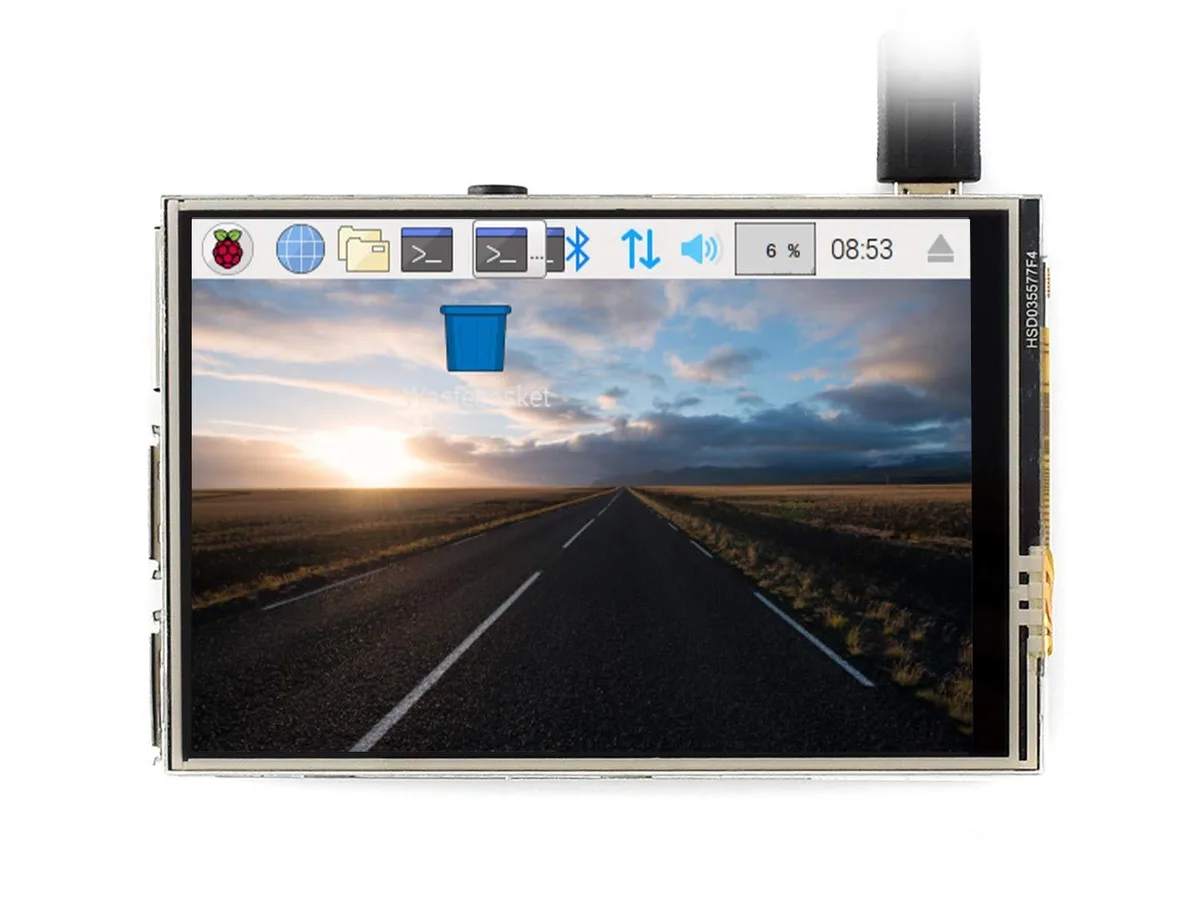
A 3.5 inch resistive touch TFT LCD with 480x320 resolution, 125MHz SPI and XPT2046 controller plugs directly into any Raspberry Pi revision for video, gaming and camera control
The LORDWORLD 3.5 inch resistive touch screen uses an XPT2046 controller and a 125MHz SPI connection. It delivers a 480x320 hardware resolution on a TFT LCD panel. The board plugs directly onto the GPIO header of compatible Raspberry Pi models without extra cabling.
This development board is sized for Raspberry Pi B+, 2B, 3B and 3B+ revisions. It requires a 40-pin GPIO header and an operating system such as Raspbian, Ubuntu, Kali or RetroPie. Buyers using boards without that header or a different pinout will need a different display solution.
The supplied drivers enable the resistive touch layer and a software keyboard for system interaction without a mouse. FBCP support allows software resolution configuration and dual-display output. At 50Hz refresh the stack can play MP4 video, run RetroPie games and access up to 17 camera modes via touch.
| Brand | LORDWORLD |
|---|
The board plugs directly onto the GPIO header of any revision of Raspberry Pi B+, 2B, 3B or 3B+; no separate hardware is required for mounting or connection.
Use the standard SPI driver for direct frame-buffer output, or enable the FBCP driver when you need a configurable software resolution or dual-display mirroring.
Combined with the Raspberry Pi's 50Hz refresh rate, the 125MHz SPI link supports smooth MP4 video and RetroPie gaming on the 3.5 inch screen.
Arī šajā sadaļā
Tas pats plaukts, tā pati kase — astoņas kriptovalūtas un kursa fiksēšana uz 30 minūtēm.
Kriptovalūta, kurā maksājat, un valūta, kurā redzat cenas.
Nosūtīts no Jūsu maciņa, noformējot pasūtījumu
Tikai informatīvi — katalogā cenas norādītas ASV dolāros
Neviena valūta neatbilst.
Izvēlieties valodu, kurā vietne sarunājas ar Jums.
Neviena valoda neatbilst.
Pirmo reizi šeit?
Jau ir konts?
Automātiskas atiestatīšanas nav: šis veikals nesūta e-pastus, tāpēc nav arī vienreizējas saites, ko pieprasīt. Atstājiet adresi kontā, un tā tiks apstrādāta manuāli.
Pieprasījums saņemts
Uz Jūsu e-pastu nekas neatnāks — šis veikals vispār nesūta e-pastus. Kāds šos pieprasījumus apstrādā manuāli.
Atcerējāties?



