

SanDisk
SanDisk Cruzer Blade 8 GB USB 2.0 USB flash drive Black SDCZ50-008G-B35
391,99 $
0.00498905BTC
ΔιαθέσιμοΔεχόμαστε κρυπτονομίσματα — έτσι ώστε αυτά που κατέχετε να μπορούν να αγοράσουν πραγματικό εξοπλισμό.Πληρώστε σε κρυπτονομίσματα, ξοδέψτε τα σε πραγματικό εξοπλισμό. Δωρεάν ασφαλισμένη αποστολή παγκοσμίως άνω των 399 $. Ουδέτερες κούτες αποστολής, χωρίς σήμανση, από τη Γερμανία.Δωρεάν ασφαλισμένη αποστολή άνω των 399 $. Η ισοτιμία σας κλειδώνει για 30 λεπτά μόλις ανοίξει το ταμείο.Κλείδωμα ισοτιμίας 30 λεπτών. Κάθε προϊόν είναι σφραγισμένο, ελεγμένο ως προς τον σειριακό αριθμό του, και καλύπτεται από εγγύηση 24 μηνών.Σφραγισμένο, με εγγύηση 24 μηνών.
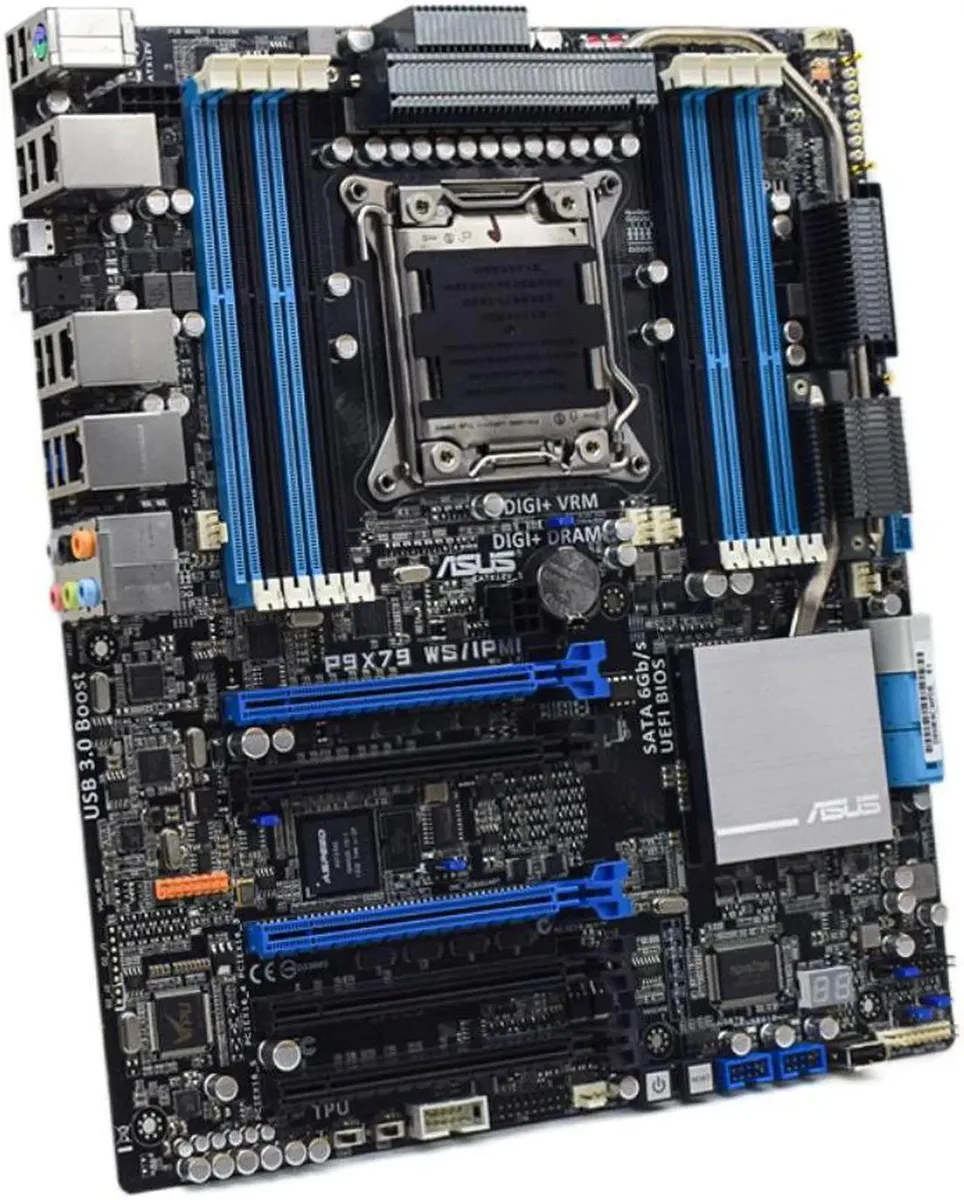

ASUS
LGA 2011 Intel X79 ATX board supports 64GB DDR3 and includes IPMI remote management
The ASUS P9X79 WS/IPMI is an ATX motherboard built on the Intel X79 chipset for LGA 2011 processors. It supports DDR3 memory up to 64GB, providing a foundation for workstations that need high core counts and large memory capacity.
This board suits builders assembling or repairing X79-based systems that require quad-channel DDR3 and the LGA 2011 socket. It is not for buyers who want a new platform with current-generation CPU support, modern memory standards, or the latest connectivity options.
The package provides one SATA cable and the chassis I/O back panel, letting you connect a drive and finish the rear-panel cut-out immediately. No other accessories, original packaging or additional cables are included.
| Brand | ASUS |
|---|---|
| Model | ASUS P9X79 WS/IPMI |
| CPU Socket Type | LGA 2011 |
| Chipset | Intel X79 |
| Maximum Memory Supported | 64GB |
The board accepts any LGA 2011 CPU; choose a Sandy Bridge-E or Ivy Bridge-E part that matches your core-count and thermal budget.
Yes — the board runs DDR3 up to 64 GB across its eight slots, so your current kits will work if they are standard DDR3 DIMMs.
Connect the dedicated management LAN cable, enter the BIOS, enable IPMI, then ping the BMC address shown on the IPMI configuration screen.
Επίσης σε αυτό το ράφι
Ίδιο ράφι, ίδιο ταμείο — οκτώ νομίσματα και κλείδωμα ισοτιμίας 30 λεπτών.
Το νόμισμα στο οποίο πληρώνετε, και αυτό στο οποίο βλέπετε τις τιμές.
Αποστέλλεται από το πορτοφόλι σας στο ταμείο
Μόνο για προβολή — ο κατάλογος αναγράφεται σε δολάρια
Κανένα νόμισμα δεν αντιστοιχεί.
Επιλέξτε τη γλώσσα στην οποία σας μιλάει ο ιστότοπος.
Καμία γλώσσα δεν ταιριάζει.
Πρώτη επίσκεψη;
Έχετε ήδη λογαριασμό;
Δεν υπάρχει αυτόματη επαναφορά κωδικού: αυτό το κατάστημα δεν στέλνει e-mail, άρα δεν υπάρχει σύνδεσμος μίας χρήσης να ζητήσετε. Αφήστε τη διεύθυνση στον λογαριασμό σας και κάποιος θα την επεξεργαστεί με το χέρι.
Το αίτημα καταχωρίστηκε
Δεν θα λάβετε τίποτα στα εισερχόμενά σας — το κατάστημα δεν στέλνει κανένα e-mail. Κάποιος το διαχειρίζεται με το χέρι.
Τον θυμηθήκατε;



