

SanDisk
SanDisk Cruzer Blade 8 GB USB 2.0 USB flash drive Black SDCZ50-008G-B35
391,99 USD
0.00495895BTC
SkladomPrijímame kryptomeny — takže mince, ktoré držíte, môžete zameniť za skutočný hardvér.Plaťte v krypte, miňte ho na skutočný hardvér. Poistená doprava zadarmo po celom svete nad 399 $. Neutrálne kartóny bez potlače, odosielané z Nemecka.Poistená doprava zadarmo nad 399 $. Váš kurz je zablokovaný na 30 minút hneď po otvorení pokladne.Kurz zablokovaný na 30 minút. Každý produkt je zapečatený, jeho sériové číslo je overené a vzťahuje sa naň 24-mesačná záruka.Zapečatené, 24-mesačná záruka.

ASUS
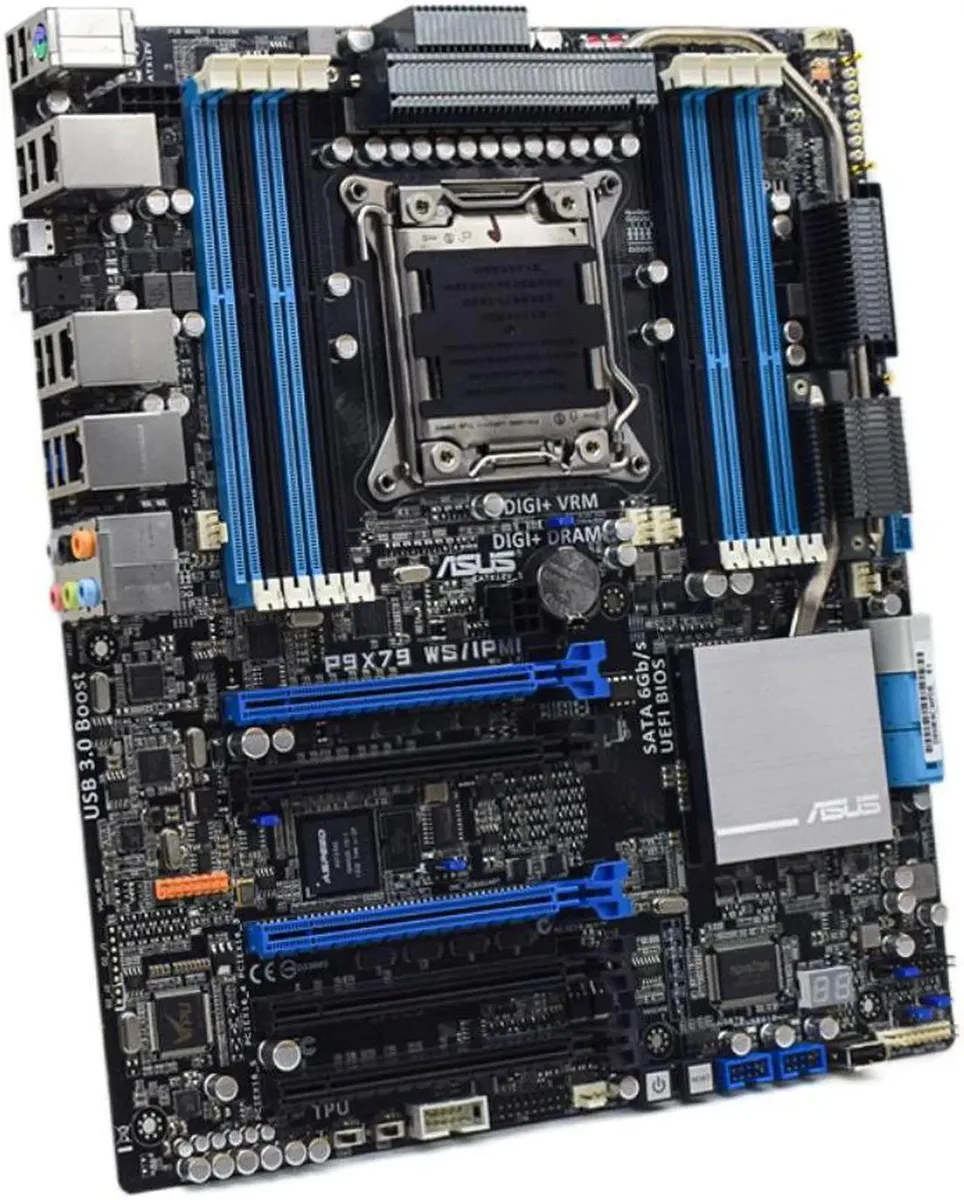
LGA 2011 Intel X79 ATX board supports 64GB DDR3 and includes IPMI remote management
The ASUS P9X79 WS/IPMI is an ATX motherboard built on the Intel X79 chipset for LGA 2011 processors. It supports DDR3 memory up to 64GB, providing a foundation for workstations that need high core counts and large memory capacity.
This board suits builders assembling or repairing X79-based systems that require quad-channel DDR3 and the LGA 2011 socket. It is not for buyers who want a new platform with current-generation CPU support, modern memory standards, or the latest connectivity options.
The package provides one SATA cable and the chassis I/O back panel, letting you connect a drive and finish the rear-panel cut-out immediately. No other accessories, original packaging or additional cables are included.
| Brand | ASUS |
|---|---|
| Model | ASUS P9X79 WS/IPMI |
| CPU Socket Type | LGA 2011 |
| Chipset | Intel X79 |
| Maximum Memory Supported | 64GB |
The board accepts any LGA 2011 CPU; choose a Sandy Bridge-E or Ivy Bridge-E part that matches your core-count and thermal budget.
Yes — the board runs DDR3 up to 64 GB across its eight slots, so your current kits will work if they are standard DDR3 DIMMs.
Connect the dedicated management LAN cable, enter the BIOS, enable IPMI, then ping the BMC address shown on the IPMI configuration screen.
Aj v tomto oddelení
Rovnaké oddelenie, rovnaká pokladňa — osem mien a kurz zablokovaný na 30 minút.
Mena, v ktorej platíte, a mena, v ktorej sa zobrazujú ceny.
Odoslané z vašej peňaženky na pokladni
Len na zobrazenie — katalóg je uvedený v dolároch
Žiadna mena nezodpovedá.
Vyberte jazyk, v ktorom s vami bude web komunikovať.
Žiadny jazyk nezodpovedá.
Ste tu prvýkrát?
Účet už máte?
Automatický reset hesla neexistuje: tento obchod neposiela žiadne e-maily, takže neexistuje jednorazový odkaz, o ktorý by ste mohli požiadať. Nechajte adresu na účte — niekto sa jej ujme ručne.
Žiadosť zaznamenaná
Do vašej schránky nič nepríde — tento obchod neposiela vôbec žiadne e-maily. Niekto sa o to postará ručne.
Spomenuli ste si?



