
Kingston Technology Corp.
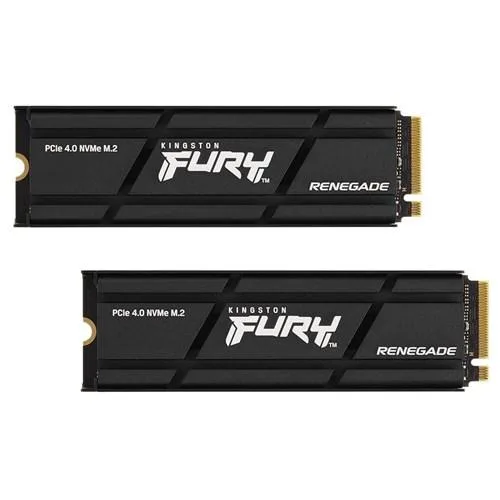
Kingston Fury Renegade 4000GB internal SSD 2-Pack
Two 4000 GB PCIe 4.0 NVMe M.2 2280 drives with graphene aluminium heat spreaders for PS5 and PC
- Incredible PCIe Gen 4x4 NVMe performance for fast load times
- PS5 ready with included heatsink for console upgrades
- Slim M.2 2280 form factor fits laptops and desktops
- Low-profile graphene aluminium heat spreader manages thermals
- 4000GB capacity across two drives for ample storage
Capacity and audience
This two-pack delivers eight terabytes of PCIe 4.0 NVMe storage for enthusiasts who need fast game loads, quick application launches and responsive streaming capture on desktop or laptop.
Thermals and power
A graphene-aluminium heat spreader keeps the drives cool during everyday workloads, while the optional heatsink model adds extra thermal dispersion for sustained use in a PlayStation 5 console.
Sustained load behaviour
The low-profile spreader maintains stability through extended gaming sessions and heavy write cycles, preventing throttling when the system is pushed hard for long periods.
Istaknuto
- Incredible PCIe Gen 4x4 NVMe performance for fast load times
- PS5 ready with included heatsink for console upgrades
- Slim M.2 2280 form factor fits laptops and desktops
- Low-profile graphene aluminium heat spreader manages thermals
- 4000GB capacity across two drives for ample storage
Specifikacije
| Brand | Kingston |
|---|
Pitanja o ovom artiklu
How do I install the heatsink version in a PS5, and what step do people miss?
Remove the PS5 cover, unscrew the expansion slot cover, insert the drive at an angle into the M.2 2280 slot, press down and secure with the screw, then replace the covers; the step often missed is removing any protective film from the thermal pads before fitting the heatsink.
What maintenance or replacement will the 4000GB drives need over time?
No scheduled maintenance is required; monitor health via SMART tools and replace a drive only if it reports media errors or reaches its endurance rating.
What limit appears first during sustained heavy writes on these PCIe 4.0 NVMe drives?
Thermal throttling from the controller is the first limit; the graphene aluminium heat spreader or optional heatsink delays it, but prolonged peak loads will eventually reduce write speeds.
Također u ovoj kategoriji
Kupci su usporedili ovo
Ista polica, ista blagajna — osam valuta i blokada tečaja na 30 minuta.




