

NEMIX RAM
NEMIX RAM DDR5-5600 2TB (16x128GB) ECC RDIMM CL46 1.1V Supermicro H14SST-G memory upgrade
- 2TB (16 x 128GB)
- 288-Pin DDR5 RDIMM
62.908,99 USD
0.79309376BTC
Na zalihiPrihvaćamo kriptovalute — tako kriptovalute koje posjedujete mogu kupiti pravi hardver.Plaćajte kriptovalutom, trošite je na pravi hardver. Besplatna osigurana dostava diljem svijeta iznad 399 $. Obični vanjski kartoni bez oznaka, otpremaju se iz Njemačke.Besplatna osigurana dostava iznad 399 $. Vaš je tečaj blokiran 30 minuta od otvaranja blagajne.Tečaj blokiran 30 minuta. Svaki je artikl zapečaćen, njegov serijski broj provjeren, i pokriven jamstvom od 24 mjeseca.Zapečaćen, jamstvo 24 mjeseca.
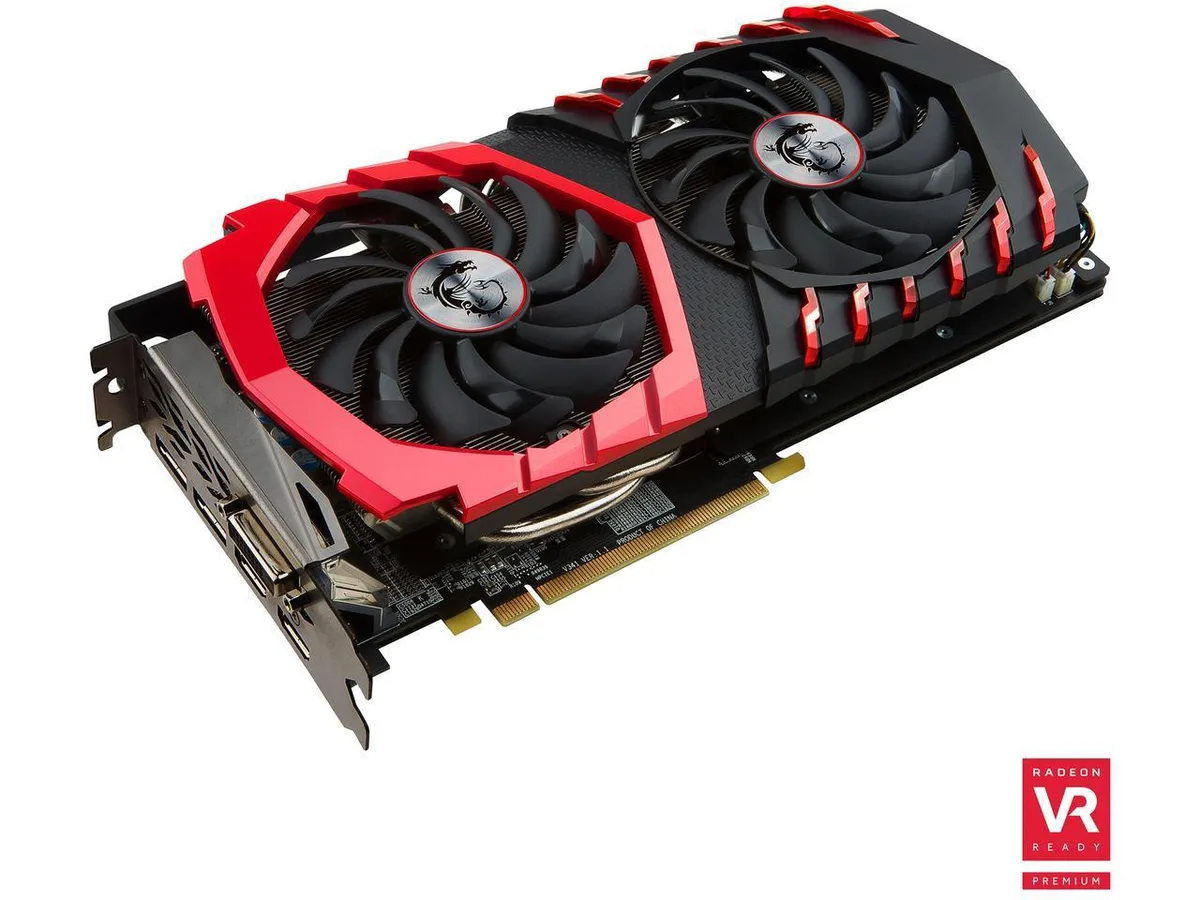


MSI
Delivers 8 GB GDDR5 graphics on a 256-bit bus with DirectX 12 support, dual HDMI and dual DisplayPort outputs, and a 500 W power requirement
The MSI Radeon RX 580 GAMING X 8G equips an AMD Radeon RX 580 chipset with 8GB of GDDR5 memory across a 256-bit interface. It connects via a PCI-Express 3.0 x16 slot and drives up to five displays through one dual-link DVI-D, two HDMI and two DisplayPort outputs. The card targets gamers who want smooth 1080p performance in modern titles.
Moving from a 4GB model or an earlier architecture removes the texture budget ceiling that forces quality drops in current games. The 8GB frame buffer and Polaris architecture deliver higher, more consistent frame rates at 1080p, making the jump worthwhile when your present card stutters on high settings or lacks the video outputs you need for a multi-monitor layout.
Verify that your system power supply meets the 500W requirement and provides the necessary PCIe power connectors for this board. Confirm the physical length fits your chassis and that the dual-slot cooler has adequate airflow. Ensure the motherboard offers a free PCI-Express 3.0 x16 slot and that your display cables match the available HDMI, DisplayPort or DVI-D outputs.
| Brand | MSI |
|---|
It installs in a standard PCI-Express 3.0 x16 slot and occupies two expansion brackets; measure from the rear bracket to any drive cage or cable to confirm the card length will fit.
Connect both 8-pin PCIe power cables from the PSU; the common error is leaving one connector loose or using a single daisy-chained cable, which can cause instability under load.
Re-paste every two to three years or if GPU temperatures rise noticeably under the same fan curve; use a pea-sized drop of non-conductive paste and clean the old compound completely before reassembly.
Također u ovoj kategoriji
Ista polica, ista blagajna — osam valuta i blokada tečaja na 30 minuta.
Ono što šaljete, i ono u čemu gledate cijene.
Poslano iz Vašeg novčanika na blagajni
Samo prikaz — katalog je izražen u dolarima
Nijedna valuta ne odgovara.
Odaberite jezik na kojem Vam se stranica obraća.
Novi ste ovdje?
Već imate račun?
Ne postoji automatsko resetiranje: ova trgovina ne šalje e-poštu, stoga ne postoji jednokratna poveznica koju biste mogli zatražiti. Ostavite adresu uz svoj račun, netko će je ručno obraditi.
Zahtjev zaprimljen
Ništa neće stići u Vaš pretinac e-pošte — ova trgovina uopće ne šalje e-poštu. Netko će to ručno preuzeti.
Sjetili ste se?


