


Fans
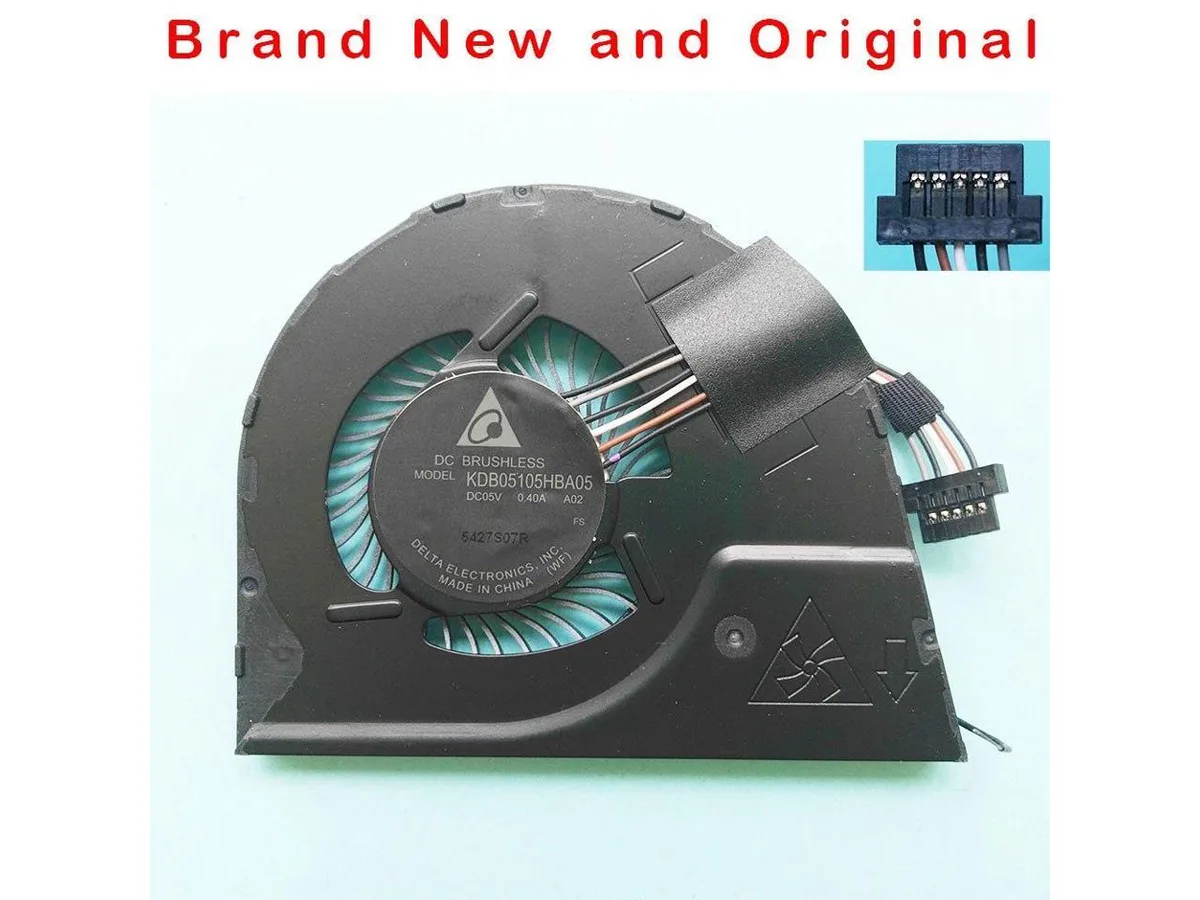
Fans CPU Cooler for Lenovo ThinkPad YOGA S1 YOGA12 KDB05105HBA05 04X6440 00HT723
Original replacement CPU cooling fan for Lenovo ThinkPad YOGA S1 and YOGA12 laptops
- Genuine Lenovo replacement part ensures exact fit
- New condition guarantees reliable cooling performance
- Compatible with ThinkPad YOGA S1 and YOGA12 models
- Multiple part numbers confirm correct identification
Direct Replacement for ThinkPad YOGA S1 and YOGA12
This new original CPU cooling fan matches part numbers KDB05105HBA05, 04X6440 and 00HT723. It is built for the Lenovo ThinkPad YOGA S1 and YOGA12 models. The unit restores factory cooling performance in compatible ultraportables.
Not for Other Laptop Series or Desktop Builds
This cooler fits only the listed ThinkPad YOGA models and will not mount in other Lenovo lines, different brands or desktop sockets. Buyers needing a fan for another chassis or a higher airflow design must source a different part.
Erősségek
- Genuine Lenovo replacement part ensures exact fit
- New condition guarantees reliable cooling performance
- Compatible with ThinkPad YOGA S1 and YOGA12 models
- Multiple part numbers confirm correct identification
Műszaki adatok
Ehhez a termékhez egyelőre nincs közzétett műszaki adat.
Kérdések a termékről
Will this cooler fit inside my Lenovo ThinkPad YOGA S1 or YOGA12?
It is made for the YOGA S1 and YOGA12 chassis, matching the original KDB05105HBA05, 04X6440 and 00HT723 part numbers.
What is the tricky step when replacing the fan in these ThinkPad models?
Disconnect the battery first, then remove the bottom cover; the fan cable sits under the motherboard edge and is easy to tear if pulled before the board is lifted.
Szintén ezen a polcon
Vásárlók ezeket hasonlították össze
Ugyanaz a polc, ugyanaz a pénztár — nyolc pénznem és 30 perces árfolyamzár.


Black Box Corporation
Black Box Corporation DisplayPort to DVI Fibre Optic Cable 15 ft 4.5 m 1.35 GB/s
- Consumer Electronics
39,99 USD
0.00051474BTC
Raktáron