

SanDisk
SanDisk Cruzer Blade 8 GB USB 2.0 USB flash drive Black SDCZ50-008G-B35
391,99 USD
0.00497677BTC
Til á lagerVið tökum við rafmynt — svo myntirnar sem þú átt geta keypt alvöru vélbúnað.Greiddu í rafmynt, eyddu henni í alvöru vélbúnað. Frí, tryggð sending um allan heim fyrir pantanir yfir 399 $. Hlutlausir pappakassar án merkinga, sendir frá Þýskalandi.Frí, tryggð sending yfir 399 $. Gengið þitt er læst í 30 mínútur um leið og greiðsluferlið hefst.Gengið læst í 30 mínútur. Hver vara er innsigluð, raðnúmer hennar yfirfarið, og hún nýtur 24 mánaða ábyrgðar.Innsiglað, með 24 mánaða ábyrgð.
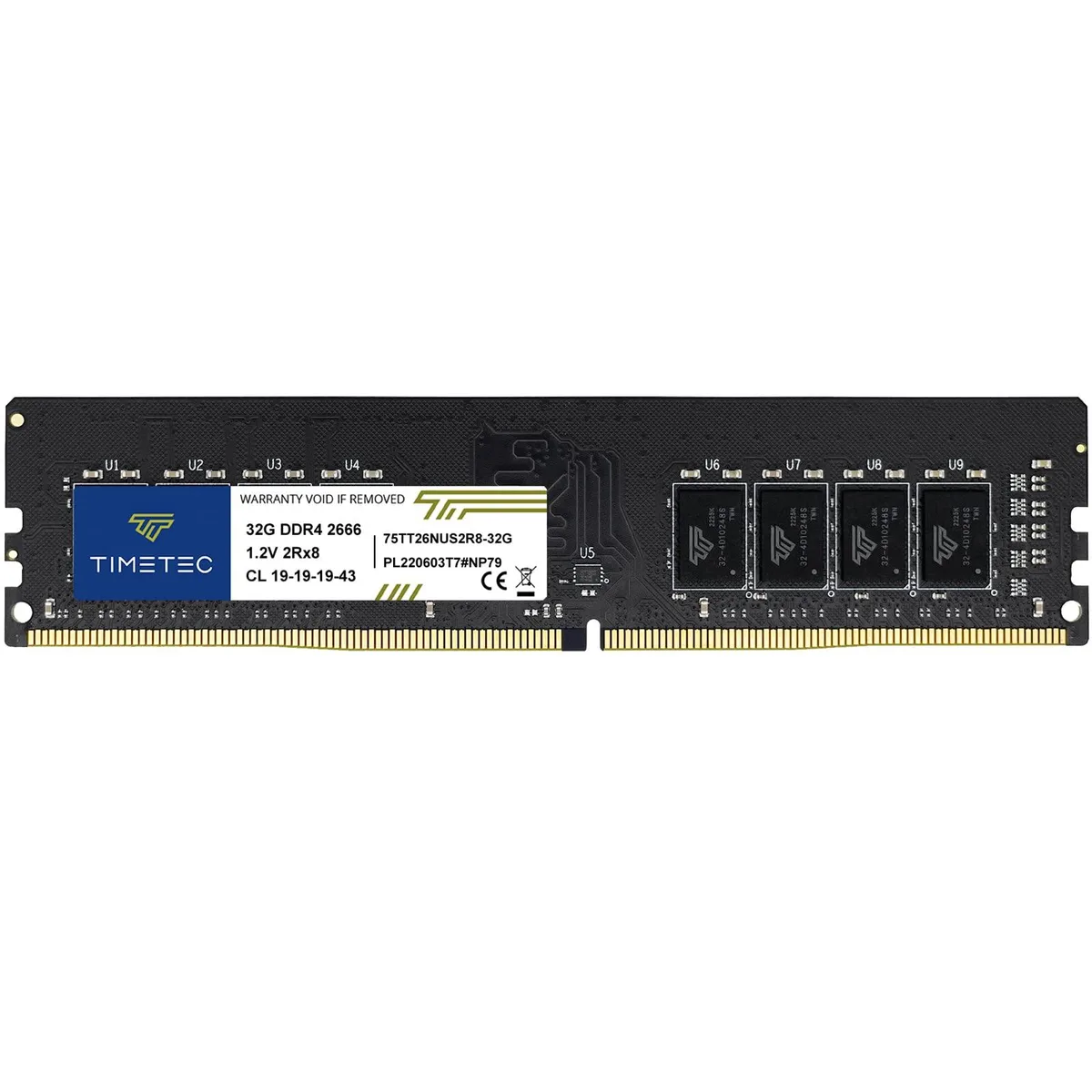


Timetec
32 GB DDR4 desktop module running at 2666 MHz with CL19 latency and 1.2 V operation
This Timetec UDIMM provides 32GB of DDR4 memory at 2666MHz with a CAS latency of 19. It runs at 1.2V and uses a 288-pin, dual-rank 2Rx8 layout based on 2048x8 chips. The module is unbuffered and non-ECC, designed for standard desktop PC upgrades.
Buyers who need more than 32GB total memory should consider a multi-module kit or higher-capacity sticks if the board supports them. Systems limited to speeds below 2666MHz will run this module at a lower rate, while boards requiring ECC or registered memory cannot use this UDIMM.
| Capacity | 32GB |
|---|---|
| Speed | DDR4 2666 (PC4 21300) |
| CAS Latency | CL19 |
Yes, the module uses the standard 288 pin UDIMM form factor for DDR4 desktop motherboards.
Align the notch with the slot key, press down firmly until both side clips click shut, then verify 32 GB appears in BIOS.
Einnig í þessum vöruflokki
Sama hilla, sama greiðsluferli — átta myntir og 30 mínútna gengislæsing.
Það sem þú greiðir í, og það sem þú sérð verð í.
Sent úr veskinu þínu í greiðsluferlinu
Aðeins til skýringar — verð í vörulistanum eru í Bandaríkjadölum
Enginn gjaldmiðill passar við það.
Veldu tungumálið sem síðan talar við þig á.
Ekkert tungumál fannst.
Fyrsta heimsókn?
Áttu þegar aðgang?
Það er engin sjálfvirk endurstilling: þessi verslun sendir engan tölvupóst, svo það er enginn einnota tengill til að biðja um. Skildu netfangið eftir á aðganginum og einhver sinnir því handvirkt.
Beiðni skráð
Ekkert er á leiðinni í pósthólfið þitt — þessi verslun sendir engan tölvupóst. Einhver sinnir þessu handvirkt.
Mundir þú það?



