

EVESKY
EVESKY MW4500 Wireless Vertical Ergonomic Mouse 1200 DPI 6 Buttons
157,99 $
0.00203122BTC
KrājumāMēs pieņemam kriptovalūtu — lai tā, kas Jums pieder, varētu nopirkt īstu aparatūru.Maksājiet kriptovalūtā, iztērējiet to īstai aparatūrai. Bezmaksas apdrošināta piegāde visā pasaulē virs 399 $. Vienkāršas, nemarķētas kastes, sūtītas no Vācijas.Bezmaksas apdrošināta piegāde virs 399 $. Jūsu kurss tiek fiksēts uz 30 minūtēm, tiklīdz atveras kase.Kurss fiksēts uz 30 minūtēm. Katra prece ir aizzīmogota, tās sērijas numurs ir pārbaudīts, un uz to attiecas 24 mēnešu garantija.Aizzīmogots, 24 mēnešu garantija.
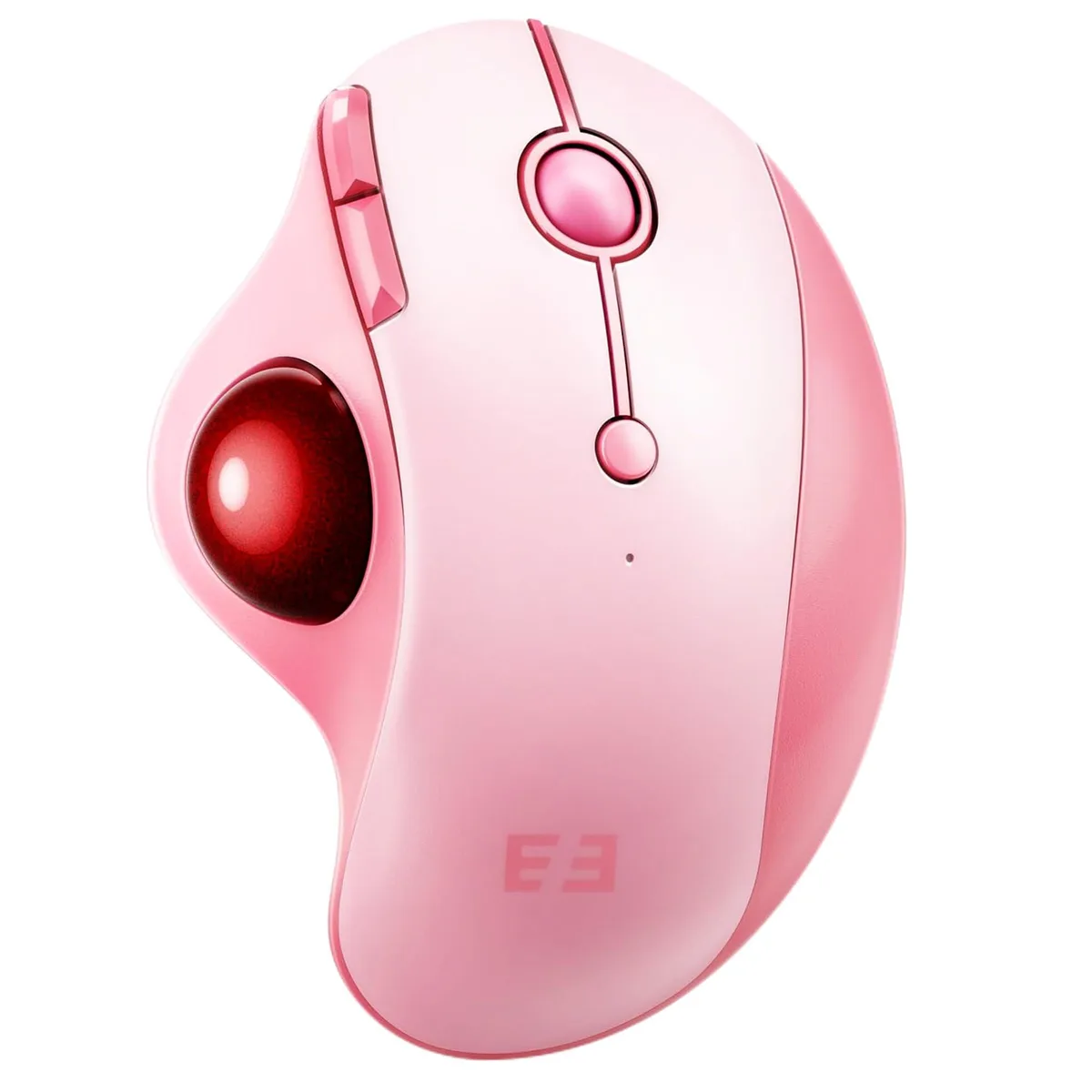


Right-hand ergonomic trackball mouse with 16 buttons, adjustable DPI up to 1600, and 2.4 GHz or Bluetooth connection for three devices
The ASUS MOU-301 is a right-handed trackball mouse built for comfort during long sessions. Its contoured shape supports medium to large hands and keeps the wrist stationary. Sixteen programmable buttons give quick access to shortcuts for productivity or gaming. The device connects wirelessly to a PC or laptop via 2.4 GHz receiver or Bluetooth.
Adjustable DPI steps of 200, 400, 800, 1200 and 1600 let you match cursor speed to the task. The sensor tracks on desks, fabric and other surfaces without a mouse pad. You can pair up to three devices and switch between them with a single button on the base. The built-in battery recharges in one to three and a half hours and offers 150 to 300 days of standby time.
This trackball suits users who want to stop pushing a mouse across a desk and keep their hand in one place. The detachable ball makes cleaning simple and maintains smooth tracking. Buyers who need a compact device for small hands under 17.5 cm may find the dimensions too large. It is optimised for daily office use rather than high-precision gaming or professional image editing.
| Brand | ASUS |
|---|---|
| Series | MOU-301 |
| Name | MOU-301 seenda |
| Model | MOU-301 |
| Part Number | ???MOU-301 |
| Type | 2.4GHz / Wired |
| Color | Black |
| Interface | Bluetooth |
| Mouse Grip Style | Adjustable |
| Tracking Method | Optical |
| Sensor | Optical |
| Hand Orientation | Right Hand |
| Buttons | 16 |
| Dimension | 5.588 cm x 10.0838 cm x 13.589 cm |
| System Requirement | USB port |
| Features | Ergonomic Design, Wireless Mouse with Roller Ball, Thumb Control, Multi-Device Connection |
The 16 buttons are handled by the mouse firmware and standard HID drivers; they send discrete codes that do not interfere with keyboard macro software on Windows 10.
Open the OS pointer-speed panel, set the slider to the middle, move the trackball a measured distance and confirm the on-screen cursor travels the expected pixel count for 1600 DPI.
The package supplies the mouse, a 2.4 GHz USB receiver and a USB charging cable; no extra accessories are required for the three connection modes.
Arī šajā sadaļā
Tas pats plaukts, tā pati kase — astoņas kriptovalūtas un kursa fiksēšana uz 30 minūtēm.
Kriptovalūta, kurā maksājat, un valūta, kurā redzat cenas.
Nosūtīts no Jūsu maciņa, noformējot pasūtījumu
Tikai informatīvi — katalogā cenas norādītas ASV dolāros
Neviena valūta neatbilst.
Izvēlieties valodu, kurā vietne sarunājas ar Jums.
Pirmo reizi šeit?
Jau ir konts?
Automātiskas atiestatīšanas nav: šis veikals nesūta e-pastus, tāpēc nav arī vienreizējas saites, ko pieprasīt. Atstājiet adresi kontā, un tā tiks apstrādāta manuāli.
Pieprasījums saņemts
Uz Jūsu e-pastu nekas neatnāks — šis veikals vispār nesūta e-pastus. Kāds šos pieprasījumus apstrādā manuāli.
Atcerējāties?


