
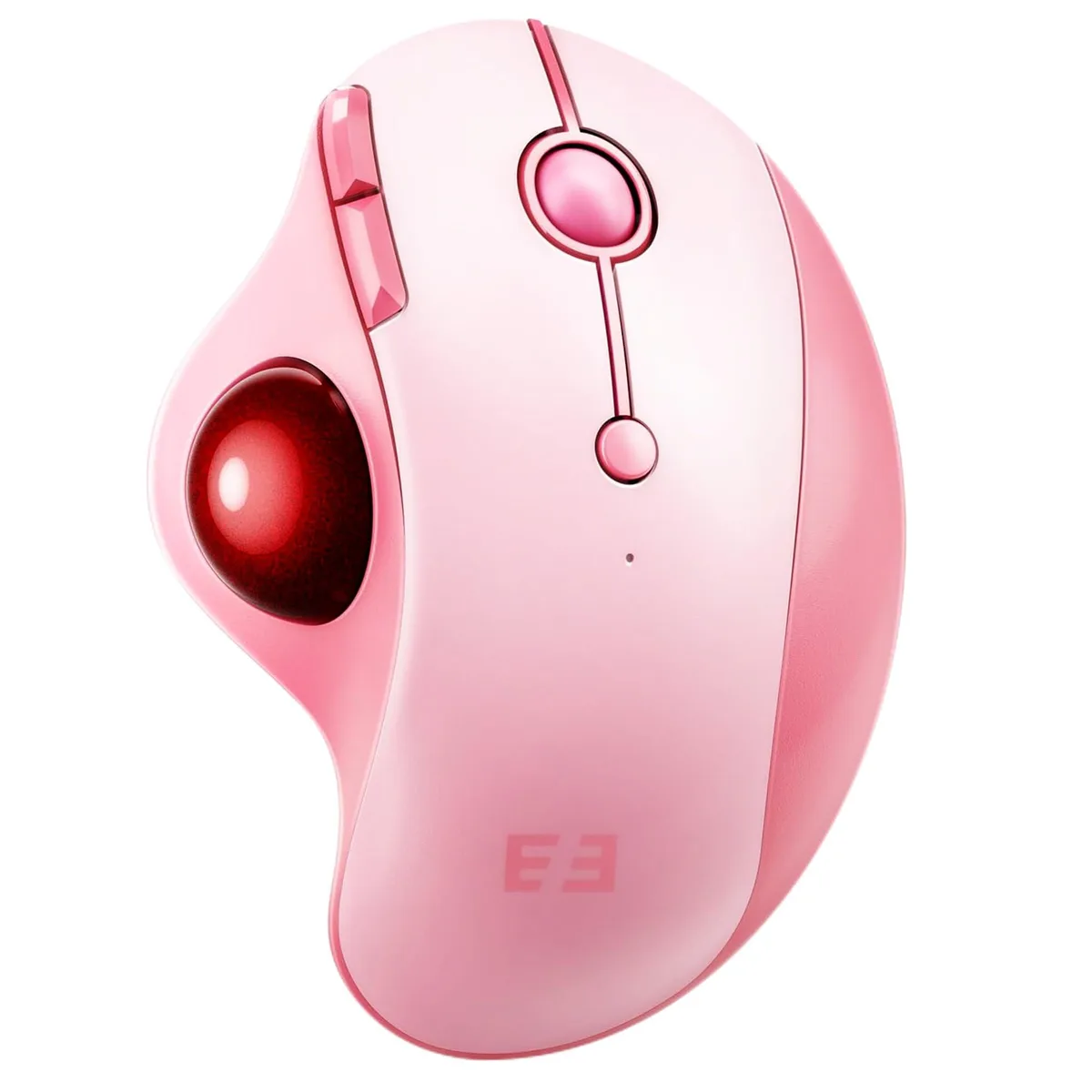


ASUS MOU-301 Trackball Gaming Mouse 16 Buttons 2.4 GHz Bluetooth Pink
Right-hand ergonomic trackball mouse with 16 buttons, adjustable DPI up to 1600, and 2.4 GHz or Bluetooth connection for three devices
- NameMOU-301 seenda
- Type2.4GHz / Wired
- ColorBlack
- InterfaceBluetooth
- Mouse Grip StyleAdjustable
- Tracking MethodOptical
- Ergonomic trackball shape reduces wrist strain during long sessions
- Thumb-controlled rollerball keeps hand stationary for efficient navigation
- Optical sensor tracks accurately on desks, tables, fabrics and skin
- Connects to three devices via 2.4 GHz receiver or Bluetooth
- Rechargeable battery charges in 1–3.5 hours and lasts 150–300 days standby
Ergonomic Trackball for Right-Handed Users
The ASUS MOU-301 is a right-handed trackball mouse built for comfort during long sessions. Its contoured shape supports medium to large hands and keeps the wrist stationary. Sixteen programmable buttons give quick access to shortcuts for productivity or gaming. The device connects wirelessly to a PC or laptop via 2.4 GHz receiver or Bluetooth.
5-Level DPI and Multi-Device Pairing
Adjustable DPI steps of 200, 400, 800, 1200 and 1600 let you match cursor speed to the task. The sensor tracks on desks, fabric and other surfaces without a mouse pad. You can pair up to three devices and switch between them with a single button on the base. The built-in battery recharges in one to three and a half hours and offers 150 to 300 days of standby time.
Replaces a Conventional Mouse for Static Workspaces
This trackball suits users who want to stop pushing a mouse across a desk and keep their hand in one place. The detachable ball makes cleaning simple and maintains smooth tracking. Buyers who need a compact device for small hands under 17.5 cm may find the dimensions too large. It is optimised for daily office use rather than high-precision gaming or professional image editing.
Points forts
- Ergonomic trackball shape reduces wrist strain during long sessions
- Thumb-controlled rollerball keeps hand stationary for efficient navigation
- Optical sensor tracks accurately on desks, tables, fabrics and skin
- Connects to three devices via 2.4 GHz receiver or Bluetooth
- Rechargeable battery charges in 1–3.5 hours and lasts 150–300 days standby
Caractéristiques
| Brand | ASUS |
|---|---|
| Series | MOU-301 |
| Name | MOU-301 seenda |
| Model | MOU-301 |
| Part Number | ???MOU-301 |
| Type | 2.4GHz / Wired |
| Color | Black |
| Interface | Bluetooth |
| Mouse Grip Style | Adjustable |
| Tracking Method | Optical |
| Sensor | Optical |
| Hand Orientation | Right Hand |
| Buttons | 16 |
| Dimension | 5.588 cm x 10.0838 cm x 13.589 cm |
| System Requirement | USB port |
| Features | Ergonomic Design, Wireless Mouse with Roller Ball, Thumb Control, Multi-Device Connection |
Questions sur cet article
Will the 16 programmable buttons on the ASUS MOU-301 conflict with keyboard macros on my older Windows 10 PC?
The 16 buttons are handled by the mouse firmware and standard HID drivers; they send discrete codes that do not interfere with keyboard macro software on Windows 10.
How can I verify the optical sensor is tracking at the 1600 DPI setting after I pair the mouse via Bluetooth?
Open the OS pointer-speed panel, set the slider to the middle, move the trackball a measured distance and confirm the on-screen cursor travels the expected pixel count for 1600 DPI.
Does the box include a 2.4 GHz USB receiver and a charging cable, or must I buy them separately?
The package supplies the mouse, a 2.4 GHz USB receiver and a USB charging cable; no extra accessories are required for the three connection modes.
Également dans ce rayon
Les clients ont aussi comparé
Même rayon, même caisse — huit monnaies et un taux bloqué 30 minutes.



BFKK
BFKK Wireless Gaming Mouse PAW 3950Max 42000 DPI 8KHz 38g Black & Sticker
- Black
106,99 $US
0.00136516BTC
En stock
BFKK
BFKK Wireless Gaming Mouse Red 7 Silent Buttons 5 Adjustable DPI
- Red
34,99 $US
0.00044646BTC
En stock
BFKK
BFKK Wireless Gaming Mouse Blue 7 Silent Buttons 1000-4000 DPI
- Blue
30,99 $US
0.00039542BTC
En stock