

SAMSUNG
SAMSUNG SpinPoint M8 ST320LM001 320GB 2.5" SATA 5400RPM laptop hard drive
USD 39.99
0.00051064BTC
Ada stokKami menerima kripto — jadi koin yang anda simpan boleh membeli perkakasan sebenar.Bayar dengan kripto, belanjakannya untuk perkakasan sebenar. Penghantaran berinsurans percuma ke seluruh dunia untuk belian melebihi USD 399. Kotak biasa tanpa jenama, dihantar dari Jerman.Penghantaran berinsurans percuma untuk belian melebihi USD 399. Kadar anda dikunci selama 30 minit sebaik sahaja proses pesanan bermula.Kadar dikunci selama 30 minit. Setiap item disegel, nombor sirinya disemak, dan dilindungi waranti 24 bulan.Disegel, waranti 24 bulan.
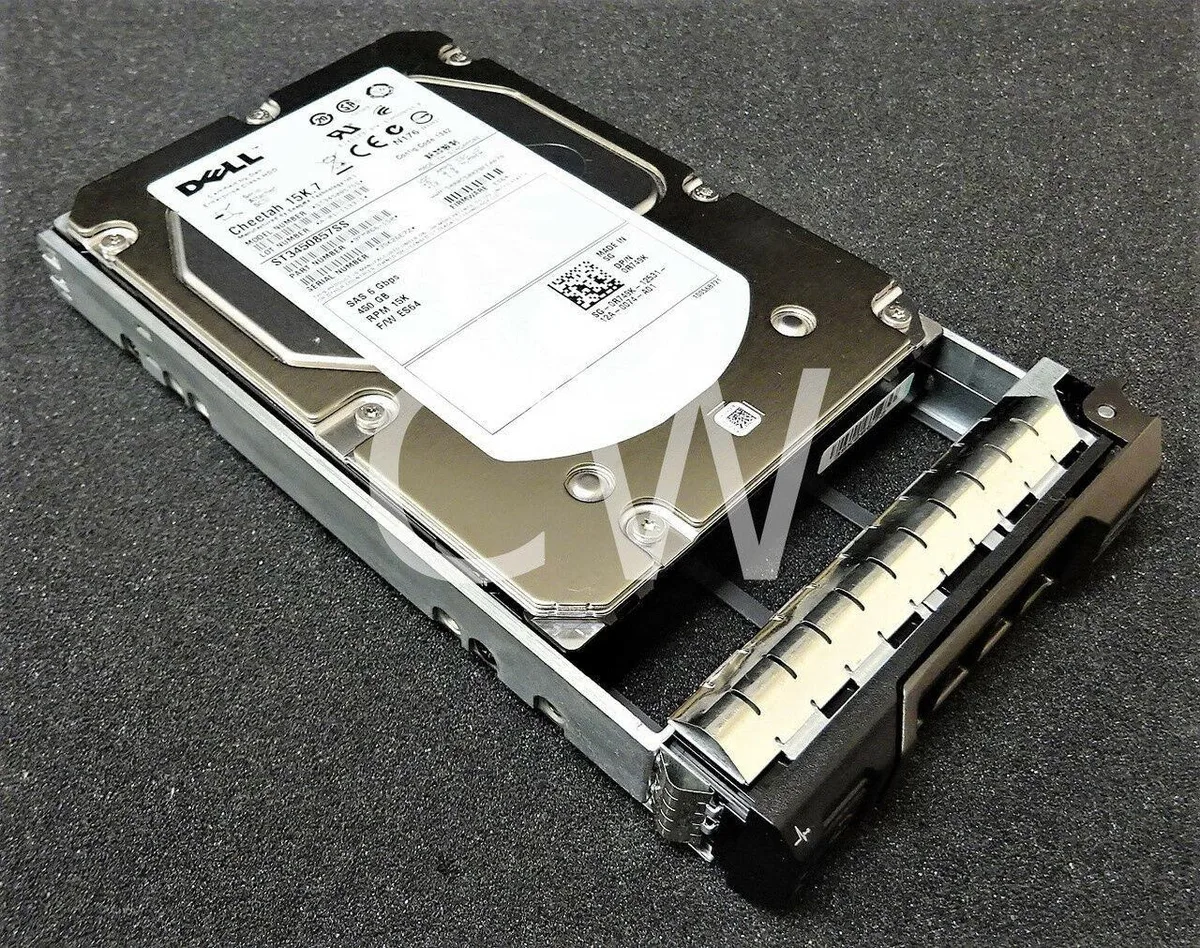

DELL
A 450 GB 3.5-inch SAS hard drive spinning at 15000 RPM with a 16 MB buffer and included R Series caddy
The Dell Cheetah 15K.7 is a 450 GB 3.5-inch internal hard drive spinning at 15 000 RPM with a 6 Gb/s SAS interface and 16 MB cache. It ships new with an R-series caddy for direct mounting in compatible bays.
This drive targets administrators who need low-latency random access in SAS-equipped arrays or servers. Buyers who need larger capacity per spindle, lower power draw, or a different physical interface should consider other options.
The drive connects exclusively via 6 Gb/s SAS; the host backplane or controller must provide a matching SAS port and support 3.5-inch form factor. Without that interface the drive cannot be installed.
Belum ada spesifikasi diterbitkan untuk produk ini.
You need a SAS controller or backplane that supports 6Gb/s SAS links. The drive uses the SAS 6Gb/s interface, so a 3Gb/s-only controller will limit throughput.
The tray is an R-series caddy designed for Dell PowerEdge 2.5" drive bays. It matches the 3.5" form factor of the ST3450857SS and secures with the standard latch used on those chassis.
Check the rotational speed reported by the RAID BIOS or OS utility (e.g., smartctl -a). It should show 15000 rpm. You will also hear the characteristic high-pitched whine of a 15K spindle.
Juga di rak ini
Rak yang sama, checkout yang sama — lapan koin kripto dan kunci kadar 30 minit.
Apa yang anda hantar untuk membayar, dan mata wang yang anda guna untuk membaca harga.
Dihantar daripada dompet anda semasa semak keluar
Untuk paparan sahaja — katalog diberi harga dalam USD
Tiada mata wang yang sepadan.
Pilih bahasa yang digunakan oleh laman web ini.
Tiada bahasa yang sepadan.
Pengguna baharu?
Sudah mempunyai akaun?
Tiada set semula automatik: kedai ini tidak menghantar sebarang e-mel, jadi tiada pautan sekali guna untuk diminta. Biarkan alamat pada akaun tersebut, ia akan diuruskan secara manual.
Permintaan direkodkan
Tiada apa-apa akan sampai ke peti masuk anda — kedai ini tidak menghantar sebarang e-mel. Seseorang akan menguruskannya secara manual.
Sudah teringat?


