

DELL
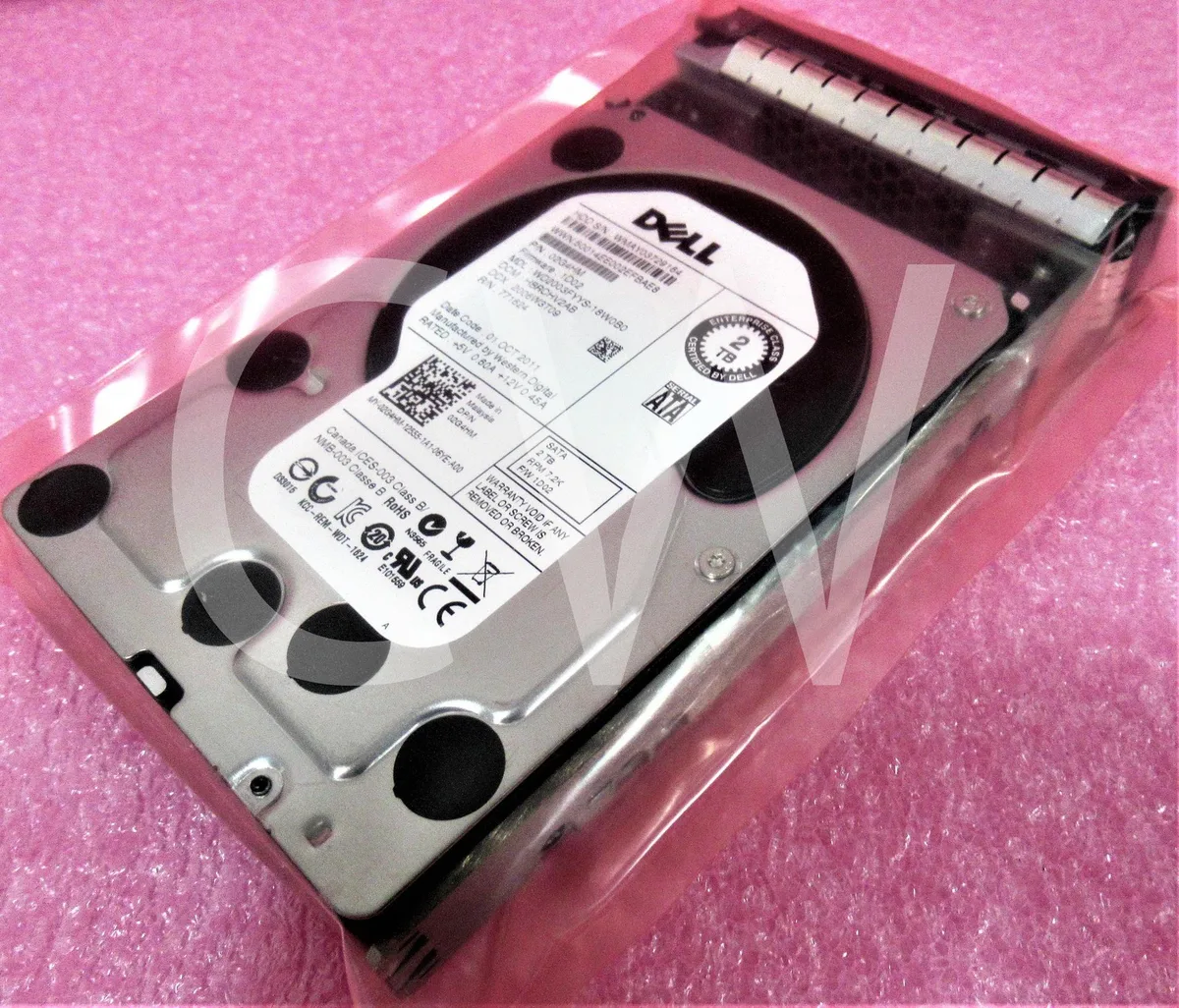
DELL WD2003FYYS 2TB 7200RPM SATA 3.5" internal hard drive with caddy
2 TB desktop hard drive spins at 7200 RPM with a 32 MB cache and includes a Dell R-series caddy for direct server bay mounting
- 2 TB capacity stores large data sets
- 7200 RPM spindle speed delivers responsive performance
- 32 MB cache buffers frequent read and write operations
- SATA 3 Gb/s interface connects to standard desktop controllers
- Includes Dell R-series caddy for quick installation
Dell Enterprise 2TB SATA drive
This Dell WD2003FYYS is a 2TB 3.5-inch internal hard drive spinning at 7200RPM with a 3Gb/s SATA interface and 32MB cache. It ships new and includes an R Series caddy for direct installation in compatible Dell servers or workstations. The enterprise-class design targets continuous operation in RAID arrays or bulk storage roles.
Suited for legacy SATA bays
IT teams maintaining older Dell PowerEdge or Precision systems that require a 3Gb/s SATA drive will find this a direct replacement. The included caddy ensures correct fitment without extra parts. Builders needing 6Gb/s throughput, larger capacities, or solid-state speeds should look at other options.
3Gb/s SATA interface decides fit
The drive negotiates at 3Gb/s SATA, so performance is capped at that link speed even if the backplane supports faster signalling. Verify the target system accepts 3Gb/s SATA 3.5-inch drives before purchase.
Ciri-ciri utama
- 2 TB capacity stores large data sets
- 7200 RPM spindle speed delivers responsive performance
- 32 MB cache buffers frequent read and write operations
- SATA 3 Gb/s interface connects to standard desktop controllers
- Includes Dell R-series caddy for quick installation
Spesifikasi
Belum ada spesifikasi diterbitkan untuk produk ini.
Soalan tentang produk ini
What practical throughput limit does the SATA 3Gb/s interface impose on this drive?
The SATA 3Gb/s link caps real-world transfer rates at the bus ceiling of 3Gb/s, so sustained reads and writes will not exceed that bandwidth.
What physical space and mounting hardware does the included Dell R Series caddy require?
The caddy fits a standard 3.5in drive bay and uses the Dell R Series screw pattern, so the bay must accept that tray width and hole spacing.
How is the drive installed in the caddy, and which step is commonly missed?
Slide the drive into the caddy, secure it with the four side screws, then attach the caddy to the chassis rails; the step often missed is tightening all four side screws before seating the assembly.
Juga di rak ini
Pelanggan turut membandingkan
Rak yang sama, checkout yang sama — lapan koin kripto dan kunci kadar 30 minit.




Western Digital
Western Digital G-DRIVE ArmorATD 5TB portable hard drive SDPH81G005TGBA1D
USD 298.99
0.00381623BTC
Ada stok
OWC
OWC Gemini Ultra X6 12TB Thunderbolt portable SSD (OWCTB3GMA6X12)
- 12TB
- Thunderbolt
USD 2,645.99
0.0337727BTC
Ada stok