

AVID Products
AVID Products R-Go Wireless Vertical Ergonomic Mouse Large Right Hand Black
USD 71.99
0.00091878BTC
Ada stokKami menerima kripto — jadi koin yang anda simpan boleh membeli perkakasan sebenar.Bayar dengan kripto, belanjakannya untuk perkakasan sebenar. Penghantaran berinsurans percuma ke seluruh dunia untuk belian melebihi USD 399. Kotak biasa tanpa jenama, dihantar dari Jerman.Penghantaran berinsurans percuma untuk belian melebihi USD 399. Kadar anda dikunci selama 30 minit sebaik sahaja proses pesanan bermula.Kadar dikunci selama 30 minit. Setiap item disegel, nombor sirinya disemak, dan dilindungi waranti 24 bulan.Disegel, waranti 24 bulan.


Intel
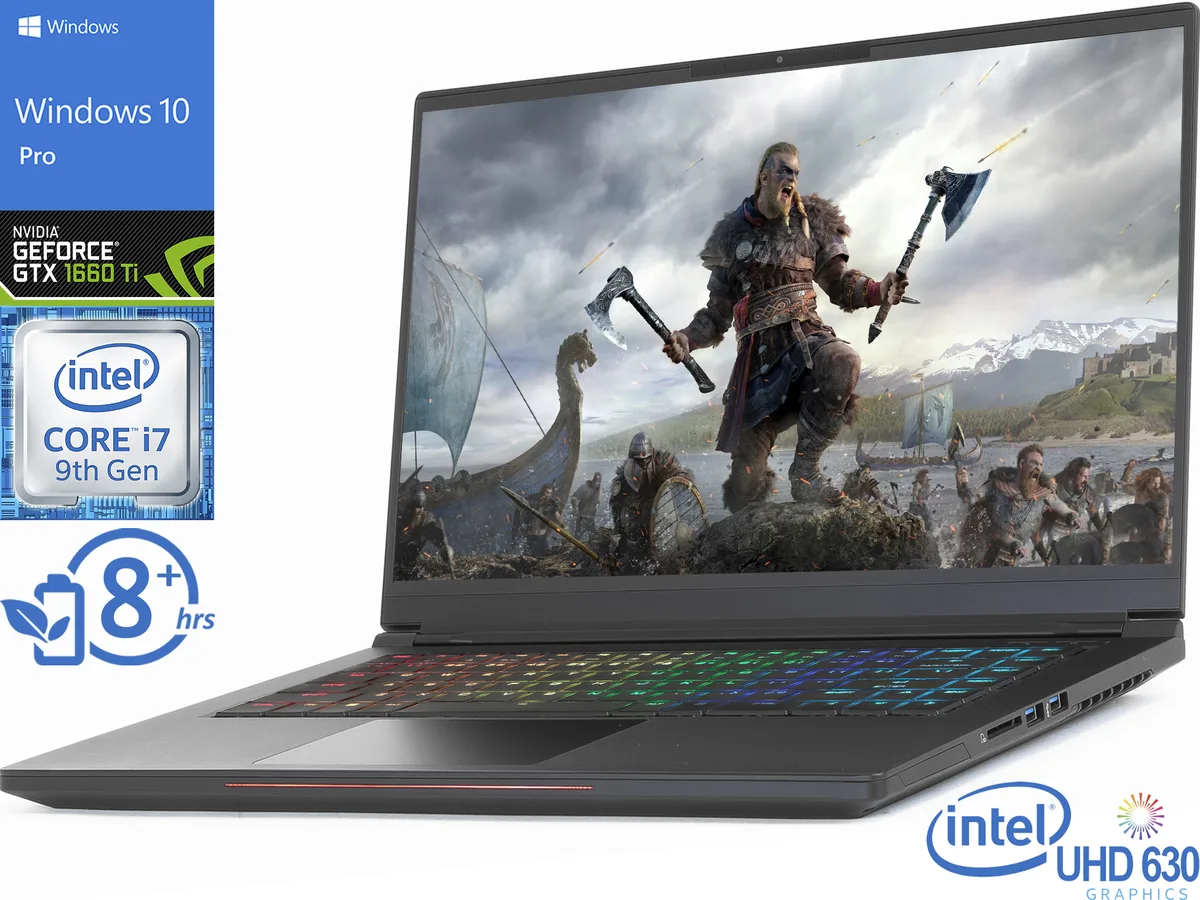
A 15.6" 144Hz FHD gaming laptop with a 6-core i7-9750H up to 4.5GHz, 8GB DDR4, 512GB NVMe SSD and GTX 1660 Ti 6GB graphics
The Intel Whitebook pairs a 15.6" FHD IPS panel at 144Hz with a Core i7-9750H six-core processor and NVIDIA GTX 1660 Ti graphics. It ships with 8GB DDR4 memory and a 512GB NVMe SSD under Windows 10 Pro. The chassis measures 9.1" x 14" x .7" and weighs 4 to 4.9 lbs.
This suits players targeting high frame rates at 1920 x 1080 in current titles. The 144Hz display and GTX 1660 Ti with 6GB video memory deliver smooth motion. Buyers needing higher resolution, ray tracing, or more than 8GB system memory should look at other configurations.
A Thunderbolt port and HDMI output let you add external displays or fast storage without opening the chassis. The 512GB NVMe drive provides quick boot and game loads, while the 720p webcam handles streaming. Battery life exceeds 5 hours for untethered sessions.
| Brand | Intel |
|---|---|
| Model | Whitebook |
| Color | Black |
| Operating System | Windows 10 Pro 👉Check gaming pc with Windows 11 Pro |
| CPU | Intel Core i7-9750H |
| Screen | 15.6" FHD Display |
| Memory | 8GB |
| Storage | 512 GB |
| Graphics Card | NVIDIA GeForce GTX 1660 Ti |
| Video Memory | 6GB |
| Battery Life | > 5 hours |
| Dimensions (W x D x H) | 9.1" x 14" x 0.7" |
| Weight | 4 - 4.9 lbs. |
| CPU Type | Intel Core i7 9th Gen |
| Processor Name | Intel Core i7-9750H |
| Number of Cores | 6-core Processor |
| Turbo Frequency | 4.5GHz |
| CPU Support | 12MB SmartCache |
| Screen Size | 15.6" |
| Touchscreen | Non-Touch Screen |
| Wide Screen Support | Yes |
| Display Type | FHD |
| Resolution | 1920 x 1080 |
| Display Features | In-plane Switching (IPS) Technology |
| GPU/VPU | GeForce GTX 1660 Ti |
| Graphic Type | Dedicated Card |
| SSD | 512GB |
| HDD | No |
| Storage Spec | 512GB NVMe SSD |
| Memory Speed | DDR4 2400 |
| Memory Spec | 8 GB x 1 |
| Memory Type | 2 x SO-DIMM |
| Memory Slot (Total) | 2 |
| Memory Slot (Available) | 1 |
| Max Memory Supported | 64 GB |
| LAN | 10/100/1000Mbps |
| WLAN | Wi-Fi 5 (802.11ac) |
| Bluetooth | Bluetooth 4.2 |
| Thunderbolt 3 | Yes |
| Video Port | 1x HDMI, 1x Thunderbolt 3 |
| HDMI | 1 x HDMI |
| Audio Ports | 1 x Microphone Jack, 1 x Headphone Jack |
| Audio | Integrated Sound card |
| Speaker | Integrated Stereo Speakers |
| Touchpad | Yes |
| Keyboard | Backlit Keyboard |
| Backlit Keyboard | Backlit |
| Webcam | Yes |
| Card Reader | 3-in-1 |
| AC Adapter/Charger | 230-watt AC Adapter |
| Battery | 3-cell Lithium Ion |
| Package Type | Retail |
The HDMI output supports an external monitor at up to 1920 x 1080 resolution, matching the built-in 15.6" FHD panel.
The Thunderbolt port accepts USB-C devices; USB-A peripherals require a separate adapter or hub.
Open Settings > System > Display > Advanced display settings and verify the refresh rate reads 144 Hz.
Juga di rak ini
Rak yang sama, checkout yang sama — lapan koin kripto dan kunci kadar 30 minit.
Apa yang anda hantar untuk membayar, dan mata wang yang anda guna untuk membaca harga.
Dihantar daripada dompet anda semasa semak keluar
Untuk paparan sahaja — katalog diberi harga dalam USD
Tiada mata wang yang sepadan.
Pilih bahasa yang digunakan oleh laman web ini.
Tiada bahasa yang sepadan.
Pengguna baharu?
Sudah mempunyai akaun?
Tiada set semula automatik: kedai ini tidak menghantar sebarang e-mel, jadi tiada pautan sekali guna untuk diminta. Biarkan alamat pada akaun tersebut, ia akan diuruskan secara manual.
Permintaan direkodkan
Tiada apa-apa akan sampai ke peti masuk anda — kedai ini tidak menghantar sebarang e-mel. Seseorang akan menguruskannya secara manual.
Sudah teringat?



