
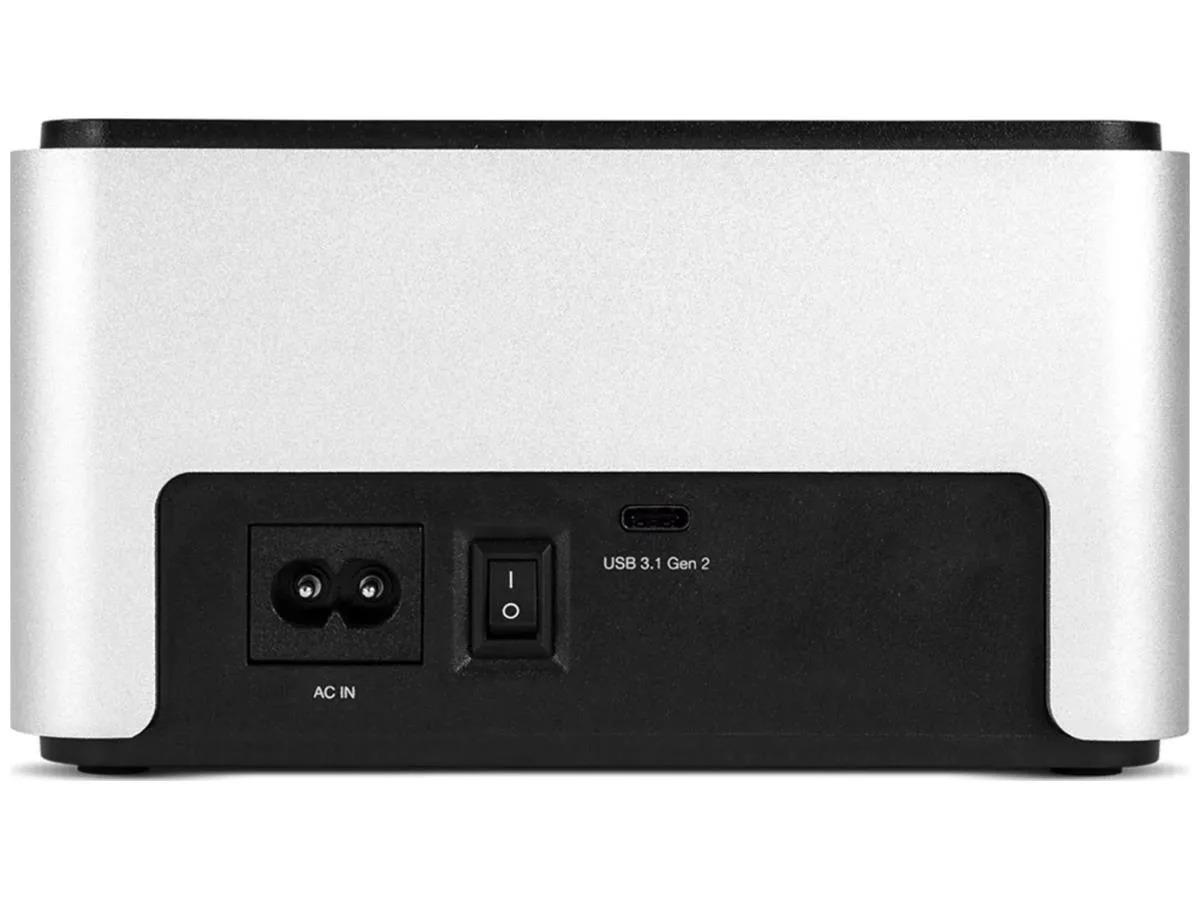


OWC
OWC OWCTCDRVDCKSN USB 3.2 Dual Bay Drive Enclosure 2.5 3.5
Dual-bay dock connects 2.5-inch and 3.5-inch SATA drives via USB 3.2 at 10 Gb/s, compatible with Mac OS and Windows 7 through 11
- Size2.5" & 3.5"
- TypeUSB 3.2 (10Gb/s)
- Internal InterfaceNVMe U.2 and SATA Drives
- Dual-bay flexibility for 2.5 and 3.5-inch SATA drives
- 10 Gb/s USB 3.2 bandwidth speeds large-file transfers
- Single USB-C or USB-A cable simplifies desk connections
- Compact 8.5 × 15 × 16 cm footprint fits tight workspaces
- Broad OS support covers Mac OS and Windows 7 through 11
Dual-bay drive dock for 2.5" and 3.5" drives
The OWC Drive Dock accepts both 2.5-inch and 3.5-inch SATA and NVMe U.2 drives in two independent bays. It connects to a host through a single USB 3.2 Gen 2 port at 10 Gb/s using either a USB-C or USB-A cable. The unit supports macOS and Windows 7 through 11 without additional drivers. It is built for users who need quick, tool-free access to multiple bare drives.
Passive cooling with external 100-240 V power
An included 100-240 V, 50-60 Hz power supply feeds both bays so no host bus power is required. The aluminium chassis acts as a heatsink and operates without fans, so the dock adds no audible noise to a workstation. Power draw scales with the drives installed and the supply handles the full 100-240 V range for worldwide use.
Two simultaneous drive bays over one USB 3.2 link
The single USB 3.2 connection carries data for both bays at up to 10 Gb/s aggregate bandwidth. This means total throughput is shared when both drives are active, so sustained transfers to both volumes will divide the available link speed. Buyers who need dedicated full-speed paths for each drive should consider a multi-port controller instead.
Ciri-ciri utama
- Dual-bay flexibility for 2.5 and 3.5-inch SATA drives
- 10 Gb/s USB 3.2 bandwidth speeds large-file transfers
- Single USB-C or USB-A cable simplifies desk connections
- Compact 8.5 × 15 × 16 cm footprint fits tight workspaces
- Broad OS support covers Mac OS and Windows 7 through 11
Spesifikasi
| Brand | OWC |
|---|---|
| Model | OWCTCDRVDCKSN |
| Part Number | OWCTCDRVDCKSN |
| Size | 2.5" & 3.5" |
| Type | USB 3.2 (10Gb/s) |
| Internal Interface | NVMe U.2 and SATA Drives |
| Berat penghantaran | 1.81 kg |
| Dimensi bungkusan | 210 × 203 × 178 mm |
Soalan tentang produk ini
How do I install a 3.5-inch SATA drive into the OWC OWCTCDRVDCKSN dock?
Connect the dock to power using the included 100-240V supply, insert the 3.5-inch SATA drive into either bay until seated, then connect the USB-C or USB-A cable to the host. The step often missed is powering the dock on before the host recognises the drive.
What maintenance will the OWC OWCTCDRVDCKSN need over time?
The dock has no moving parts or filters. Keep the USB-C or USB-A port and drive bays free of dust; if the external power supply fails after prolonged use, replace it with an equivalent 100-240V 50-60Hz unit.
What thermal limit appears first during sustained transfers on the OWC OWCTCDRVDCKSN?
The enclosure relies on passive convection within its 8.5 cm × 15.0 cm × 16.0 cm chassis; under continuous 10 Gb/s USB 3.2 loads the drive’s own temperature threshold will be reached before the dock’s electronics throttle.
Juga di rak ini
Pelanggan turut membandingkan
Rak yang sama, checkout yang sama — lapan koin kripto dan kunci kadar 30 minit.




Western Digital
Western Digital G-DRIVE ArmorATD 5TB portable hard drive SDPH81G005TGBA1D
USD 298.99
0.00382844BTC
Ada stok
OWC
OWC Gemini Ultra X6 12TB Thunderbolt portable SSD (OWCTB3GMA6X12)
- 12TB
- Thunderbolt
USD 2,645.99
0.03388081BTC
Ada stok