
DELL
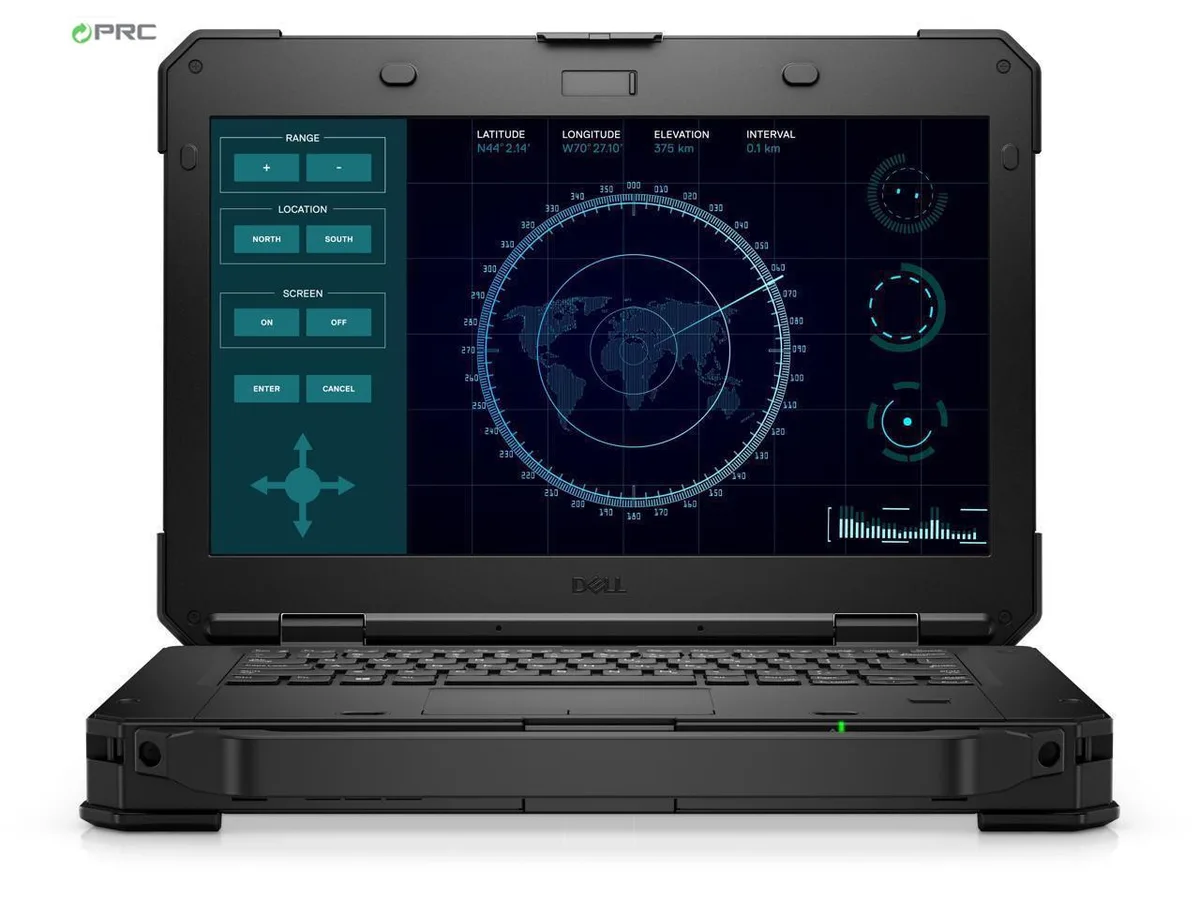
DELL Latitude Rugged 5424 laptop i5-8350U 8GB 128GB SSD 14.0 FHD non-touch Windows 11 Pro
- Black
- Windows 11 Pro
$410,99
0.00524577BTC
StoktaKripto para kabul ediyoruz — böylece elinizdeki koinlerle gerçek donanım alabilirsiniz.Kripto parayla ödeyin, onu gerçek donanıma harcayın. $399 üzeri siparişlerde dünya genelinde sigortalı kargo ücretsizdir. Sade, markasız koliler Almanya’dan gönderilir.$399 üzeri siparişlerde sigortalı kargo ücretsizdir. Ödeme sayfası açıldığında kurunuz 30 dakika kilitli kalır.Kur 30 dakika kilitli. Her ürün mühürlüdür, seri numarası kontrol edilir ve 24 ay garanti kapsamındadır.Mühürlü, 24 ay garantili.


DELL
A 14.0 inch touchscreen ultrabook with a quad-core i5-8350U, 16 GB DDR4 RAM and a 128 GB SSD, running Windows 10 Pro
Options 16GB/128GB W10P Touch
The Dell Latitude 5590 is a 14.0 inch touchscreen ultrabook built for professionals who need a durable, portable Windows 10 Pro machine. It runs on an 8th Gen Intel Core i5-8350U quad-core processor with 16 GB DDR4 memory and a 128 GB SSD. Integrated Intel UHD Graphics 620 drives the 1920 x 1080 IPS panel.
This configuration replaces older dual-core laptops or systems still using mechanical hard drives. The jump is worth it when you need four cores and eight threads for multitasking across office suites, browser tabs and remote-management tools. The 128 GB SSD cuts boot and application load times compared with any HDD-equipped predecessor.
Sixteen gigabytes of DDR4 handles typical corporate workloads — email, video calls, VPN and multiple documents — without paging. The 128 GB drive holds the OS, core apps and a working set of files; it runs out when users store large media libraries, local VMs or offline sync folders. External storage or a larger internal drive becomes necessary at that point.
| Brand | DELL |
|---|---|
| Series | 5000 |
| Model | Latitude |
| Part Number | 5590 |
| Color | Black |
| Operating System | Windows 10 Pro |
| CPU Type | Intel Core i5 8th Gen |
| Processor Name | Intel Core i5-8350U |
| Number of Cores | Quad-core Processor |
| CPU L2 Cache | 6MB |
| Screen Size | 14.0" |
| Touchscreen | Touch Screen |
| Display Type | FHD |
| Resolution | 1920 x 1080 |
| Panel | IPS |
| GPU/VPU | Intel UHD Graphics 620 |
| Graphic Type | Integrated Card |
| SSD | 128GB |
| HDD | No |
| Storage Spec | 128 GB SSD |
| Memory | 16GB |
| Memory Speed | DDR4 |
| Memory Spec | 8 GB x 2 |
| Memory Slot (Total) | 2 |
| Memory Slot (Available) | 0 |
| Max Memory Supported | 32 GB |
| Optical Drive Type | No |
| LAN | 10/100/1000Mbps |
| WiFi Generation | Wi-Fi 4 and earlier generation |
| Bluetooth | Yes |
| USB | 3x USB 3.1 Gen1 (one with PowerShare) , 1 x USB Type-C (DisplayPort) |
| Thunderbolt | 1 x Thunderbolt |
| Video Port | 1 x HDMI 1.4 - DisplayPort over USB Type-C(optional Thunderbolt 3(1) |
| HDMI | 1 x HDMI |
| Ethernet | 1 x RJ-45 (1Gbps) |
| Audio Ports | 1 x Microphone Jack, 1 x Headphone Jack |
| Audio | Integrated Sound card |
| Touchpad | Yes |
| Keyboard | Standard |
| Webcam | Yes |
| Style | Ultrabook |
| Type | Mainstream |
| Usage | Consumer |
| AC Adapter/Charger | 65-watt AC Adapter |
| Weight | 3 - 3.9 lbs. |
Bu modelin diğer sürümleri
Aynı aile, farklı bellek, soğutucu veya frekans — karar vermeden önce karşılaştırın.
The chassis measures 14.8 inches wide, 9.87 inches deep and .9 inches high at the front, weighing 4.19 lbs.
Remove the base screws, lift the cover, unscrew the single M.2 drive, insert the replacement at an angle and secure it with the same screw before reassembling; people often forget to re-seat the screw.
The 16 GB DDR4 is soldered to the board and cannot be upgraded; if a memory fault occurs later the mainboard must be replaced.
Bu reyondan diğerleri
Aynı raf, aynı sipariş tamamlama — sekiz koin ve 30 dakikalık kur kilidi.
Ödediğiniz koin ve fiyatları gördüğünüz para birimi.
Ödeme sırasında cüzdanınızdan gönderilir.
Yalnızca görüntüleme içindir — katalog USD cinsinden fiyatlandırılır.
Eşleşen para birimi yok.
Sitenin size hangi dilde hitap edeceğini seçin.
Eşleşen dil yok.
İlk kez mi geliyorsunuz?
Zaten hesabınız var mı?
Otomatik bir sıfırlama yoktur: bu mağaza hiç e-posta göndermez, dolayısıyla talep edilecek tek kullanımlık bir bağlantı da yoktur. Adresi hesapta bırakın, elle işleme alınır.
Talep alındı
Gelen kutunuza doğru giden hiçbir şey yok — bu mağaza hiç e-posta göndermez. Bunları biri elle işleme alır.
Hatırladınız mı?





