
DELL
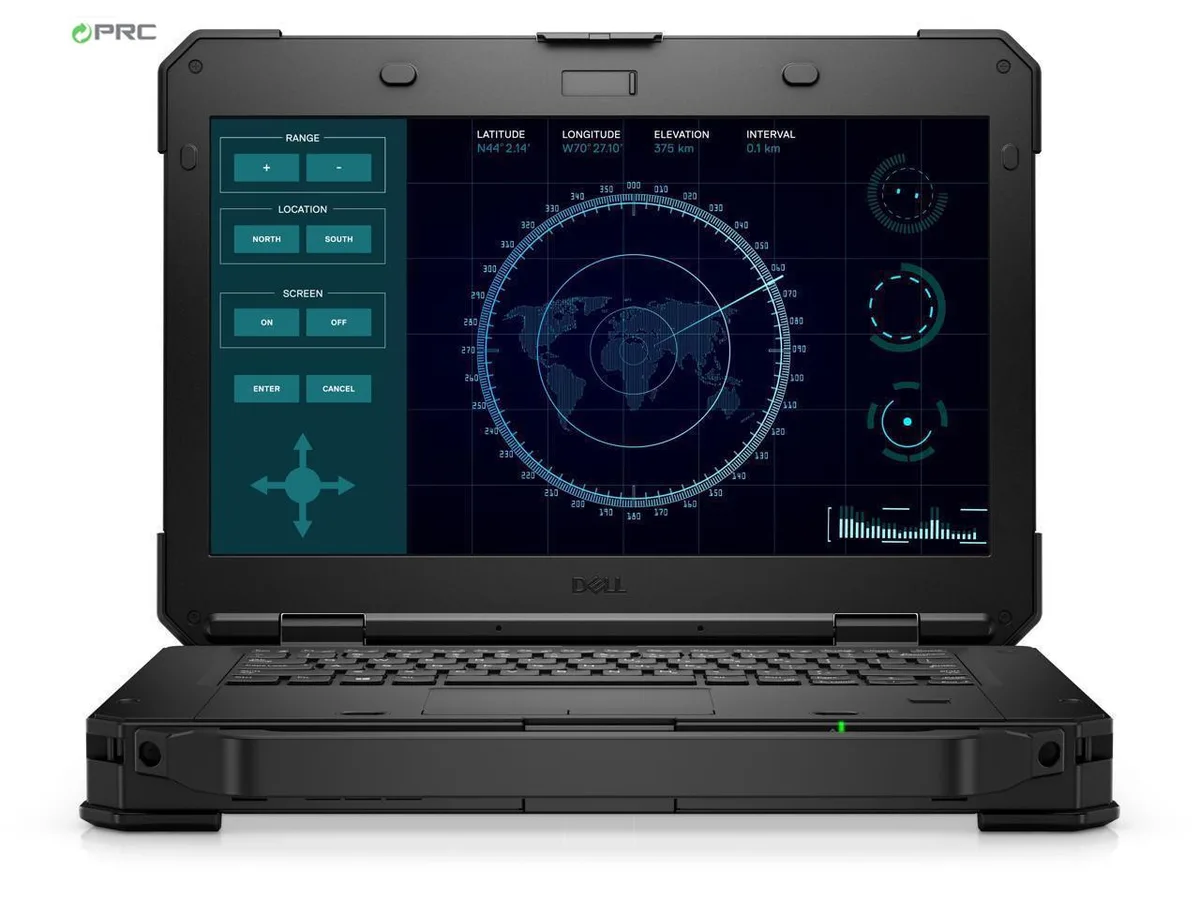
DELL Latitude Rugged 5424 laptop i5-8350U 8GB 128GB SSD 14.0 FHD non-touch Windows 11 Pro
- Black
- Windows 11 Pro
410,99 USD
0.00529667BTC
În stocAcceptăm criptomonede — astfel, criptomonedele pe care le dețineți pot cumpăra echipamente reale.Plătiți în cripto, cheltuiți-o pe echipamente reale. Livrare asigurată gratuită oriunde în lume peste 399 $. Cartoane neutre, fără marcă, expediate din Germania.Livrare asigurată gratuită peste 399 $. Cursul dumneavoastră este blocat timp de 30 de minute de la deschiderea paginii de plată.Curs blocat 30 de minute. Fiecare articol este sigilat, numărul de serie este verificat, iar produsul este acoperit de o garanție de 24 de luni.Sigilat, garantat 24 de luni.


DELL
A 14.0 inch touchscreen ultrabook with a quad-core i5-8350U, 16 GB DDR4 RAM and a 128 GB SSD, running Windows 10 Pro
Options 16GB/128GB W10P Touch
The Dell Latitude 5590 is a 14.0 inch touchscreen ultrabook built for professionals who need a durable, portable Windows 10 Pro machine. It runs on an 8th Gen Intel Core i5-8350U quad-core processor with 16 GB DDR4 memory and a 128 GB SSD. Integrated Intel UHD Graphics 620 drives the 1920 x 1080 IPS panel.
This configuration replaces older dual-core laptops or systems still using mechanical hard drives. The jump is worth it when you need four cores and eight threads for multitasking across office suites, browser tabs and remote-management tools. The 128 GB SSD cuts boot and application load times compared with any HDD-equipped predecessor.
Sixteen gigabytes of DDR4 handles typical corporate workloads — email, video calls, VPN and multiple documents — without paging. The 128 GB drive holds the OS, core apps and a working set of files; it runs out when users store large media libraries, local VMs or offline sync folders. External storage or a larger internal drive becomes necessary at that point.
| Brand | DELL |
|---|---|
| Series | 5000 |
| Model | Latitude |
| Part Number | 5590 |
| Color | Black |
| Operating System | Windows 10 Pro |
| CPU Type | Intel Core i5 8th Gen |
| Processor Name | Intel Core i5-8350U |
| Number of Cores | Quad-core Processor |
| CPU L2 Cache | 6MB |
| Screen Size | 14.0" |
| Touchscreen | Touch Screen |
| Display Type | FHD |
| Resolution | 1920 x 1080 |
| Panel | IPS |
| GPU/VPU | Intel UHD Graphics 620 |
| Graphic Type | Integrated Card |
| SSD | 128GB |
| HDD | No |
| Storage Spec | 128 GB SSD |
| Memory | 16GB |
| Memory Speed | DDR4 |
| Memory Spec | 8 GB x 2 |
| Memory Slot (Total) | 2 |
| Memory Slot (Available) | 0 |
| Max Memory Supported | 32 GB |
| Optical Drive Type | No |
| LAN | 10/100/1000Mbps |
| WiFi Generation | Wi-Fi 4 and earlier generation |
| Bluetooth | Yes |
| USB | 3x USB 3.1 Gen1 (one with PowerShare) , 1 x USB Type-C (DisplayPort) |
| Thunderbolt | 1 x Thunderbolt |
| Video Port | 1 x HDMI 1.4 - DisplayPort over USB Type-C(optional Thunderbolt 3(1) |
| HDMI | 1 x HDMI |
| Ethernet | 1 x RJ-45 (1Gbps) |
| Audio Ports | 1 x Microphone Jack, 1 x Headphone Jack |
| Audio | Integrated Sound card |
| Touchpad | Yes |
| Keyboard | Standard |
| Webcam | Yes |
| Style | Ultrabook |
| Type | Mainstream |
| Usage | Consumer |
| AC Adapter/Charger | 65-watt AC Adapter |
| Weight | 3 - 3.9 lbs. |
Alte versiuni ale acestui model
Aceeași familie, memorie, radiator sau frecvență diferite — comparați înainte de a vă decide.
The chassis measures 14.8 inches wide, 9.87 inches deep and .9 inches high at the front, weighing 4.19 lbs.
Remove the base screws, lift the cover, unscrew the single M.2 drive, insert the replacement at an angle and secure it with the same screw before reassembling; people often forget to re-seat the screw.
The 16 GB DDR4 is soldered to the board and cannot be upgraded; if a memory fault occurs later the mainboard must be replaced.
Tot din acest raion
Același raion, aceeași finalizare a comenzii — opt monede și un curs blocat 30 de minute.
În ce monedă plătiți și în ce monedă citiți prețurile.
Trimis din portofelul dumneavoastră la finalizarea comenzii
Doar pentru afișare — catalogul este exprimat în dolari
Nicio monedă nu corespunde.
Alegeți limba în care vă vorbește site-ul.
Nicio limbă nu corespunde.
Prima vizită?
Aveți deja un cont?
Nu există o resetare automată: acest magazin nu trimite niciun e-mail, deci nu există niciun link de unică folosință de solicitat. Lăsați adresa în cont. Va fi tratată manual.
Cerere înregistrată
Nu veți primi nimic în căsuța de e-mail — acest magazin nu trimite niciun e-mail. Cineva se ocupă de asta manual.
V-ați amintit-o?





