

SanDisk
SanDisk Cruzer Blade 8 GB USB 2.0 USB flash drive Black SDCZ50-008G-B35
$391,99
0.00501587BTC
StoktaKripto para kabul ediyoruz — böylece elinizdeki koinlerle gerçek donanım alabilirsiniz.Kripto parayla ödeyin, onu gerçek donanıma harcayın. $399 üzeri siparişlerde dünya genelinde sigortalı kargo ücretsizdir. Sade, markasız koliler Almanya’dan gönderilir.$399 üzeri siparişlerde sigortalı kargo ücretsizdir. Ödeme sayfası açıldığında kurunuz 30 dakika kilitli kalır.Kur 30 dakika kilitli. Her ürün mühürlüdür, seri numarası kontrol edilir ve 24 ay garanti kapsamındadır.Mühürlü, 24 ay garantili.


Pimoroni
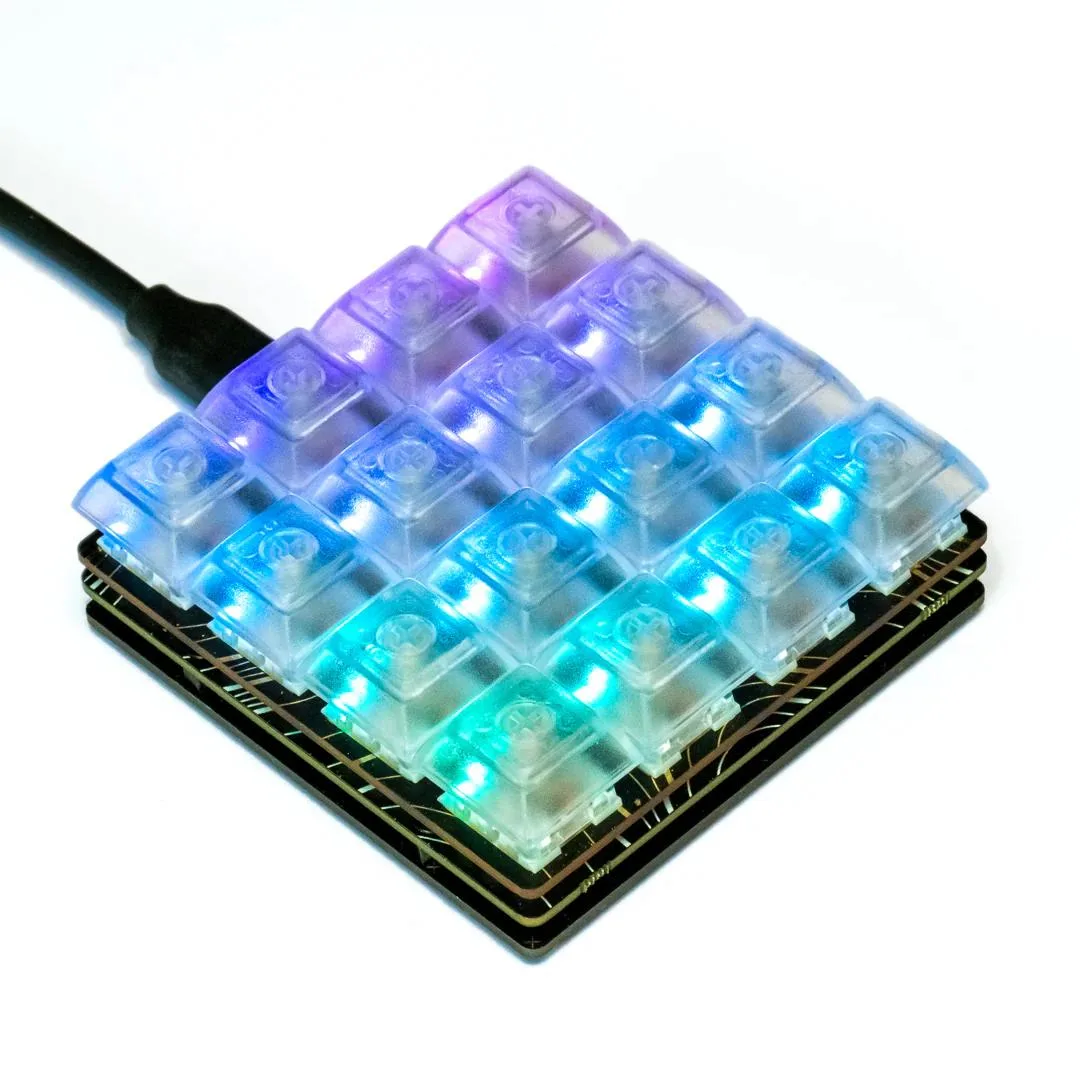
A compact 16-key development board with hot-swap mechanical switches, per-key RGB lighting and an RP2040 microcontroller for custom macros and input projects
The Pimoroni Keybow 2040 is a compact 4×4 macro pad built around the Raspberry Pi RP2040 microcontroller. It suits makers, developers and streamers who need a programmable keypad with per-key lighting for shortcuts, macros or custom input experiments.
Low-profile linear switches come pre-installed in hot-swap Kailh sockets, so you can replace them with any Cherry MX-compatible switch without soldering. Each key has an addressable RGB LED driven by an IS31FL3731 PWM matrix driver, and the board includes dedicated BOOTSEL and reset buttons for easy firmware updates.
The board draws power and communicates over a single USB-C connection and provides 2 MB of onboard flash for CircuitPython or MicroPython scripts. Check that your host can supply enough current for 16 illuminated keys and that your enclosure can accommodate the 4×4 key matrix and low-profile switch height.
Bu ürün için henüz yayınlanmış teknik özellik yok.
The USB-C port powers the board and provides the data connection for programming the RP2040 microcontroller.
The board measures a compact 4x4 grid with low-profile Kailh hot-swap sockets and transparent DSA keycaps; four corner mounting holes secure it inside a case.
Hold the BOOTSEL button while plugging the USB-C cable in; the board then appears as a mass-storage device so you can drag a UF2 file onto it.
Bu reyondan diğerleri
Aynı raf, aynı sipariş tamamlama — sekiz koin ve 30 dakikalık kur kilidi.
Ödediğiniz koin ve fiyatları gördüğünüz para birimi.
Ödeme sırasında cüzdanınızdan gönderilir.
Yalnızca görüntüleme içindir — katalog USD cinsinden fiyatlandırılır.
Eşleşen para birimi yok.
Sitenin size hangi dilde hitap edeceğini seçin.
Eşleşen dil yok.
İlk kez mi geliyorsunuz?
Zaten hesabınız var mı?
Otomatik bir sıfırlama yoktur: bu mağaza hiç e-posta göndermez, dolayısıyla talep edilecek tek kullanımlık bir bağlantı da yoktur. Adresi hesapta bırakın, elle işleme alınır.
Talep alındı
Gelen kutunuza doğru giden hiçbir şey yok — bu mağaza hiç e-posta göndermez. Bunları biri elle işleme alır.
Hatırladınız mı?



