

SanDisk
SanDisk Cruzer Blade 8 GB USB 2.0 USB flash drive Black SDCZ50-008G-B35
US$391.99
0.00501587BTC
現貨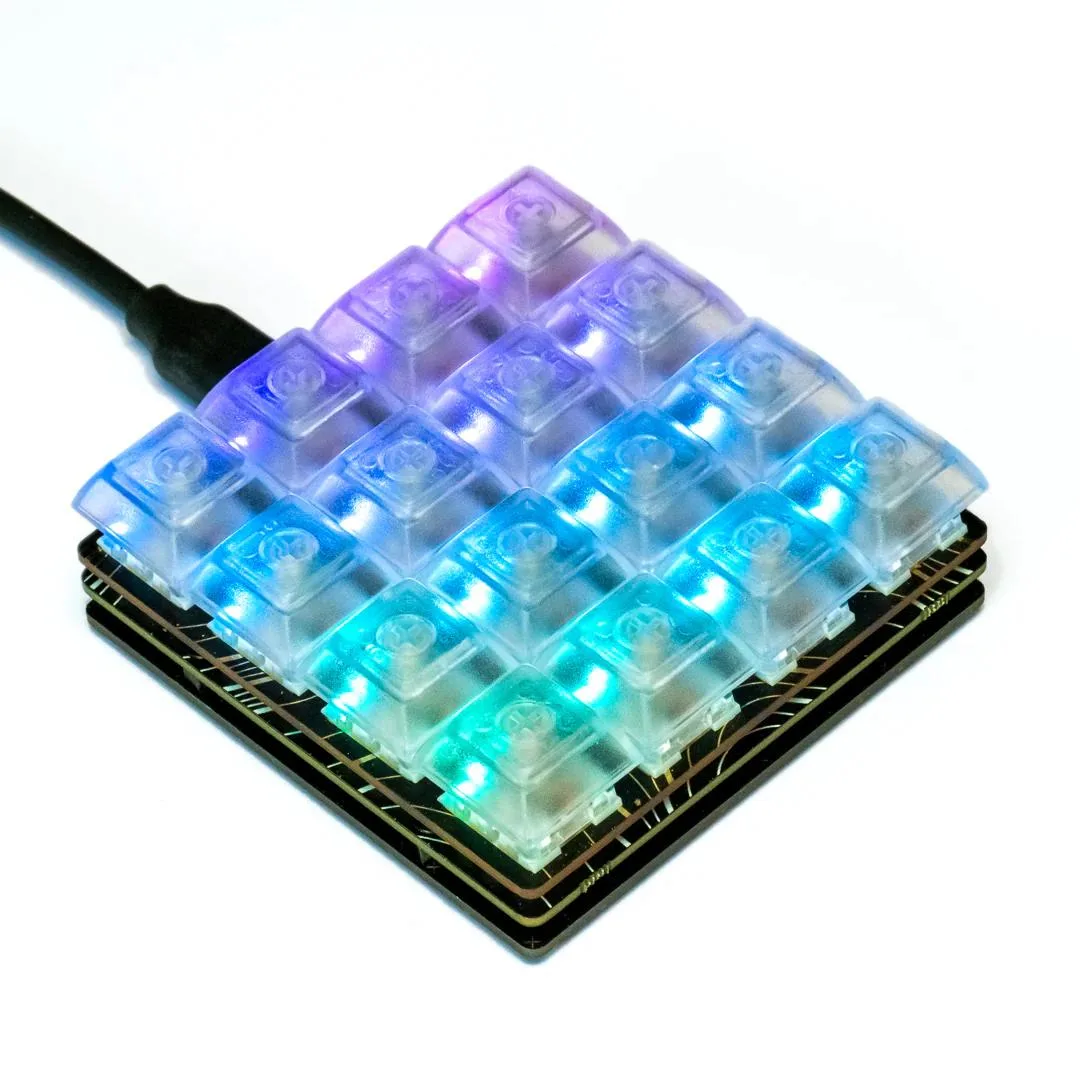


Pimoroni
A compact 16-key development board with hot-swap mechanical switches, per-key RGB lighting and an RP2040 microcontroller for custom macros and input projects
The Pimoroni Keybow 2040 is a compact 4×4 macro pad built around the Raspberry Pi RP2040 microcontroller. It suits makers, developers and streamers who need a programmable keypad with per-key lighting for shortcuts, macros or custom input experiments.
Low-profile linear switches come pre-installed in hot-swap Kailh sockets, so you can replace them with any Cherry MX-compatible switch without soldering. Each key has an addressable RGB LED driven by an IS31FL3731 PWM matrix driver, and the board includes dedicated BOOTSEL and reset buttons for easy firmware updates.
The board draws power and communicates over a single USB-C connection and provides 2 MB of onboard flash for CircuitPython or MicroPython scripts. Check that your host can supply enough current for 16 illuminated keys and that your enclosure can accommodate the 4×4 key matrix and low-profile switch height.
本商品目前尚未公佈規格。
The USB-C port powers the board and provides the data connection for programming the RP2040 microcontroller.
The board measures a compact 4x4 grid with low-profile Kailh hot-swap sockets and transparent DSA keycaps; four corner mounting holes secure it inside a case.
Hold the BOOTSEL button while plugging the USB-C cable in; the board then appears as a mass-storage device so you can drag a UF2 file onto it.
同類商品
同一分類,同一套結帳流程 — 支援八種加密貨幣,匯率鎖定 30 分鐘。
您支付所用的幣種,以及查看價格所用的貨幣。
結帳時由您的錢包發送
僅供顯示 — 商品目錄以美元計價
查無符合的貨幣。
請選擇網站使用的語言。
查無符合的語言。
初次造訪?
已經有帳戶了嗎?
本店沒有自動重設密碼的機制:由於不寄送電子郵件,也就沒有一次性連結可供申請。只要將地址留在帳戶中,之後將由專人處理。
請求已收到
不會有任何郵件寄到您的信箱 — 本商店完全不寄送電子郵件。會有人親自處理這些申請。
想起來了嗎?



