STARTECH
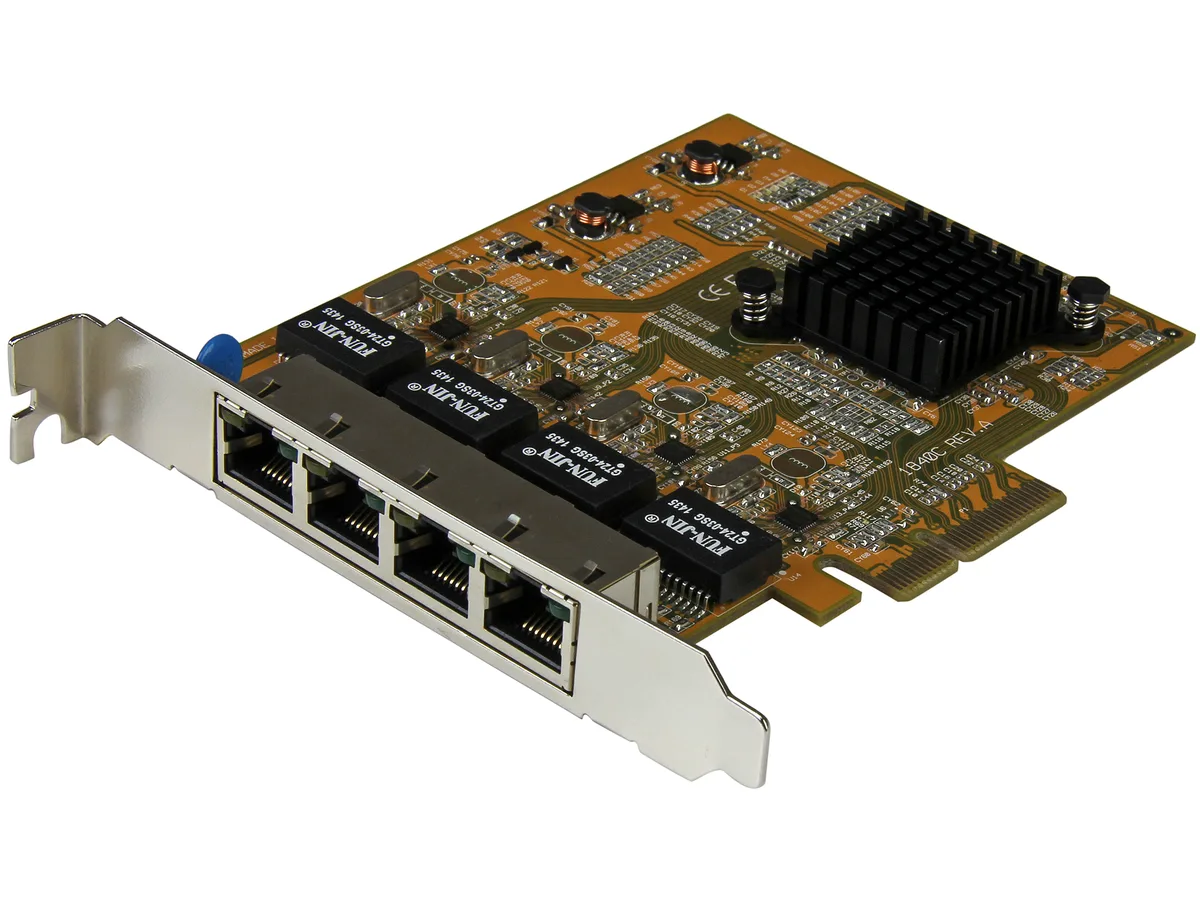
STARTECH ST1000SPEX2 PCIe Gigabit network card
- IEEE 802.3, IEEE 80…
- 10/100/1000Mbps
$26,99$28,49−5%
0.00034537BTC
StoktaKripto para kabul ediyoruz — böylece elinizdeki koinlerle gerçek donanım alabilirsiniz.Kripto parayla ödeyin, onu gerçek donanıma harcayın. $399 üzeri siparişlerde dünya genelinde sigortalı kargo ücretsizdir. Sade, markasız koliler Almanya’dan gönderilir.$399 üzeri siparişlerde sigortalı kargo ücretsizdir. Ödeme sayfası açıldığında kurunuz 30 dakika kilitli kalır.Kur 30 dakika kilitli. Her ürün mühürlüdür, seri numarası kontrol edilir ve 24 ay garanti kapsamındadır.Mühürlü, 24 ay garantili.


STARTECH
Adds a 10/100/1000 Mbps RJ45 port via Mini PCI Express with Realtek RTL8111E chipset and Wake-on-LAN support
Option Mini PCIe 1 Gbps - 1 Port RJ45
Üzeri çizili sürümler mevcuttur ancak burada stokta değildir.
This StarTech ST1000SMPEX adds a single RJ45 port through any Mini PCI Express slot on a motherboard. It operates at 10, 100 or 1000Mbps and uses a Realtek RTL8111E chipset. The card supports Wake On LAN and includes activity and link LEDs. It is a new embedded network interface for clients, servers or workstations.
When an integrated Ethernet controller stops working this adapter restores wired connectivity without replacing the board. The jump is worth it if the system has a free Mini PCI Express slot and needs a reliable 1000Base-T link. It also upgrades older 10/100-only hardware to full Gigabit speed over twisted pair cable.
Builders repairing industrial PCs, thin clients or older workstations with Mini PCI Express slots will find this a direct fit. Buyers who need multiple ports, fibre connectivity or a standard full-size PCI Express card should look at something else. Systems without an available Mini PCI Express slot cannot use this adapter.
| Brand | StarTech.com |
|---|---|
| Model | ST1000SMPEX |
| Standards | IEEE802.3, IEEE802.3u, IEEE802.3ab |
| Speed | 10/100/1000Mbps |
| Connectors | 1 x RJ45 |
| Interface | mini PCI Express |
| LEDs | 1 - Activity 1 - Link |
| Wake On LAN | Yes |
| Temperature | 0°C ~ 55°C |
| Humidity | 5 % ~ 95 % (Non-condensing) |
| Features | Card Type: Embedded Chipset ID: Realtek RTL8111E OS Compatibility: Windows 2000/ XP (32/64-bit)/ Server 2003 (32/64-bit)/ Server 2008 R2/ Vista (32/64-bit)/ 7 (32/64-bit)/ 8 (32/64-bit) Mac OS 10.4.x and 10.5.x Linux and Unix Fully complaint with IEEE 802.3, 802.3u, and 802.3ab specifications for 10/100/1000 Mbps connections Jumbo Frame support up to 9k Crossover Detection & Auto-Correction (Auto MDIX) IEEE 802.1Q VLAN Tagging support Supports Wake-on-LAN (WOL) and Remote Wake-up Support, Pair Swap/Polarity/Skew Correction Microsoft NDIS5 Checksum Offload (IPv4, TCP, UDP) and Large S |
| Weight | 20 |
| Kargo ağırlığı | 0.15 kg |
| Koli boyutu | 173 × 142 × 34 mm |
Bu modelin diğer sürümleri
Aynı aile, farklı bellek, soğutucu veya frekans — karar vermeden önce karşılaştırın.
The adapter uses the Mini PCI Express form factor and plugs directly into the slot; no separate bracket is included or required.
Install the Realtek RTL8111E driver for Windows 7 64-bit before inserting the card so the OS recognises the Gigabit link immediately.
Inspect the RJ45 connector and the two status LEDs once a year; compressed air removes debris that could affect the link indicator.
Bu reyondan diğerleri
Aynı raf, aynı sipariş tamamlama — sekiz koin ve 30 dakikalık kur kilidi.
Ödediğiniz koin ve fiyatları gördüğünüz para birimi.
Ödeme sırasında cüzdanınızdan gönderilir.
Yalnızca görüntüleme içindir — katalog USD cinsinden fiyatlandırılır.
Eşleşen para birimi yok.
Sitenin size hangi dilde hitap edeceğini seçin.
Eşleşen dil yok.
İlk kez mi geliyorsunuz?
Zaten hesabınız var mı?
Otomatik bir sıfırlama yoktur: bu mağaza hiç e-posta göndermez, dolayısıyla talep edilecek tek kullanımlık bir bağlantı da yoktur. Adresi hesapta bırakın, elle işleme alınır.
Talep alındı
Gelen kutunuza doğru giden hiçbir şey yok — bu mağaza hiç e-posta göndermez. Bunları biri elle işleme alır.
Hatırladınız mı?