STARTECH
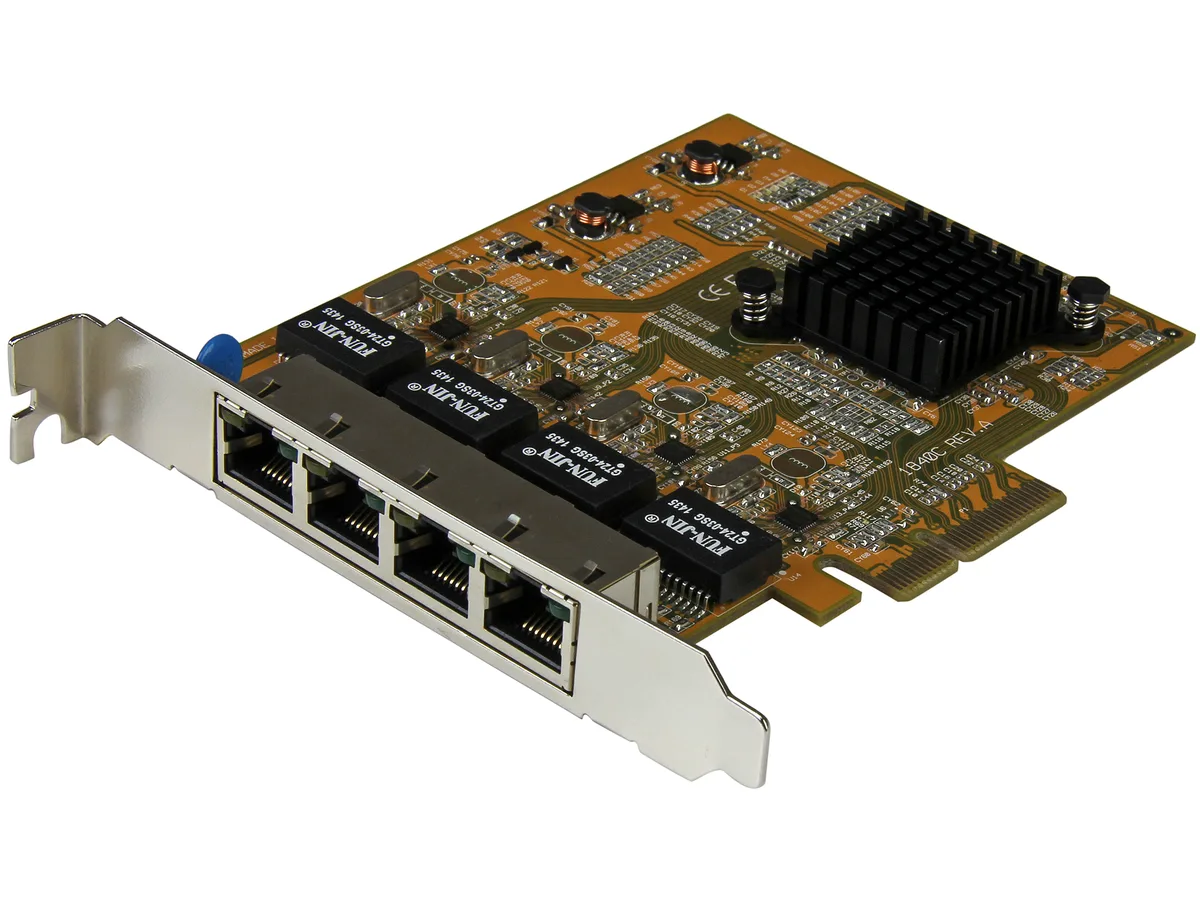
STARTECH ST1000SPEX2 PCIe Gigabit network card
- IEEE 802.3, IEEE 80…
- 10/100/1000Mbps
US$26.99US$28.49−5%
0.0003464BTC
มีสินค้าเรารับชำระด้วยคริปโต — เหรียญที่คุณถืออยู่จึงนำมาซื้อฮาร์ดแวร์ของจริงได้จ่ายด้วยคริปโต แล้วนำไปซื้อฮาร์ดแวร์ของจริง จัดส่งฟรีพร้อมประกันภัยทั่วโลก เมื่อสั่งซื้อเกิน US$399 กล่องพัสดุเรียบไม่มีตราสินค้า จัดส่งจากประเทศเยอรมนีจัดส่งฟรีพร้อมประกันภัย เมื่อสั่งซื้อเกิน US$399 อัตราแลกเปลี่ยนของคุณจะถูกล็อกไว้ 30 นาที ทันทีที่เปิดหน้าชำระเงินล็อกอัตราแลกเปลี่ยน 30 นาที สินค้าทุกชิ้นปิดผนึกจากโรงงาน ตรวจสอบหมายเลขซีเรียล และรับประกัน 24 เดือนปิดผนึกจากโรงงาน รับประกัน 24 เดือน


STARTECH
Adds a 10/100/1000 Mbps RJ45 port via Mini PCI Express with Realtek RTL8111E chipset and Wake-on-LAN support
Option Mini PCIe 1 Gbps - 1 Port RJ45
ตัวเลือกที่ขีดฆ่าไว้มีอยู่จริง แต่ไม่มีจำหน่ายที่นี่
This StarTech ST1000SMPEX adds a single RJ45 port through any Mini PCI Express slot on a motherboard. It operates at 10, 100 or 1000Mbps and uses a Realtek RTL8111E chipset. The card supports Wake On LAN and includes activity and link LEDs. It is a new embedded network interface for clients, servers or workstations.
When an integrated Ethernet controller stops working this adapter restores wired connectivity without replacing the board. The jump is worth it if the system has a free Mini PCI Express slot and needs a reliable 1000Base-T link. It also upgrades older 10/100-only hardware to full Gigabit speed over twisted pair cable.
Builders repairing industrial PCs, thin clients or older workstations with Mini PCI Express slots will find this a direct fit. Buyers who need multiple ports, fibre connectivity or a standard full-size PCI Express card should look at something else. Systems without an available Mini PCI Express slot cannot use this adapter.
| Brand | StarTech.com |
|---|---|
| Model | ST1000SMPEX |
| Standards | IEEE802.3, IEEE802.3u, IEEE802.3ab |
| Speed | 10/100/1000Mbps |
| Connectors | 1 x RJ45 |
| Interface | mini PCI Express |
| LEDs | 1 - Activity 1 - Link |
| Wake On LAN | Yes |
| Temperature | 0°C ~ 55°C |
| Humidity | 5 % ~ 95 % (Non-condensing) |
| Features | Card Type: Embedded Chipset ID: Realtek RTL8111E OS Compatibility: Windows 2000/ XP (32/64-bit)/ Server 2003 (32/64-bit)/ Server 2008 R2/ Vista (32/64-bit)/ 7 (32/64-bit)/ 8 (32/64-bit) Mac OS 10.4.x and 10.5.x Linux and Unix Fully complaint with IEEE 802.3, 802.3u, and 802.3ab specifications for 10/100/1000 Mbps connections Jumbo Frame support up to 9k Crossover Detection & Auto-Correction (Auto MDIX) IEEE 802.1Q VLAN Tagging support Supports Wake-on-LAN (WOL) and Remote Wake-up Support, Pair Swap/Polarity/Skew Correction Microsoft NDIS5 Checksum Offload (IPv4, TCP, UDP) and Large S |
| Weight | 20 |
| น้ำหนักในการจัดส่ง | 0.15 kg |
| ขนาดบรรจุภัณฑ์ | 173 × 142 × 34 mm |
รุ่นอื่นในตระกูลเดียวกัน
ตระกูลเดียวกัน แต่หน่วยความจำ คูลเลอร์ หรือสัญญาณนาฬิกาต่างกัน — เปรียบเทียบก่อนตัดสินใจ
The adapter uses the Mini PCI Express form factor and plugs directly into the slot; no separate bracket is included or required.
Install the Realtek RTL8111E driver for Windows 7 64-bit before inserting the card so the OS recognises the Gigabit link immediately.
Inspect the RJ45 connector and the two status LEDs once a year; compressed air removes debris that could affect the link indicator.
อื่น ๆ ในหมวดนี้
หมวดเดียวกัน การชำระเงินแบบเดียวกัน — แปดสกุลเงินคริปโตและอัตราแลกเปลี่ยนที่ล็อกไว้ 30 นาที
สิ่งที่คุณใช้ชำระ และสิ่งที่คุณใช้อ่านราคา
ส่งจากกระเป๋าเงินของคุณเมื่อชำระเงิน
แสดงผลเท่านั้น — แคตตาล็อกสินค้าตั้งราคาเป็นดอลลาร์สหรัฐ
ไม่พบสกุลเงินที่ตรงกัน
เลือกภาษาที่ต้องการให้เว็บไซต์แสดงผล
ไม่พบภาษาที่ตรงกัน
ยังไม่เคยใช้งานใช่ไหม
มีบัญชีอยู่แล้วใช่ไหม
ไม่มีการรีเซ็ตแบบอัตโนมัติ ร้านนี้ไม่ส่งอีเมลใด ๆ จึงไม่มีลิงก์ใช้ครั้งเดียวให้ขอ ปล่อยที่อยู่อีเมลนี้ไว้ในบัญชี แล้วเจ้าหน้าที่จะดำเนินการให้ด้วยตนเอง
รับคำขอแล้ว
ไม่มีอะไรถูกส่งไปยังกล่องจดหมายของคุณ — ร้านนี้ไม่ส่งอีเมลใด ๆ เลย มีคนดำเนินการเรื่องนี้ให้ด้วยมือ
นึกออกแล้วใช่ไหม