Zyvpee
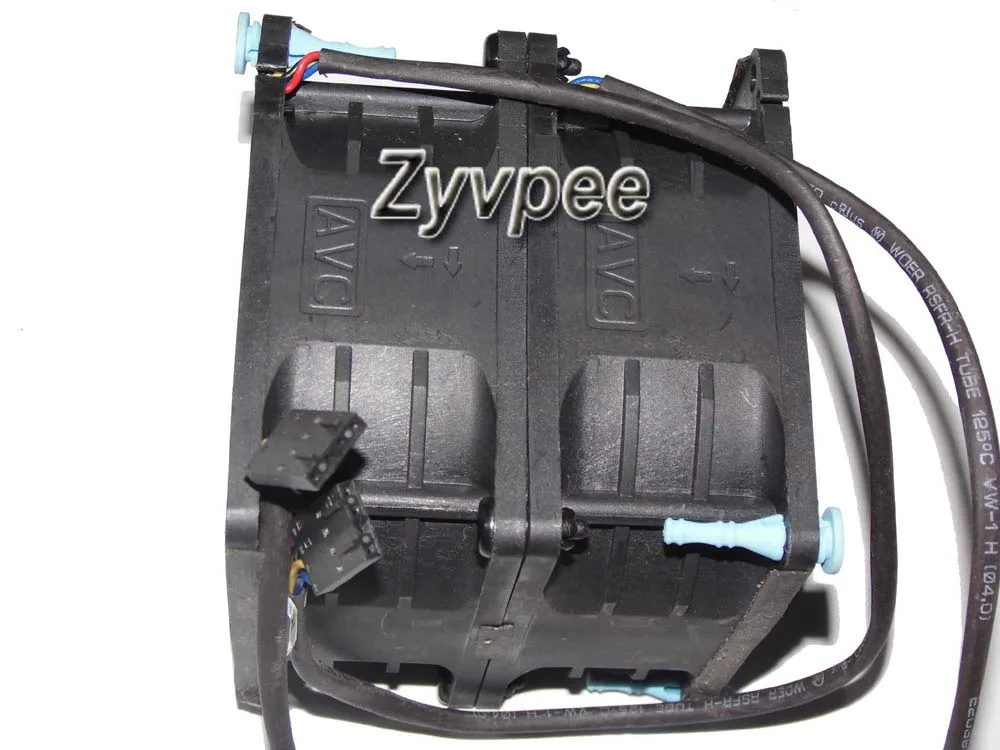
Zyvpee DBTB0838B2S 80mm case fan 12V 2.1A 4-wire 7000 RPM 80 CFM 50 dBA 80x76mm
- Case Fan
- Case
52,99 щ.д.
0.00068041BTC
В наличностПриемаме криптовалута — така монетите, които притежавате, могат да купят истински хардуер.Платете с крипто, похарчете го за истински хардуер. Безплатна застрахована доставка по целия свят над 399 $. Неутрални кашони без марка, изпратени от Германия.Безплатна застрахована доставка над 399 $. Курсът Ви е заключен за 30 минути веднага след отварянето на касата.Курс, заключен за 30 минути. Всеки артикул е запечатан, серийният му номер е проверен, и е покрит с 24-месечна гаранция.Запечатан, 24-месечна гаранция.


Fans
New original CPU fan cools Dell 14-3458 and 14-3459 laptops
This new original CPU cooler is built for Dell Inspiron 14-3458 and 14-3459 laptops. It matches part numbers DFS541108FC0T and 023.1002R.0001 for a direct fit. The fan restores factory cooling performance without modification.
The unit handles normal office workloads and light multitasking on the supported models. It lacks the thermal headroom for sustained heavy loads or gaming sessions. Buyers needing higher airflow for overclocked or upgraded processors cannot use this cooler.
Все още няма публикувани спецификации за този артикул.
Yes, the DFS541108FC0T is the original equipment cooler for Dell 14-3458 and 14-3459 models, so it uses the stock mounting holes and screw pattern.
Enter the BIOS on boot and check the fan RPM reading; it should report a speed above zero and rise under CPU load.
Още от този рафт
Същият рафт, същата каса — осем монети и заключване на курса за 30 минути.
Това, което изпращате, и това, в което четете цените.
Изпратено от Вашия портфейл при поръчката
Само за визуализация — каталогът е в долари
Никоя валута не съответства.
Изберете езика, на който сайтът да Ви говори.
Няма съвпадащ език.
Нови сте тук?
Вече имате профил?
Няма автоматично нулиране: този магазин не изпраща имейли, така че няма еднократна връзка, която да поискате. Оставете адреса в профила си и той ще бъде обработен ръчно.
Заявката е приета
Нищо няма да пристигне във Вашата пощенска кутия — този магазин изобщо не изпраща имейли. Заявките се обработват ръчно.
Спомнихте си я?