

Thermalright
Thermalright MC-2 ARGB Memory Cooler White 3200 RPM
- Fan & Heatsinks
- DDR/DDR2/DDR3/DDR4/…
22,99 USD
0.00029616BTC
Na zalihiPrihvaćamo kriptovalute — tako kriptovalute koje posjedujete mogu kupiti pravi hardver.Plaćajte kriptovalutom, trošite je na pravi hardver. Besplatna osigurana dostava diljem svijeta iznad 399 $. Obični vanjski kartoni bez oznaka, otpremaju se iz Njemačke.Besplatna osigurana dostava iznad 399 $. Vaš je tečaj blokiran 30 minuta od otvaranja blagajne.Tečaj blokiran 30 minuta. Svaki je artikl zapečaćen, njegov serijski broj provjeren, i pokriven jamstvom od 24 mjeseca.Zapečaćen, jamstvo 24 mjeseca.

Fans
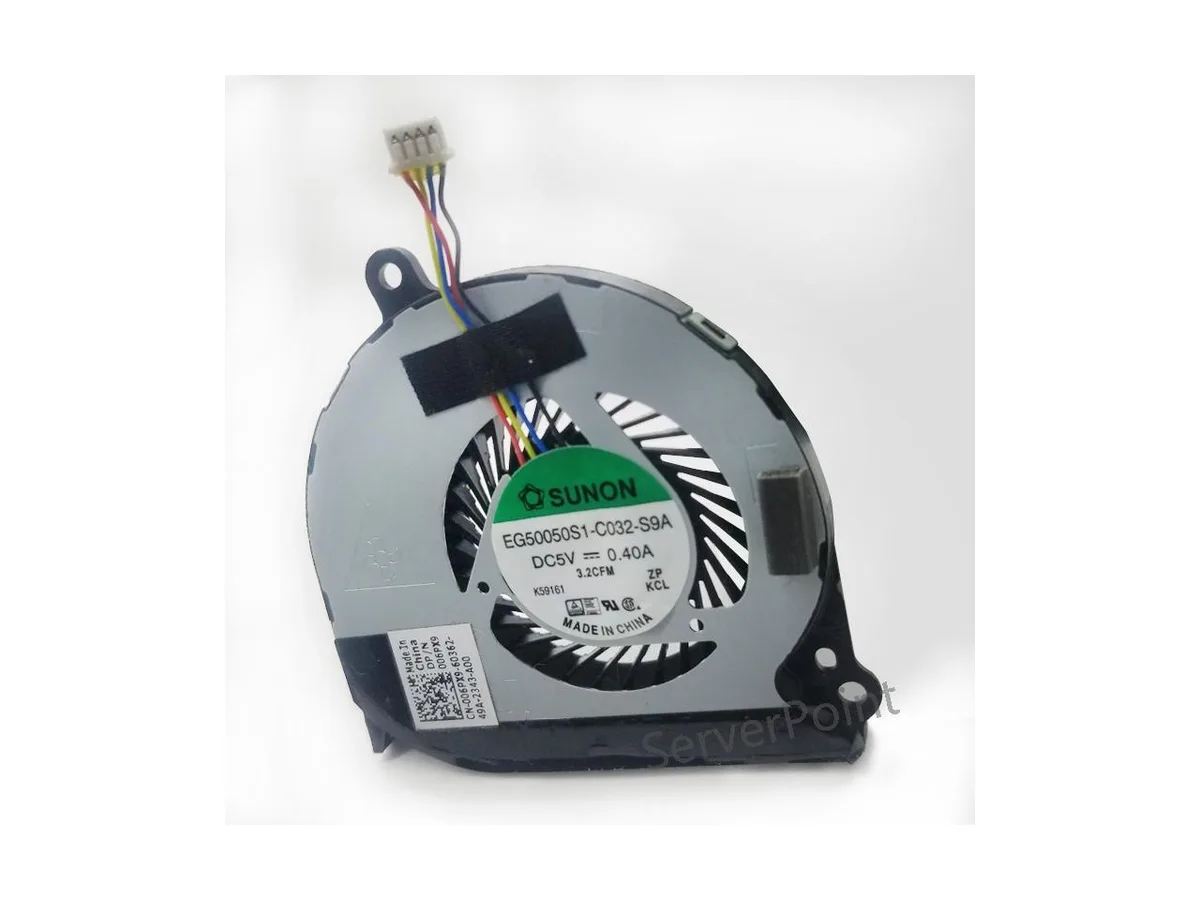
Replacement CPU cooler for Dell Latitude E7440 laptops, part EG50050S1-C032-S9A
This new air cooler is an original component built for the DELL Latitude E7440 notebook. It matches the EG50050S1-C032-S9A specification and DP/N 0HMWC7 part number exactly. The part is intended for owners or technicians servicing that specific laptop model.
The cooler is designed to manage the thermal output of the Latitude E7440 processor under standard workloads. It draws power from the system fan header at the voltage the laptop provides. Acoustic output stays within the original equipment baseline for this chassis.
Za ovaj artikl još nisu objavljene specifikacije.
Remove the bottom case, disconnect the old fan cable from the motherboard, unscrew the heatsink assembly, fit the new EG50050S1-C032-S9A unit, reattach the heatsink screws in a cross pattern, reconnect the 4-pin connector, then reassemble; the step most often missed is the cross-pattern tightening.
Clean dust from the heatsink fins and fan blades periodically with compressed air; replace the unit if bearing noise appears or RPM drops noticeably.
Također u ovoj kategoriji
Ista polica, ista blagajna — osam valuta i blokada tečaja na 30 minuta.
Ono što šaljete, i ono u čemu gledate cijene.
Poslano iz Vašeg novčanika na blagajni
Samo prikaz — katalog je izražen u dolarima
Nijedna valuta ne odgovara.
Odaberite jezik na kojem Vam se stranica obraća.
Novi ste ovdje?
Već imate račun?
Ne postoji automatsko resetiranje: ova trgovina ne šalje e-poštu, stoga ne postoji jednokratna poveznica koju biste mogli zatražiti. Ostavite adresu uz svoj račun, netko će je ručno obraditi.
Zahtjev zaprimljen
Ništa neće stići u Vaš pretinac e-pošte — ova trgovina uopće ne šalje e-poštu. Netko će to ručno preuzeti.
Sjetili ste se?


