

NEMIX RAM
NEMIX RAM DDR5-5600 2TB (16x128GB) ECC RDIMM CL46 1.1V Supermicro H14SST-G memory upgrade
- 2TB (16 x 128GB)
- 288-Pin DDR5 RDIMM
62 908,99 USD
0.81081869BTC
Yra sandėlyjePriimame kriptovaliutą — taip monetos, kurias turite, gali nupirkti tikrą techniką.Mokėkite kriptovaliuta, išleiskite ją tikrai technikai. Nemokamas apdraustas pristatymas visame pasaulyje virš 399 $. Paprastos, be žymų siuntos dėžės, siunčiamos iš Vokietijos.Nemokamas apdraustas pristatymas virš 399 $. Jūsų kursas fiksuojamas 30 minučių, kai tik prasideda atsiskaitymas.Kursas fiksuojamas 30 minučių. Kiekvienas gaminys užplombuotas, jo serijos numeris patikrintas, ir jam taikoma 24 mėnesių garantija.Užplombuota, 24 mėnesių garantija.


MSI
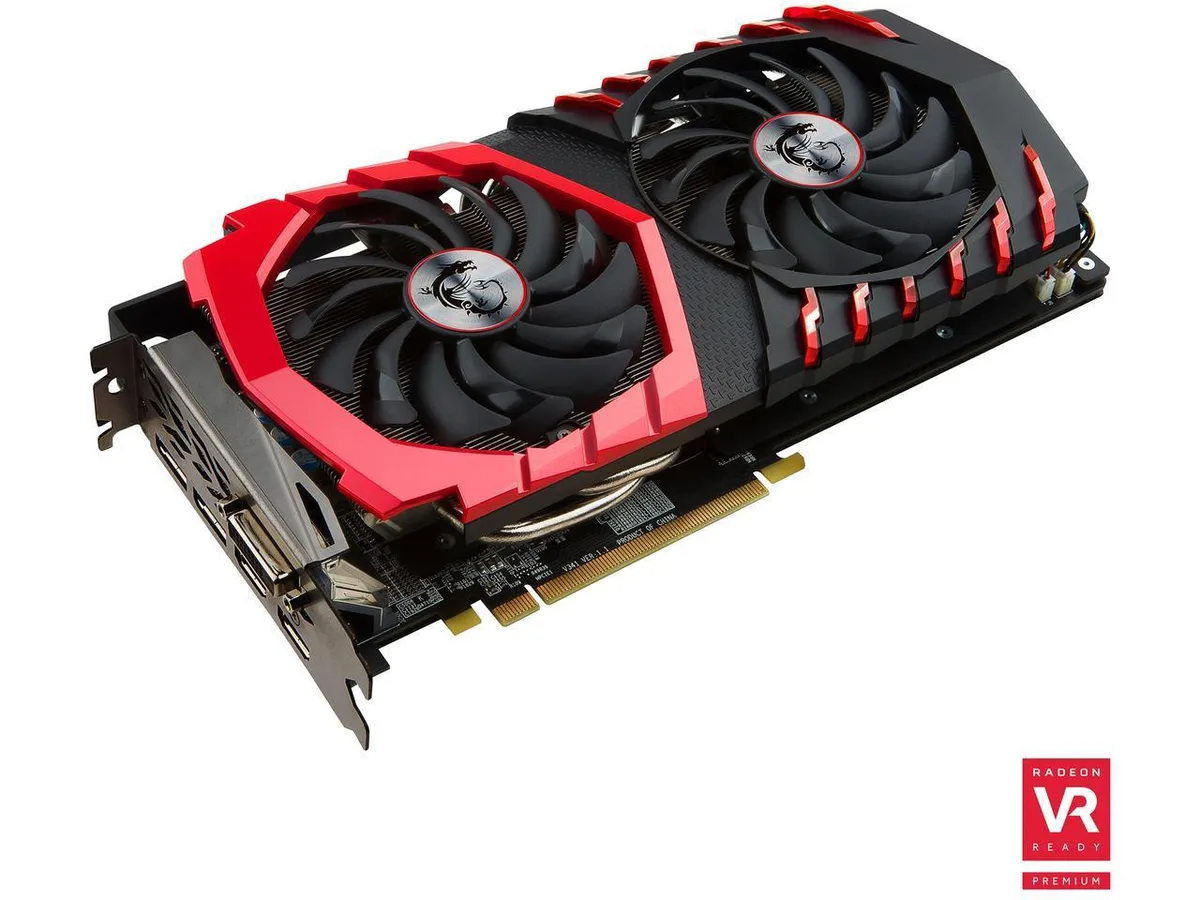
Delivers 8 GB GDDR5 graphics on a 256-bit bus with DirectX 12 support, dual HDMI and dual DisplayPort outputs, and a 500 W power requirement
The MSI Radeon RX 580 GAMING X 8G equips an AMD Radeon RX 580 chipset with 8GB of GDDR5 memory across a 256-bit interface. It connects via a PCI-Express 3.0 x16 slot and drives up to five displays through one dual-link DVI-D, two HDMI and two DisplayPort outputs. The card targets gamers who want smooth 1080p performance in modern titles.
Moving from a 4GB model or an earlier architecture removes the texture budget ceiling that forces quality drops in current games. The 8GB frame buffer and Polaris architecture deliver higher, more consistent frame rates at 1080p, making the jump worthwhile when your present card stutters on high settings or lacks the video outputs you need for a multi-monitor layout.
Verify that your system power supply meets the 500W requirement and provides the necessary PCIe power connectors for this board. Confirm the physical length fits your chassis and that the dual-slot cooler has adequate airflow. Ensure the motherboard offers a free PCI-Express 3.0 x16 slot and that your display cables match the available HDMI, DisplayPort or DVI-D outputs.
| Brand | MSI |
|---|
It installs in a standard PCI-Express 3.0 x16 slot and occupies two expansion brackets; measure from the rear bracket to any drive cage or cable to confirm the card length will fit.
Connect both 8-pin PCIe power cables from the PSU; the common error is leaving one connector loose or using a single daisy-chained cable, which can cause instability under load.
Re-paste every two to three years or if GPU temperatures rise noticeably under the same fan curve; use a pea-sized drop of non-conductive paste and clean the old compound completely before reassembly.
Taip pat šiame skyriuje
Ta pati lentyna, tas pats atsiskaitymas — aštuonios monetos ir 30 minučių fiksuotas kursas.
Tai, kuo mokate, ir valiuta, kuria matote kainas.
Išsiunčiama iš Jūsų piniginės atsiskaitant
Tik rodoma — katalogo kainos nurodytos doleriais
Tokios valiutos nerasta.
Pasirinkite kalbą, kuria Jums kalbės svetainė.
Pirmą kartą čia?
Jau turite paskyrą?
Automatinio atstatymo nėra: ši parduotuvė nesiunčia jokių el. laiškų, todėl nėra jokios vienkartinės nuorodos, kurios būtų galima paprašyti. Palikite adresą paskyroje, ir juo bus pasirūpinta rankiniu būdu.
Prašymas užfiksuotas
Į Jūsų pašto dėžutę niekas nekeliauja — ši parduotuvė apskritai nesiunčia jokių el. laiškų. Šiuos prašymus kažkas peržiūri rankiniu būdu.
Prisiminėte?


