Thermaltake
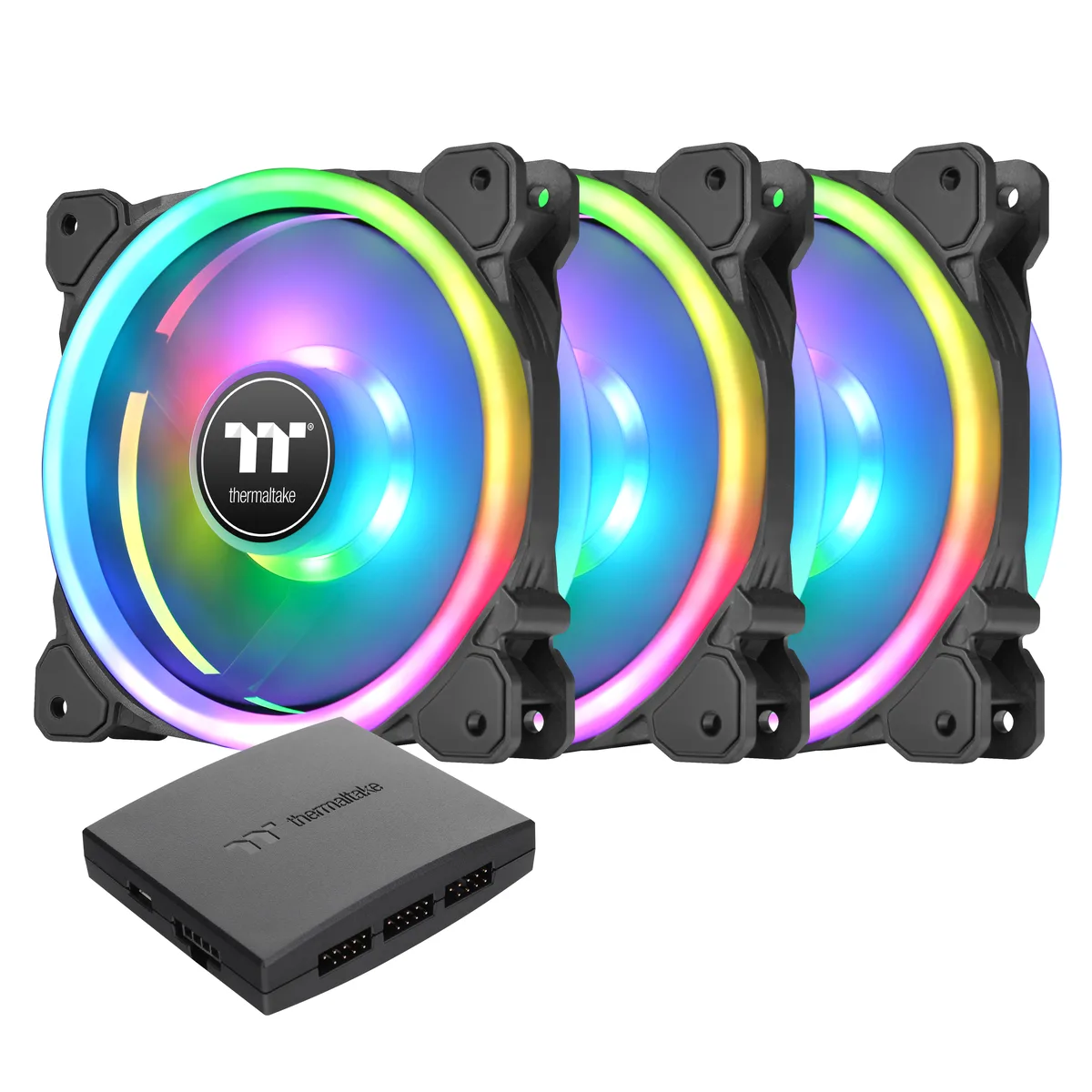
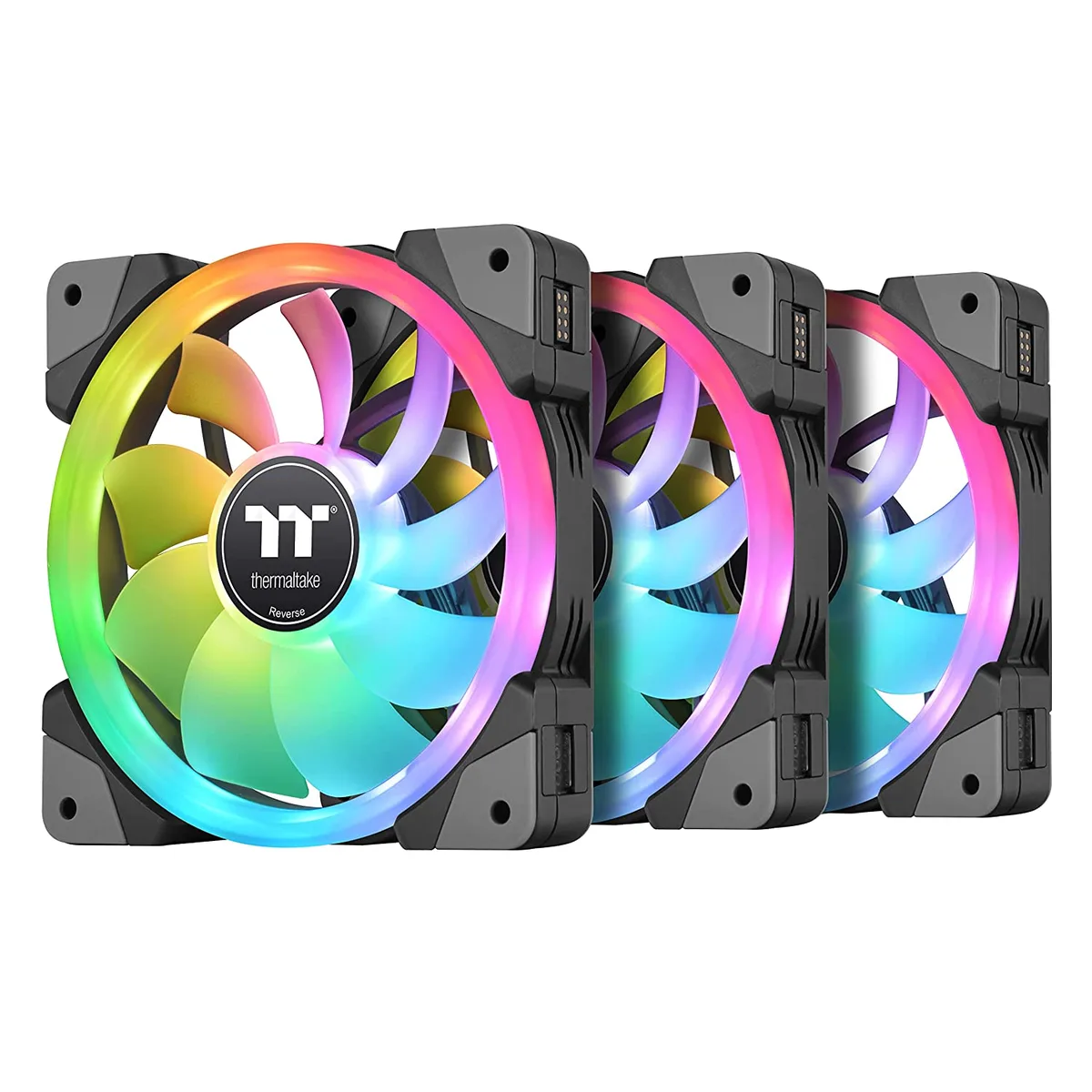
Thermaltake CL-F143-PL12SW-A SWAFAN EX 12 RGB 3-pack 120 mm case fan
- 3 Fans
- Controller
79,99 USD
0.00102088BTC
Yra sandėlyjePriimame kriptovaliutą — taip monetos, kurias turite, gali nupirkti tikrą techniką.Mokėkite kriptovaliuta, išleiskite ją tikrai technikai. Nemokamas apdraustas pristatymas visame pasaulyje virš 399 $. Paprastos, be žymų siuntos dėžės, siunčiamos iš Vokietijos.Nemokamas apdraustas pristatymas virš 399 $. Jūsų kursas fiksuojamas 30 minučių, kai tik prasideda atsiskaitymas.Kursas fiksuojamas 30 minučių. Kiekvienas gaminys užplombuotas, jo serijos numeris patikrintas, ir jam taikoma 24 mėnesių garantija.Užplombuota, 24 mėnesių garantija.


Thermaltake
Three white 140 mm PWM fans with swappable magnetic blades, reversible airflow up to 81.6 CFM and RGB lighting controlled via included controller
Fan Size 140mm
Model SWAFAN EX
The pack contains three 140 mm PWM fans, each supplied with a reversible blade set that attaches by magnetic connection. A dedicated controller is included to manage speed and lighting from a single point. The hydraulic bearing supports a 500 to 2000 RPM range.
Swapping between standard and reverse airflow takes seconds without tools, using the neodymium magnetic mount. The three Mag-cables link fans to the controller, which draws power from a Molex connector and communicates through a USB 2.0 internal header. White frames and RGB LEDs are addressed via TT RGB Plus 2.0 software.
Your motherboard must provide a free USB 2.0 internal header for the controller link. The power supply needs an available Molex plug for the controller’s 2510-4Pin input. Each fan occupies a 140 x 140 x 25 mm slot, so verify that your case has matching mounting points for three units. Buyers who want addressable 5 V RGB headers on the motherboard itself cannot use this kit’s proprietary control method.
| Brand | Thermaltake |
|---|---|
| Series | SWAFAN EX 14 RGB White |
| Model | SWAFAN EX 14 RGB White |
| Part Number | CL-F162-PL14SW-A |
| Fan Counts | 3 Fans |
| Fan Controller | Controller |
| Type | Case Fan |
| Compatibility | Case |
| Fan Size | 140 x 140 x 25 mm |
| Fan Thickness | 25mm |
| Bearing Type | Hydraulic |
| RPM | 500 ~ 2000 R.P.M (2510-4Pin) |
| Air Flow | Fan Blade 1 : 81.6 CFM (only one fan) Fan Blade 2 (Reverse) : 79.3 CFM (only one fan) |
| Noise Level | Fan Blade 1 : 34.5 dB-A (only one fan) Fan Blade 2 (Reverse) : 38.8 dB-A (only one fan) |
| Power Connector | 4 Pin |
| Color | White |
| LED | RGB |
| Siuntos svoris | 1.50 kg |
| Pakuotės dydis | 203 × 170 × 150 mm |
Kiti šio modelio variantai
Ta pati šeima, bet skiriasi atmintis, aušintuvas ar dažnis — palyginkite prieš apsispręsdami.
The 4-pin PWM connector lets each fan run from 500 to 2000 RPM, so the motherboard can tune speed precisely across that whole range.
You need 140 mm mounting points with 25 mm thickness clearance; the pack includes magnetic mag-cables that snap the reversible blades onto the fan frames.
Connect the supplied controller to a Molex power plug and a USB 2.0 internal header, then attach the three fan cables to the controller ports.
Taip pat šiame skyriuje
Ta pati lentyna, tas pats atsiskaitymas — aštuonios monetos ir 30 minučių fiksuotas kursas.
Tai, kuo mokate, ir valiuta, kuria matote kainas.
Išsiunčiama iš Jūsų piniginės atsiskaitant
Tik rodoma — katalogo kainos nurodytos doleriais
Tokios valiutos nerasta.
Pasirinkite kalbą, kuria Jums kalbės svetainė.
Tokios kalbos nerasta.
Pirmą kartą čia?
Jau turite paskyrą?
Automatinio atstatymo nėra: ši parduotuvė nesiunčia jokių el. laiškų, todėl nėra jokios vienkartinės nuorodos, kurios būtų galima paprašyti. Palikite adresą paskyroje, ir juo bus pasirūpinta rankiniu būdu.
Prašymas užfiksuotas
Į Jūsų pašto dėžutę niekas nekeliauja — ši parduotuvė apskritai nesiunčia jokių el. laiškų. Šiuos prašymus kažkas peržiūri rankiniu būdu.
Prisiminėte?