DELL
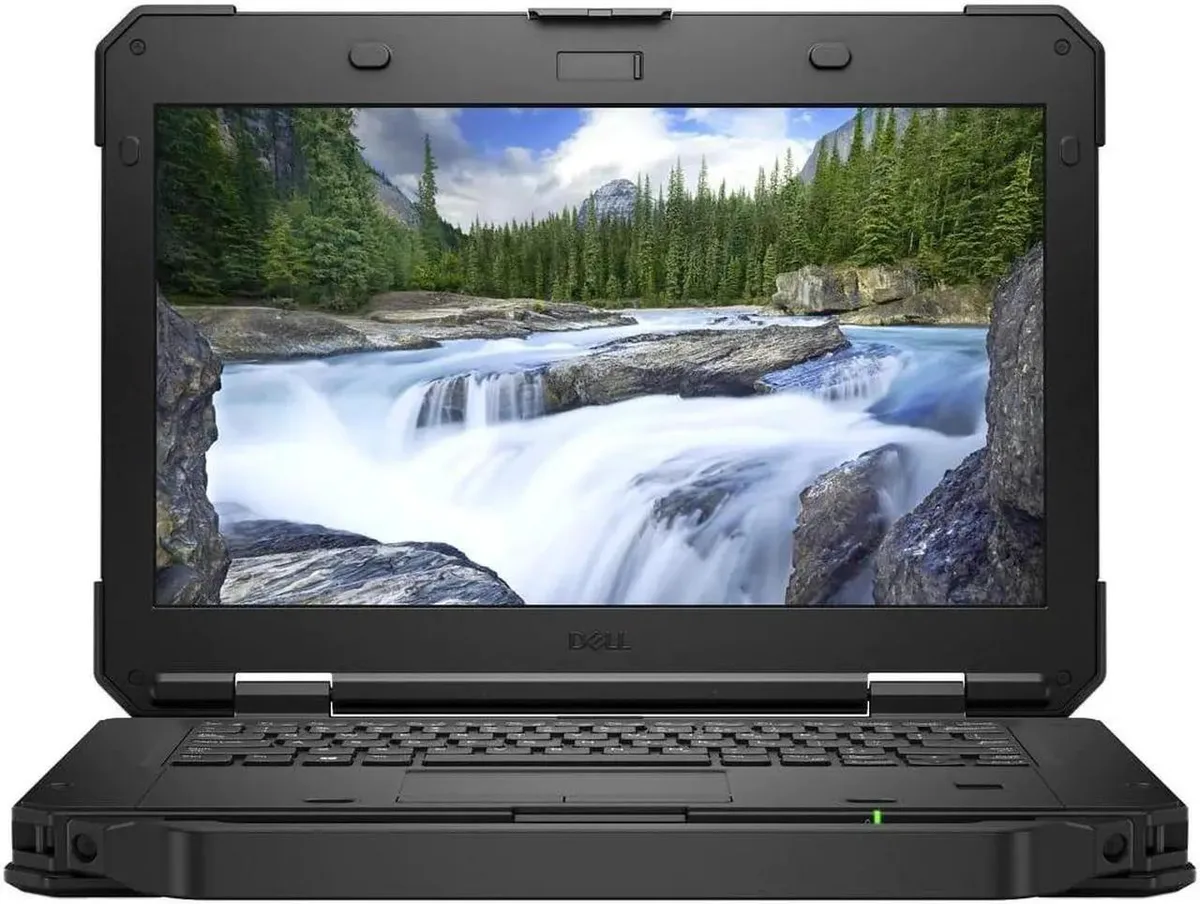
Dell Latitude Rugged 5420 laptop 14" i5-8350U 512GB 8GB
- Intel Core i5-8350U
- Intel Core i5 8th G…
462,99 $
0.00592491BTC
KrājumāMēs pieņemam kriptovalūtu — lai tā, kas Jums pieder, varētu nopirkt īstu aparatūru.Maksājiet kriptovalūtā, iztērējiet to īstai aparatūrai. Bezmaksas apdrošināta piegāde visā pasaulē virs 399 $. Vienkāršas, nemarķētas kastes, sūtītas no Vācijas.Bezmaksas apdrošināta piegāde virs 399 $. Jūsu kurss tiek fiksēts uz 30 minūtēm, tiklīdz atveras kase.Kurss fiksēts uz 30 minūtēm. Katra prece ir aizzīmogota, tās sērijas numurs ir pārbaudīts, un uz to attiecas 24 mēnešu garantija.Aizzīmogots, 24 mēnešu garantija.


DELL
A rugged 14-inch touchscreen laptop with an Intel Core i5-8350U processor, 16GB DDR4 memory and a 1TB SSD, running Windows 11 Pro
Screen Touch Screen
The DELL Latitude 5424 is a rugged laptop built for field work and mobile professionals who need a durable 14.0-inch touchscreen. It runs Windows 11 Pro on an Intel Core i5-8350U processor with 16GB of DDR4 memory and a 1TB SSD. Integrated UHD 620 graphics handle everyday business applications.
This model replaces standard office laptops that cannot survive drops, vibration or outdoor glare. The anti-glare 1920 x 1080 display and sealed ports with closeable doors make the jump worthwhile for technicians, logistics staff and first responders who work outside controlled environments. Memory expands to 32GB across two slots.
Verify that the included power adapter matches your local mains voltage and plug type. Confirm that your essential peripherals connect via the available USB 3.0 Type-A, USB 3.0 Type-C, native RS-232 serial, RJ-45 Ethernet or HDMI ports. Wireless relies on 802.11ac dual-band and Bluetooth 4.1.
| Memory | 16GB |
|---|---|
| Memory Slot (Total) | 2 |
| Max Memory Supported | 32 GB |
| Type | Mainstream |
| Style | Standard |
| Usage | Business |
| Resolution | 1920 x 1080 |
| Screen Size | 14.0" |
| Touchscreen | Touch Screen |
| SSD | 1TB |
| HDD | No |
| Brand | DELL |
| Series | Latitude |
| Model | 5424 |
| Color | Black |
| Operating System | Windows 11 Pro |
| Dimensions (W x D x H) | Height 1.750 x Length 13.660 x Width 9.630 |
| Weight | 5.5000 |
| CPU Type | Intel Core i5 8th Gen |
| Optical Drive Type | No |
| Bluetooth | Bluetooth 4.1 |
| Webcam | Yes |
| Backlit Keyboard | Full Size |
| Battery | Lithium Ion |
| AC Adapter/Charger | Yes |
| Video Memory | Shared system memory |
| Graphic Type | Integrated |
| HDMI | 1 |
| Software Included | A fresh Windows 11 is installed and no additional software is included |
| Package Content | Dell Latitude 5424, Pre installed Windows 11 Pro 64Bit, and Power Adapter |
Citas šī modeļa versijas
Viena saime, taču atšķirīga atmiņa, dzesētājs vai frekvence — salīdziniet, pirms izlemjat.
The display measures 14.0 inches diagonally with a 1920 x 1080 resolution. The system weighs 5.5000 units and measures 1.750 height by 13.660 length by 9.630 width.
The laptop has two memory slots supporting up to 32 GB total DDR4. Remove the bottom cover, insert modules at an angle until they click, then secure the cover before powering on.
Replace the lithium ion battery when it no longer holds a charge. Access requires removing the bottom case screws; the battery is guaranteed to hold a charge when shipped.
Arī šajā sadaļā
Tas pats plaukts, tā pati kase — astoņas kriptovalūtas un kursa fiksēšana uz 30 minūtēm.
Kriptovalūta, kurā maksājat, un valūta, kurā redzat cenas.
Nosūtīts no Jūsu maciņa, noformējot pasūtījumu
Tikai informatīvi — katalogā cenas norādītas ASV dolāros
Neviena valūta neatbilst.
Izvēlieties valodu, kurā vietne sarunājas ar Jums.
Neviena valoda neatbilst.
Pirmo reizi šeit?
Jau ir konts?
Automātiskas atiestatīšanas nav: šis veikals nesūta e-pastus, tāpēc nav arī vienreizējas saites, ko pieprasīt. Atstājiet adresi kontā, un tā tiks apstrādāta manuāli.
Pieprasījums saņemts
Uz Jūsu e-pastu nekas neatnāks — šis veikals vispār nesūta e-pastus. Kāds šos pieprasījumus apstrādā manuāli.
Atcerējāties?