DELL
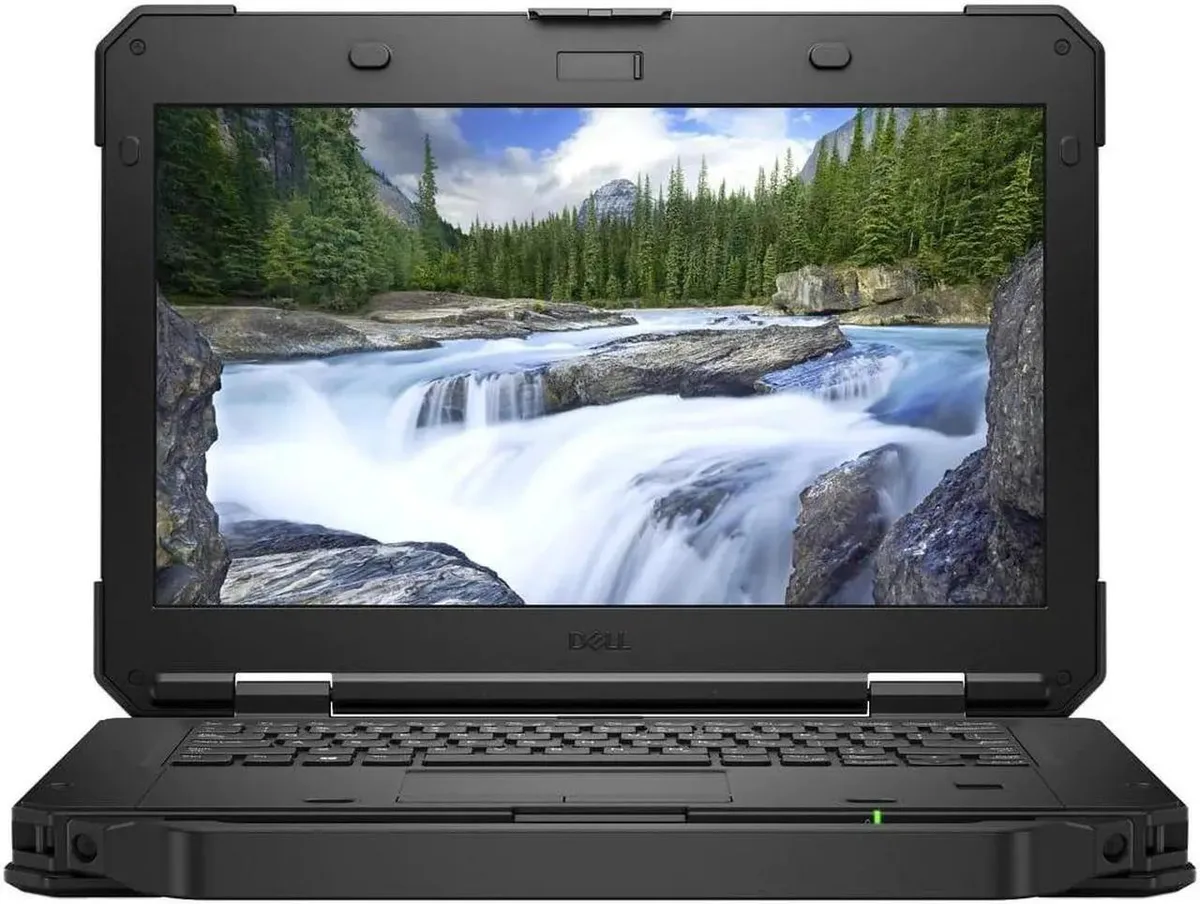
Dell Latitude Rugged 5420 laptop 14" i5-8350U 512GB 8GB
- Intel Core i5-8350U
- Intel Core i5 8th G…
462,99 US$
0.00582854BTC
En stockAceptamos criptomonedas — así, las criptos que usted tiene pueden comprar hardware real.Pague en cripto y gástela en hardware real. Envío asegurado gratis a nivel mundial a partir de $399. Cajas neutras, sin marca, enviadas desde Alemania.Envío asegurado gratis a partir de $399. Su cotización queda bloqueada 30 minutos en cuanto se abre el pago.Cotización bloqueada 30 minutos. Todos los artículos vienen sellados, con el número de serie verificado y cubiertos por una garantía de 24 meses.Sellado, con 24 meses de garantía.


DELL
A rugged 14-inch touchscreen laptop with an Intel Core i5-8350U processor, 16GB DDR4 memory and a 1TB SSD, running Windows 11 Pro
Screen Touch Screen
The DELL Latitude 5424 is a rugged laptop built for field work and mobile professionals who need a durable 14.0-inch touchscreen. It runs Windows 11 Pro on an Intel Core i5-8350U processor with 16GB of DDR4 memory and a 1TB SSD. Integrated UHD 620 graphics handle everyday business applications.
This model replaces standard office laptops that cannot survive drops, vibration or outdoor glare. The anti-glare 1920 x 1080 display and sealed ports with closeable doors make the jump worthwhile for technicians, logistics staff and first responders who work outside controlled environments. Memory expands to 32GB across two slots.
Verify that the included power adapter matches your local mains voltage and plug type. Confirm that your essential peripherals connect via the available USB 3.0 Type-A, USB 3.0 Type-C, native RS-232 serial, RJ-45 Ethernet or HDMI ports. Wireless relies on 802.11ac dual-band and Bluetooth 4.1.
| Memory | 16GB |
|---|---|
| Memory Slot (Total) | 2 |
| Max Memory Supported | 32 GB |
| Type | Mainstream |
| Style | Standard |
| Usage | Business |
| Resolution | 1920 x 1080 |
| Screen Size | 14.0" |
| Touchscreen | Touch Screen |
| SSD | 1TB |
| HDD | No |
| Brand | DELL |
| Series | Latitude |
| Model | 5424 |
| Color | Black |
| Operating System | Windows 11 Pro |
| Dimensions (W x D x H) | Height 1.750 x Length 13.660 x Width 9.630 |
| Weight | 5.5000 |
| CPU Type | Intel Core i5 8th Gen |
| Optical Drive Type | No |
| Bluetooth | Bluetooth 4.1 |
| Webcam | Yes |
| Backlit Keyboard | Full Size |
| Battery | Lithium Ion |
| AC Adapter/Charger | Yes |
| Video Memory | Shared system memory |
| Graphic Type | Integrated |
| HDMI | 1 |
| Software Included | A fresh Windows 11 is installed and no additional software is included |
| Package Content | Dell Latitude 5424, Pre installed Windows 11 Pro 64Bit, and Power Adapter |
Otras versiones de este modelo
Misma familia, con memoria, disipador o frecuencia diferentes — compare antes de decidirse.
The display measures 14.0 inches diagonally with a 1920 x 1080 resolution. The system weighs 5.5000 units and measures 1.750 height by 13.660 length by 9.630 width.
The laptop has two memory slots supporting up to 32 GB total DDR4. Remove the bottom cover, insert modules at an angle until they click, then secure the cover before powering on.
Replace the lithium ion battery when it no longer holds a charge. Access requires removing the bottom case screws; the battery is guaranteed to hold a charge when shipped.
También en este pasillo
Mismo estante, mismo pago — ocho criptomonedas y un tipo de cambio bloqueado 30 minutos.
Lo que usted paga, y la moneda en la que lee los precios.
Se envía desde su billetera al finalizar la compra
Solo informativo — el catálogo está en dólares
Ninguna moneda coincide.
Elija el idioma en el que el sitio le habla.
¿Es nuevo aquí?
¿Ya tiene una?
No existe ningún restablecimiento automático: esta tienda no envía correos electrónicos, así que no hay ningún enlace de un solo uso que solicitar. Deje la dirección asociada a la cuenta y se atenderá de forma manual.
Solicitud registrada
No hay nada de camino a su bandeja de entrada: esta tienda no envía correos en absoluto. Alguien se encarga de esto manualmente.
¿La recordó?