

BenQ
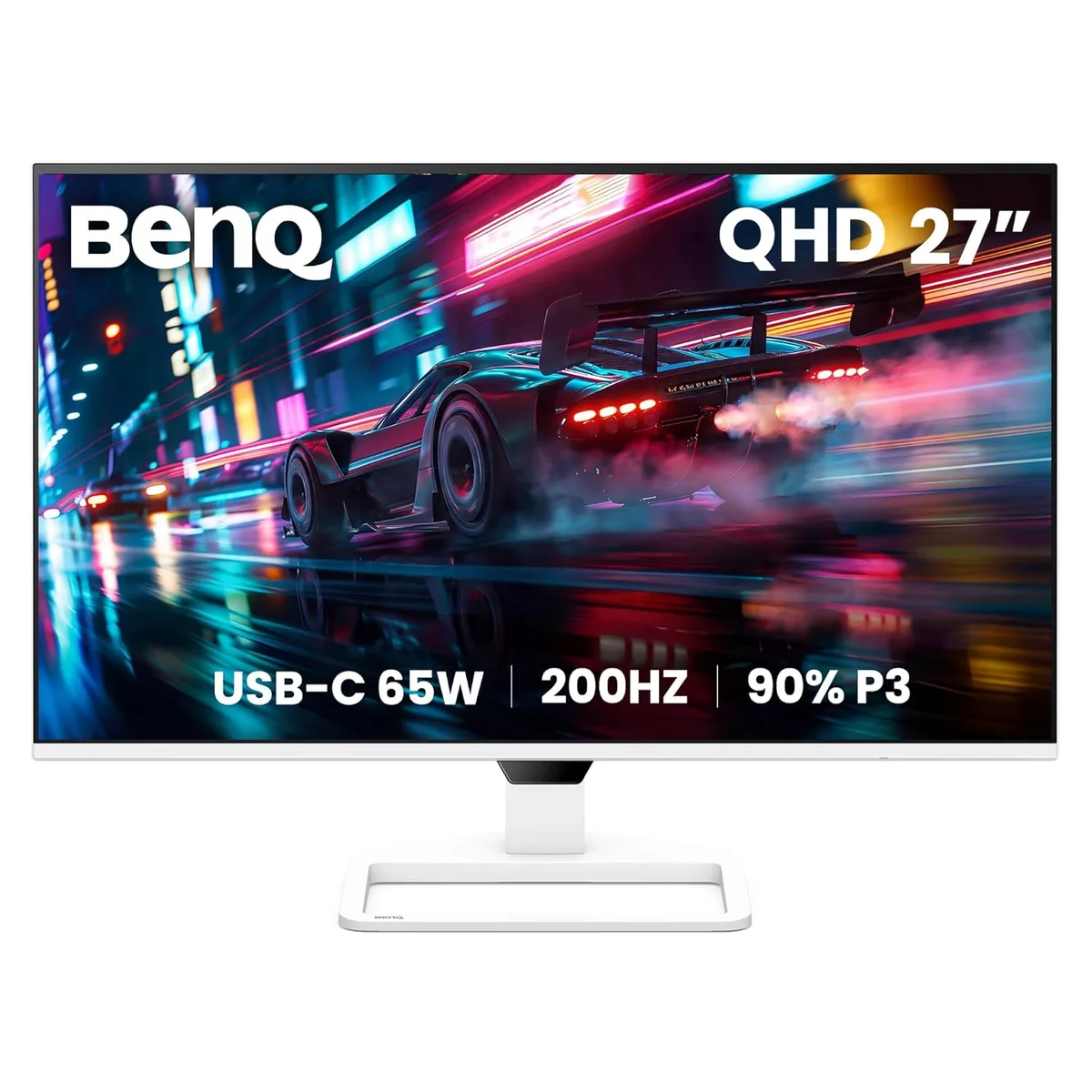
BenQ EW270Q 27" QHD 200Hz IPS monitor
A 27-inch QHD IPS monitor with a 200Hz refresh rate, 90% DCI-P3 colour, USB-C 65W power delivery and built-in dual 5W speakers
- Cabinet ColorWhite
- Screen Size27"
- LED BacklightYes
- WidescreenYes
- Resolution2560 x 1440 (2K)
- Refresh Rate200Hz
- Sharp QHD detail from 2560 x 1440 resolution
- Ultra-smooth 200Hz refresh rate for responsive motion
- Vibrant 90% DCI-P3 colour gamut for rich visuals
- Single-cable USB-C with 65W power delivery
- Built-in dual 5W speakers deliver integrated audio
27" QHD IPS entertainment monitor
The BenQ EW270Q is a 27-inch flat-panel display with a 2560 x 1440 resolution and a 200Hz refresh rate. Its IPS panel covers 90% of the DCI-P3 colour gamut and supports HDR10 for richer contrast. A USB-C port provides 65W power delivery alongside video and data, reducing cable clutter. Built-in dual 5W speakers and a headphone jack complete the multimedia package.
Best for media and casual gaming.
This monitor suits viewers who stream movies, play games at high frame rates and want a single-cable laptop connection. The 1ms overdrive response and 200Hz scan rate keep motion clear in fast scenes. Creative professionals needing factory-calibrated sRGB or Adobe RGB accuracy should verify the wide-gamut default meets their workflow before buying. Competitive esports players may prefer a faster native response panel.
200Hz headroom at QHD with single-cable convenience
At 2560 x 1440 the 200Hz refresh rate provides ample headroom for modern GPUs to deliver high frame rates without scaling artefacts. The 65W USB-C link powers most ultraportables while driving the display, simplifying desk setups. HDR10 support adds highlight detail in compatible content, though the 350 cd/m² peak brightness and 1200:1 contrast ratio limit the HDR impact compared to higher-spec displays.
Ciri-ciri utama
- Sharp QHD detail from 2560 x 1440 resolution
- Ultra-smooth 200Hz refresh rate for responsive motion
- Vibrant 90% DCI-P3 colour gamut for rich visuals
- Single-cable USB-C with 65W power delivery
- Built-in dual 5W speakers deliver integrated audio
Spesifikasi
| Brand | BenQ |
|---|---|
| Model | EW270Q |
| Cabinet Color | White |
| Screen Size | 27" |
| LED Backlight | Yes |
| Widescreen | Yes |
| Resolution | 2560 x 1440 (2K) |
| Refresh Rate | 200Hz |
| Viewing Angle | 178° (H) / 178° (V) |
| Display Colors | 1.07 Billion |
| Brightness | 350 cd/m2 |
| Contrast Ratio | 1,200:1 |
| Aspect Ratio | 16:9 |
| Response Time | 5.9ms (Typ.)/1ms (OD) |
| Panel | IPS |
| Color Gamut | 90% DCI-P3 |
| HDR Standard | HDR10 |
| Curved Surface Screen | Flat Panel |
| Video Ports | 1 x HDMI 2.0, 1 x DisplayPort 1.4 |
| Headphone | Headphone Jack |
| Power Supply | 100-240V, Built-in |
| Power Consumption | 26W (normal), 150W (max), 0.5W (sleep mode) |
| Stand Adjustments | Tilt: -5° to 20°, Swivel: -20° to 20° |
| Built-in Speakers | 2 x 5W |
| Built-in Webcam | No |
| HDCP Support | Yes |
| VESA Compatibility - Mountable | 100 x 100mm |
| Dimensions | 17.17" x 24.15" x 8.31" with Stand 14.64" x 24.15" x 2.35" without Stand |
| Weight | 10.23 lbs. with Stand 8.84 lbs. without Stand |
| Berat penghantaran | 6.80 kg |
| Dimensi bungkusan | 762 × 457 × 203 mm |
Soalan tentang produk ini
Do I need a graphics card that can output 2560 x 1440 at 200Hz over DisplayPort 1.4?
Yes, the monitor requires a GPU with DisplayPort 1.4 or HDMI 2.0 capable of driving 2560 x 1440 at 200Hz to use the full refresh rate.
Will my older PC with only HDMI 1.4 still show an image at 2560 x 1440?
The HDMI 2.0 port is backward compatible, but HDMI 1.4 sources are typically limited to 2560 x 1440 at 60Hz, so you will not reach 200Hz.
How can I confirm the 90% DCI-P3 colour gamut is active after setup?
Open the on-screen display menu, select Color Settings, and verify the Color Gamut option reads DCI-P3; the panel covers 90% of that space.
Juga di rak ini
Pelanggan turut membandingkan
Rak yang sama, checkout yang sama — lapan koin kripto dan kunci kadar 30 minit.