

Higole
Higole 21.5" All-in-One PC N100 8GB 128GB
- All-in-One PC
- All-in-One
USD 374.99
0.00481862BTC
Ada stokKami menerima kripto — jadi koin yang anda simpan boleh membeli perkakasan sebenar.Bayar dengan kripto, belanjakannya untuk perkakasan sebenar. Penghantaran berinsurans percuma ke seluruh dunia untuk belian melebihi USD 399. Kotak biasa tanpa jenama, dihantar dari Jerman.Penghantaran berinsurans percuma untuk belian melebihi USD 399. Kadar anda dikunci selama 30 minit sebaik sahaja proses pesanan bermula.Kadar dikunci selama 30 minit. Setiap item disegel, nombor sirinya disemak, dan dilindungi waranti 24 bulan.Disegel, waranti 24 bulan.

DELL
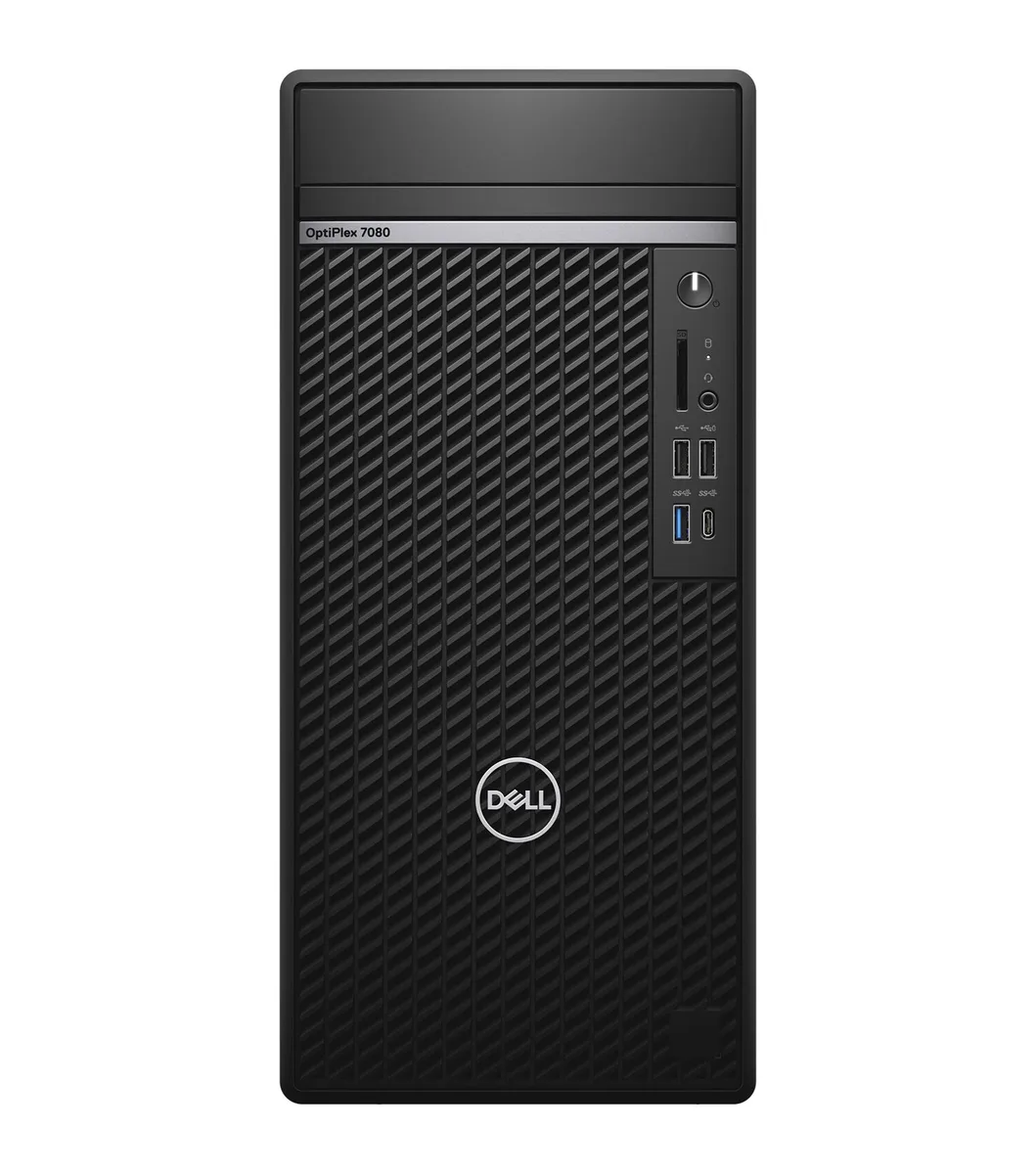
A refurbished tower desktop with an 8-core Intel Core i7-10700, 32GB DDR4 memory and a 512GB NVMe SSD running Windows 11 Pro
This Dell 7080 tower ships with an Intel Core i7-10700 8-core processor running at 2.9GHz, 32GB of DDR4 memory and a 512GB NVMe SSD. Windows 11 Pro 64-bit is pre-installed. It targets office professionals and IT departments needing a ready-to-deploy desktop for mainstream productivity applications.
The tower chassis measures 14.45" x 6.65" x 11.84" and weighs 13 lbs, providing internal volume for airflow around the 8-core CPU. No optical drive is fitted, leaving additional space for circulation. The 64-bit architecture and 16MB L3 cache help the processor handle sustained workloads without excessive frequency scaling.
Front and rear I/O includes 3 x USB 3.2 Gen1 Type-A, 2 x USB 3.2 Gen2 Type-A, 3 x USB 2.0 Type-A and 1 x USB 3.2 Gen2 Type-C ports. Video output is provided by 2 x DisplayPort 1.4 and one optional video port configurable as HDMI, VGA, DisplayPort or USB-C. A single RJ-45 Ethernet jack and an audio combo jack complete the rear panel. Buyers who need more storage bays or a second graphics card should consider a larger workstation chassis.
| Brand | DELL |
|---|---|
| Model | 7080 |
| Part Number | J1-7080TA09 |
| Type | Business Desktops & Workstations |
| Form Factor | Tower |
| Usage | Business / Mainstream / Work / Business |
| Processor | Intel Core i7-10700 |
| Processor Main Features | 64 bit 8-Core Processor |
| Cache Per Processor | 16 MB L3 Cache |
| Memory | 32GB DDR4 |
| Storage | 512GB SSD |
| Keyboard | USB Keyboard |
| Mouse | USB Mouse |
| Operating System | Windows 11 Pro 64-bit |
| CPU Type | Intel Core i7 10th Gen |
| CPU Name | Intel Core i7-10700 |
| L3 Cache Per CPU | 16 MB |
| CPU Main Features | 64 bit 8-Core Processor |
| Memory Capacity | 32GB DDR4 |
| SSD | 512GB NVMe |
| Optical Drive Type | No |
| Dimensions (H x W x D) | 14.45" x 6.65" x 11.84" |
| Weight | 13 lbs. |
| Berat penghantaran | 10.43 kg |
| Dimensi bungkusan | 584 × 559 × 330 mm |
Open the side panel, align the notch on each DDR4 module with the slot key, and press firmly until the retention clips click; the common error is seating a module in only one clip instead of both.
The CMOS coin-cell battery on the motherboard typically lasts several years before the system loses date and time settings at boot.
The 65 W processor power limit throttles clock speeds before the tower thermal solution reaches its maximum capacity.
Juga di rak ini
Rak yang sama, checkout yang sama — lapan koin kripto dan kunci kadar 30 minit.
Apa yang anda hantar untuk membayar, dan mata wang yang anda guna untuk membaca harga.
Dihantar daripada dompet anda semasa semak keluar
Untuk paparan sahaja — katalog diberi harga dalam USD
Tiada mata wang yang sepadan.
Pilih bahasa yang digunakan oleh laman web ini.
Tiada bahasa yang sepadan.
Pengguna baharu?
Sudah mempunyai akaun?
Tiada set semula automatik: kedai ini tidak menghantar sebarang e-mel, jadi tiada pautan sekali guna untuk diminta. Biarkan alamat pada akaun tersebut, ia akan diuruskan secara manual.
Permintaan direkodkan
Tiada apa-apa akan sampai ke peti masuk anda — kedai ini tidak menghantar sebarang e-mel. Seseorang akan menguruskannya secara manual.
Sudah teringat?



