

SanDisk
SanDisk Cruzer Blade 8 GB USB 2.0 USB flash drive Black SDCZ50-008G-B35
USD 391.99
0.00502693BTC
Ada stokKami menerima kripto — jadi koin yang anda simpan boleh membeli perkakasan sebenar.Bayar dengan kripto, belanjakannya untuk perkakasan sebenar. Penghantaran berinsurans percuma ke seluruh dunia untuk belian melebihi USD 399. Kotak biasa tanpa jenama, dihantar dari Jerman.Penghantaran berinsurans percuma untuk belian melebihi USD 399. Kadar anda dikunci selama 30 minit sebaik sahaja proses pesanan bermula.Kadar dikunci selama 30 minit. Setiap item disegel, nombor sirinya disemak, dan dilindungi waranti 24 bulan.Disegel, waranti 24 bulan.
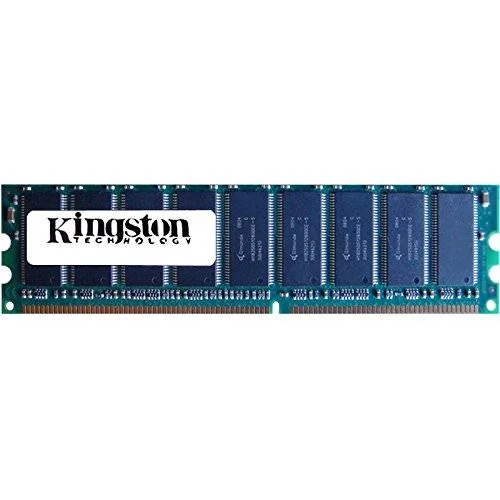
Kingston Technology Corp.
Adds 1GB of DDR2 desktop memory running at 800MHz with a 240-pin DIMM interface
This Kingston Technology module provides 1GB of DDR2 memory running at 800MHz with a PC2-6400U rating. It uses the standard 240-pin DIMM form factor for desktop motherboards that support this generation of memory. The KCM633-ELC part number identifies this specific configuration.
Builders who need higher capacity per slot, faster speeds than 800MHz, or a different pin layout should consider other options. The module is sold individually, so dual-channel kits require a second matching stick.
| Capacity | 1GB |
|---|
It fits any desktop board with a DDR2 240-pin slot; align the notch on the module with the key in the socket before pressing down.
Power off, open the case, release the side clips, insert the module until both clips snap shut, then verify 800 MHz operation in BIOS.
Juga di rak ini
Rak yang sama, checkout yang sama — lapan koin kripto dan kunci kadar 30 minit.
Apa yang anda hantar untuk membayar, dan mata wang yang anda guna untuk membaca harga.
Dihantar daripada dompet anda semasa semak keluar
Untuk paparan sahaja — katalog diberi harga dalam USD
Tiada mata wang yang sepadan.
Pilih bahasa yang digunakan oleh laman web ini.
Tiada bahasa yang sepadan.
Pengguna baharu?
Sudah mempunyai akaun?
Tiada set semula automatik: kedai ini tidak menghantar sebarang e-mel, jadi tiada pautan sekali guna untuk diminta. Biarkan alamat pada akaun tersebut, ia akan diuruskan secara manual.
Permintaan direkodkan
Tiada apa-apa akan sampai ke peti masuk anda — kedai ini tidak menghantar sebarang e-mel. Seseorang akan menguruskannya secara manual.
Sudah teringat?



