

Axiom
Axiom AXG72095858/1 16 GB DDR4 SoDIMM 260-pin 2133 MHz CL15 ECC server RAM
324,99 US$
0.00414989BTC
Em stockAceitamos criptomoeda — para que as moedas que detém possam comprar material informático real.Pague em cripto, gaste-a em material informático real. Envio seguro gratuito para todo o mundo acima de 399 $. Caixas neutras, sem marca, expedidas a partir da Alemanha.Envio seguro gratuito acima de 399 $. A sua taxa fica bloqueada durante 30 minutos assim que abre a finalização da compra.Taxa bloqueada 30 minutos. Cada artigo é selado, o seu número de série é verificado, e está coberto por uma garantia de 24 meses.Selado, garantido 24 meses.
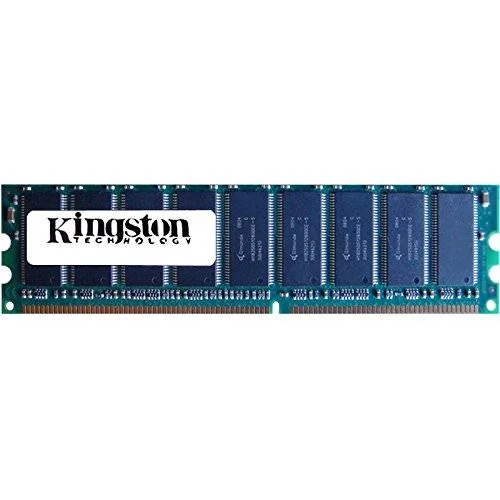
Kingston Technology Corp.
Adds 1GB of DDR2 desktop memory running at 800MHz with a 240-pin DIMM interface
This Kingston Technology module provides 1GB of DDR2 memory running at 800MHz with a PC2-6400U rating. It uses the standard 240-pin DIMM form factor for desktop motherboards that support this generation of memory. The KCM633-ELC part number identifies this specific configuration.
Builders who need higher capacity per slot, faster speeds than 800MHz, or a different pin layout should consider other options. The module is sold individually, so dual-channel kits require a second matching stick.
| Capacity | 1GB |
|---|
It fits any desktop board with a DDR2 240-pin slot; align the notch on the module with the key in the socket before pressing down.
Power off, open the case, release the side clips, insert the module until both clips snap shut, then verify 800 MHz operation in BIOS.
Também nesta secção
Mesma prateleira, mesma finalização da compra — oito moedas e uma taxa bloqueada durante 30 minutos.
O que paga, e a moeda em que vê os preços.
Enviado da sua carteira ao finalizar a compra
Apenas informativo — o catálogo está em dólares
Nenhuma moeda corresponde.
Escolha o idioma em que o site lhe fala.
Nenhum idioma corresponde.
Ainda não tem conta?
Já tem conta?
Não existe reposição automática: esta loja não envia qualquer e-mail, pelo que não há nenhum link de utilização única para pedir. Deixe o endereço na conta e ele será tratado manualmente.
Pedido registado
Não vai chegar nada à sua caixa de entrada — esta loja não envia qualquer e-mail. Alguém trata disto manualmente.
Recordou-se dela?


