ASUS
ASUS Vivobook 16" Business Laptop Snapdragon X X1-26-100 16GB 1.5TB Silver
- Standard
- Work / Business
583,99 USD
0.00753429BTC
På lagerVi tar imot kryptovaluta — slik kan kryptovalutaene du eier, kjøpe ekte maskinvare.Betal med krypto, bruk den på ekte maskinvare. Gratis, forsikret levering verden over for bestillinger over 399 $. Nøytrale kartonger uten merking, sendt fra Tyskland.Gratis, forsikret levering over 399 $. Kursen din er låst i 30 minutter når kassen åpnes.Kurs låst i 30 minutter. Alle varer er forseglet, serienummerkontrollert og dekket av 24 måneders garanti.Forseglet, 24 måneders garanti.


ASUS
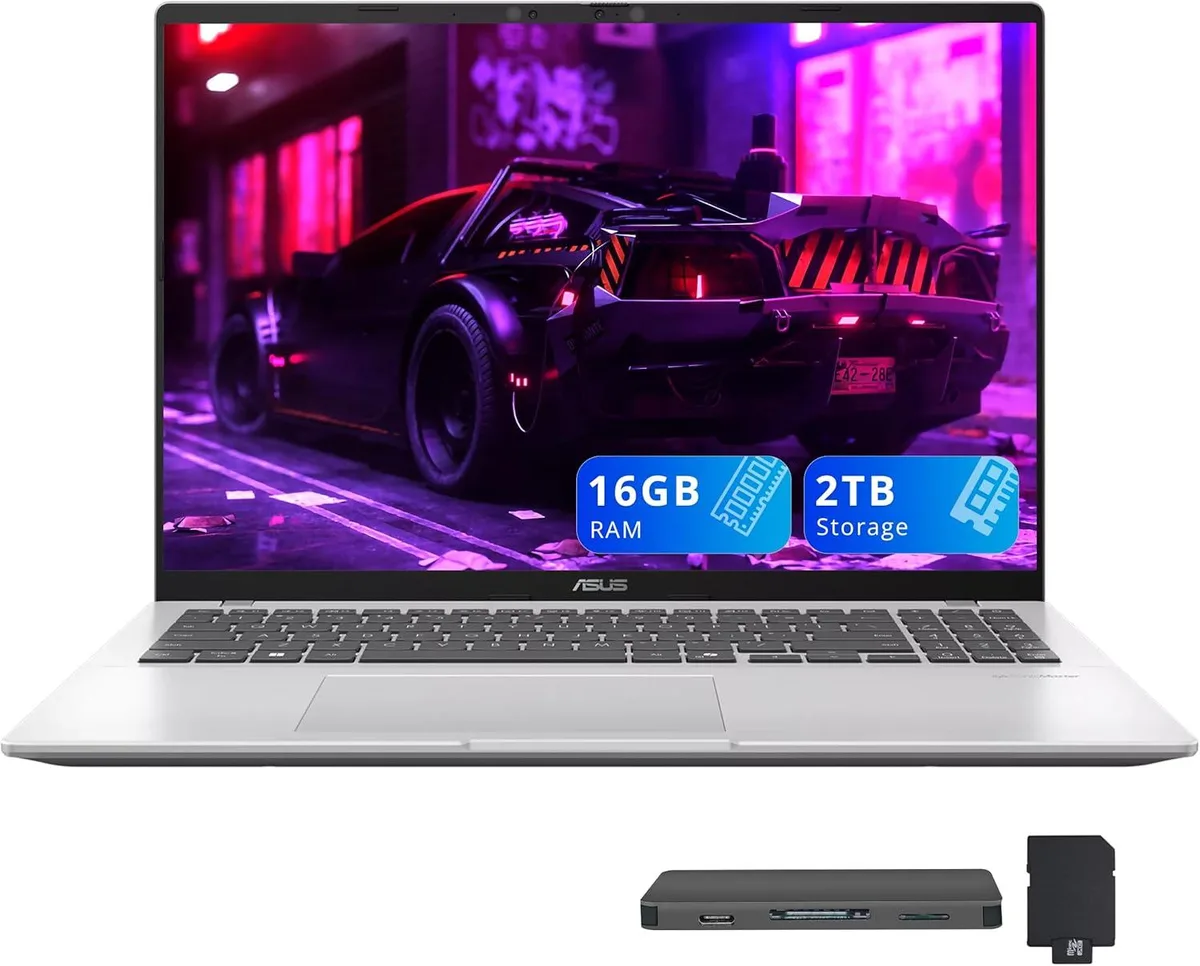
A 16.0" WUXGA business laptop with Snapdragon X X1-26-100, 16GB DDR5, 2TB SSD, Qualcomm Adreno graphics, backlit keyboard and Copilot+ AI for daily productivity
Capacity 16GB DDR5 / 3TB Storage
The ASUS Vivobook delivers a 16.0" WUXGA display at 1920 x 1200 resolution for clear visuals during daily productivity. An 8-core Snapdragon X X1-26-100 processor paired with 16GB LPDDR5X memory provides efficient performance for multitasking workloads. Integrated Qualcomm Adreno graphics handle everyday content smoothly. Windows 11 Home and Copilot+ PC features add built-in AI assistance for smarter computing.
Two USB-A and two USB-C ports plus one HDMI output cover peripheral and external display needs without adapters. Wi-Fi 6E and Bluetooth 5.3 supply fast wireless links for office or remote sessions. The backlit keyboard enables comfortable, precise typing in low-light conditions. A non-touch IPS panel offers wide viewing angles suited to collaborative work or solo focus.
This configuration moves up from 8GB memory and smaller SSD capacities to 16GB LPDDR5X and a 2TB drive for heavier multitasking and local file storage. The Snapdragon X platform targets users who value all-day battery efficiency over discrete graphics power. Buyers needing dedicated GPU performance for rendering or gaming should consider other form factors.
| Brand | ASUS |
|---|---|
| Series | ASUS Vivobook |
| Color | Silver |
| Operating System | Windows 11 Home |
| CPU Type | Qualcomm Snapdragon X |
| Processor Name | Qualcomm Snapdragon X X1-26-100 |
| Number of Cores | 8-core Processor |
| Screen Size | 16.0" |
| Touchscreen | Non-Touch Screen |
| Display Type | WUXGA |
| Resolution | 1920 x 1200 |
| GPU/VPU | Qualcomm Adreno |
| Graphic Type | Integrated Card |
| SSD | 2TB |
| Storage Spec | 2TB |
| Memory | 16GB DDR5 |
| WLAN | 802.11ax Wireless LAN |
| Bluetooth | Bluetooth 5.3 |
| USB | 2x USB-A, 2x USB-C |
| HDMI | 1 x HDMI |
| Audio Ports | 1 x Headphone/Microphone Combo Jack |
| Backlit Keyboard | Backlit |
| Webcam | Yes |
| Style | Standard |
| Type | Work / Business |
| Usage | Business |
| Package Content | Laptop, Power Adapter, Documentation, 1TB Docking Station Set |
Andre versjoner av denne modellen
Samme familie, annet minne, annen kjøler eller klokkefrekvens — sammenlign før du bestemmer deg.
The two USB-C ports follow the USB 3.2 Gen 2 standard, so real-world throughput tops out at 10 Gb/s.
The laptop measures 14.06 x 9.87 x 0.7 inches and weighs 3.5 lbs.
Windows 11 Home is pre-installed and launches into the out-of-box experience on first power-up; the step users sometimes skip is connecting to Wi-Fi 6E to finish the Copilot+ PC setup and activate the AI features.
Også i denne avdelingen
Samme hylle, samme kasse — åtte mynter og 30 minutters kurslås.
Det du betaler med, og det du ser prisene i.
Sendes fra lommeboken din i kassen
Kun visning — katalogen er prissatt i USD
Fant ingen valuta.
Velg språket nettstedet snakker til deg på.
Ingen språk samsvarer.
Ny her?
Har du allerede en konto?
Det finnes ingen automatisk tilbakestilling: butikken sender ikke e-post, så det finnes ingen engangslenke å be om. La adressen stå på kontoen, så blir den behandlet manuelt.
Forespørsel registrert
Ingenting er på vei til innboksen din — butikken sender ingen e-post i det hele tatt. Noen behandler dette manuelt.
Husket du det likevel?