

SanDisk
SanDisk Cruzer Blade 8 GB USB 2.0 USB flash drive Black SDCZ50-008G-B35
391,99 USD
0.005016BTC
På lagerVi tar imot kryptovaluta — slik kan kryptovalutaene du eier, kjøpe ekte maskinvare.Betal med krypto, bruk den på ekte maskinvare. Gratis, forsikret levering verden over for bestillinger over 399 $. Nøytrale kartonger uten merking, sendt fra Tyskland.Gratis, forsikret levering over 399 $. Kursen din er låst i 30 minutter når kassen åpnes.Kurs låst i 30 minutter. Alle varer er forseglet, serienummerkontrollert og dekket av 24 måneders garanti.Forseglet, 24 måneders garanti.
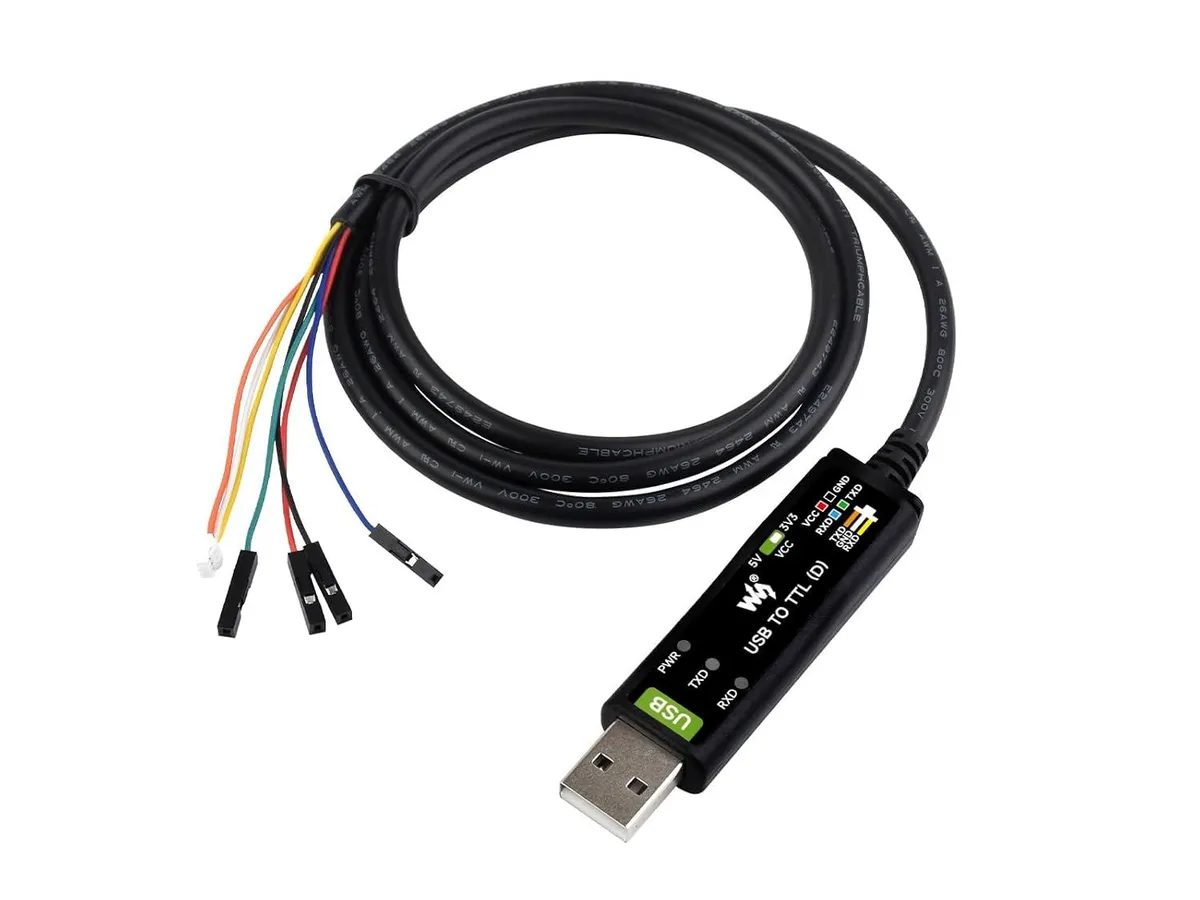


LORDWORLD
A USB-to-TTL serial cable with an FT232RNL chip, 3.3V/5V level switching, built-in fuse and ESD protection, and three status LEDs for Raspberry Pi 5 debugging
This USB-to-TTL serial converter uses an original FT232RNL chip to provide reliable high-speed communication. It is designed for Raspberry Pi 5 programming and debugging tasks. The compact plastic enclosure with a sandblasted finish makes it suitable for bench use and embedded projects.
An onboard level-translation circuit lets you switch between 3.3 V and 5 V TTL logic levels. A self-recovery fuse and ESD protection guard against over-current, over-voltage and reverse-current events. Three LED indicators show power and transmit/receive activity at a glance.
The cable-style adapter includes built-in IO protection and anti-surge design for safer connections during development. No separate driver installation is required beyond the standard FTDI VCP drivers. It is not suited for applications needing galvanic isolation or industrial-grade locking connectors.
| Brand | LORDWORLD |
|---|
Plug the USB end into the host, connect the TTL pins to the target device, then slide the onboard switch to match the required 3.3V or 5V logic level before powering up; the three LEDs will confirm power and TX/RX activity.
The self-recovery fuse resets automatically after an over-current event, and the ESD protection is non-replaceable; if the FT232RNL chip or the level-translation circuitry fails, the whole cable must be replaced.
Sustained high-speed traffic can trip the built-in self-recovery fuse, cutting power until the load drops and the fuse resets.
Også i denne avdelingen
Samme hylle, samme kasse — åtte mynter og 30 minutters kurslås.
Det du betaler med, og det du ser prisene i.
Sendes fra lommeboken din i kassen
Kun visning — katalogen er prissatt i USD
Fant ingen valuta.
Velg språket nettstedet snakker til deg på.
Ingen språk samsvarer.
Ny her?
Har du allerede en konto?
Det finnes ingen automatisk tilbakestilling: butikken sender ikke e-post, så det finnes ingen engangslenke å be om. La adressen stå på kontoen, så blir den behandlet manuelt.
Forespørsel registrert
Ingenting er på vei til innboksen din — butikken sender ingen e-post i det hele tatt. Noen behandler dette manuelt.
Husket du det likevel?



