


Lenovo
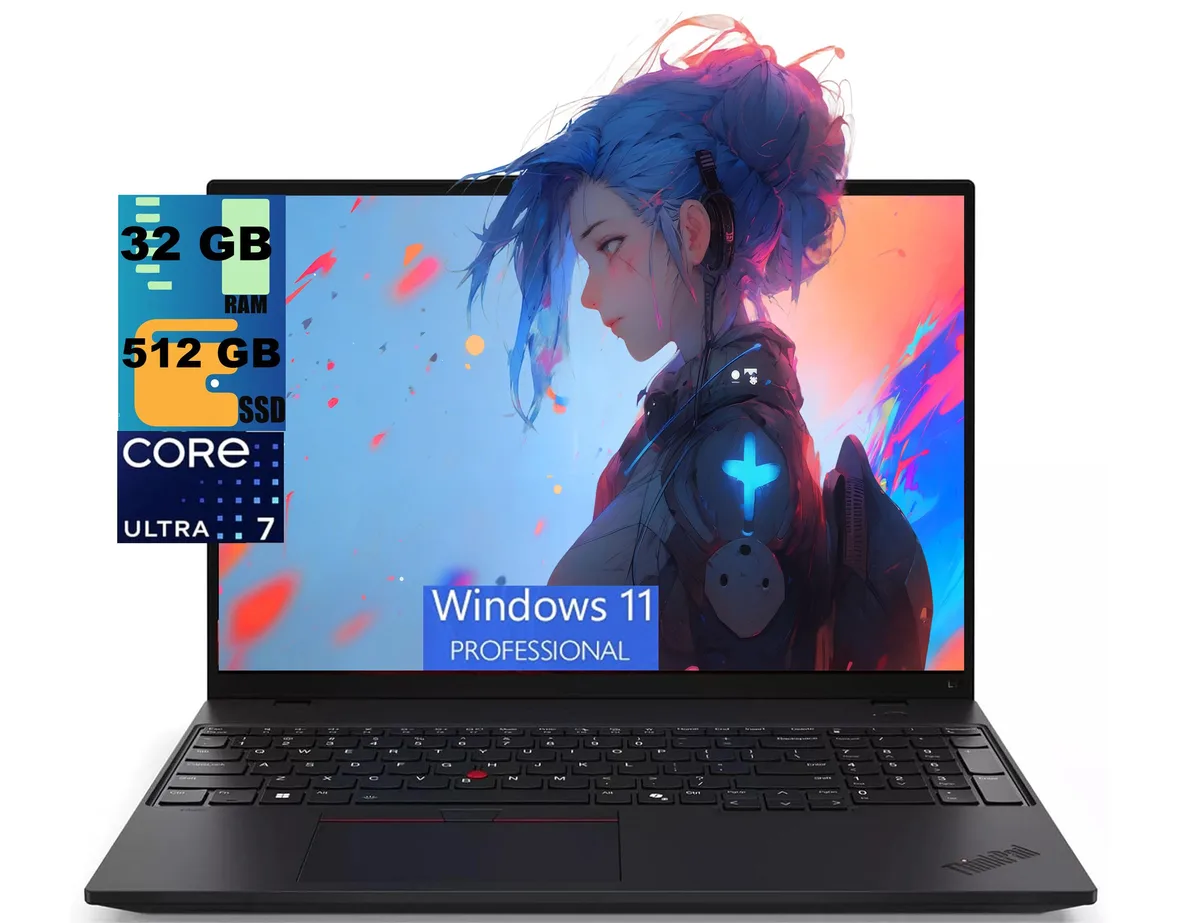
Lenovo ThinkPad L16 Gen 2 laptop, Core Ultra 7 255U, 32GB DDR4, 512GB PCIe SSD, 16" FHD+
16-inch 1920 x 1200 IPS laptop with a 12-core Core Ultra 7 255U, 32 GB DDR4, 512 GB PCIe SSD, Wi-Fi 6E and Thunderbolt 4 ports
- ColorBlack
- Operating SystemWindows 11 Pro
- CPU TypeIntel Core Ultra 7 (Series 1)
- Processor Name1.00GHz
- Turbo Frequency5.2 GHz
- Number of Cores12-core Processor
- 12-core Ultra 7 255U reaches 5.2 GHz for fast workloads
- 16-inch 1920 x 1200 IPS at 400 nits gives bright 16:10 visuals
- 32 GB DDR4 and 512 GB PCIe SSD support heavy multitasking
- Thunderbolt 4 plus Wi-Fi 6E enable quick peripheral and network links
- Fingerprint reader and backlit keyboard add secure, comfortable daily use
Business laptop with Intel Core Ultra 7
The Lenovo ThinkPad L16 Gen 2 is a new 16-inch Windows 11 Pro laptop built around a 12-core Intel Core Ultra 7 255U processor with a 5.2 GHz turbo frequency. It ships with 32GB of DDR4 memory and a 512GB PCIe SSD. The 16:10 WUXGA IPS panel delivers 1920 x 1200 resolution at 400 nits with an anti-glare finish. Integrated Intel Graphics handles visual output.
Suited for office multitasking
This configuration serves users who need ample memory for heavy browser loads, video calls and business applications while travelling light at 3.94 lb. The Thunderbolt 4 ports and Wi-Fi 6E support modern docks and fast wireless networks. Buyers who want a touchscreen, discrete graphics for rendering or a larger SSD should look at other models.
32GB RAM and 512GB SSD provide generous headroom
The 32GB DDR4 capacity comfortably runs virtual machines, large spreadsheets and dozens of browser tabs without paging. The 512GB PCIe drive holds the operating system, apps and a sizable project library with room to spare. Storage-intensive workloads such as local video editing or massive datasets will require external or cloud expansion.
Акценти
- 12-core Ultra 7 255U reaches 5.2 GHz for fast workloads
- 16-inch 1920 x 1200 IPS at 400 nits gives bright 16:10 visuals
- 32 GB DDR4 and 512 GB PCIe SSD support heavy multitasking
- Thunderbolt 4 plus Wi-Fi 6E enable quick peripheral and network links
- Fingerprint reader and backlit keyboard add secure, comfortable daily use
Спецификации
| Series | Raider |
|---|---|
| Model | ThinkPad L16 |
| Color | Black |
| Operating System | Windows 11 Pro |
| CPU Type | Intel Core Ultra 7 (Series 1) |
| Processor Name | 1.00GHz |
| Turbo Frequency | 5.2 GHz |
| Number of Cores | 12-core Processor |
| Screen Size | 16.0" |
| Touchscreen | Non-Touch Screen |
| Display Type | FHD+ |
| Resolution | 1920 x 1200 |
| GPU/VPU | Intel Graphics |
| Graphic Type | Integrated Card |
| SSD | 512GB PCIe |
| HDD | No |
| Memory | 32GB |
| Optical Drive Type | No |
| WLAN | Yes |
| Bluetooth | Yes |
| USB | 2 |
| HDMI | 1 x HDMI |
| Audio Ports | 1 x Headphone/Microphone Combo Jack |
| Audio | Integrated Sound card |
| Speaker | Internal Speakers |
| Touchpad | Yes |
| Keyboard | Yes |
| Backlit Keyboard | Backlit |
| Webcam | Yes |
| Style | Standard |
| Type | Home / Personal |
| Usage | Consumer |
| Weight | 3 - 3.9 lbs. |
| Package Content | Laptop, Charger |
Въпроси за този артикул
Does the 512 GB PCIe SSD leave a free slot for a second drive, or must I replace it to add storage?
The spec sheet lists only one 512 GB PCIe SSD with no mention of an additional M.2 slot, so adding storage would require replacing the existing drive.
Can I keep using my older USB-A 5 Gbps peripherals with the two USB-A 5 Gbps ports and the single hi-speed USB-A port?
Yes, all three USB-A ports are backward compatible, so existing USB-A devices will work at their rated speeds.
How can I verify the 16-inch WUXGA panel is delivering its 400-nit brightness and 60 Hz refresh rate after setup?
Open Windows Display settings to confirm 1920 x 1200 at 60 Hz, then use the HDR calibration tool or a hardware colorimeter to measure peak brightness near 400 nits.
Още от този рафт
Често сравнявани заедно
Същият рафт, същата каса — осем монети и заключване на курса за 30 минути.


Microsoft
Microsoft Surface 3 1657 128GB CRB 2-in-1 laptop
- Silver
- Windows 10 Pro
244,99 щ.д.
0.00317299BTC
В наличност
Microsoft
Microsoft Surface Pro FGG-2D-00001-RFB 2-in-1 laptop 16 GB 512 GB 12.0" touchscreen 2736 x 1824 refurbished
- 12.0"
- Touch Screen
687,99 щ.д.
0.00891052BTC
В наличност
Lenovo
Lenovo Chromebook 500e Gen 5 M89 83TA0004US 12.2" MediaTek 8GB 64GB
- 12.2"
392,99 щ.д.420,99 щ.д.−7%
0.00508982BTC
В наличност