

ASUS
ASUS CR1104FTA-YZ84T Chromebook 11.6" Touch N150 8GB 64GB Mineral Gray
- 11.6"
414,99 $
0.00533228BTC
Auf LagerWir akzeptieren Kryptowährungen — so können die Coins, die Sie besitzen, echte Hardware kaufen.Zahlen Sie mit Krypto, geben Sie sie für echte Hardware aus. Weltweit kostenloser versicherter Versand ab 399 $. Neutrale Kartons ohne Markenaufdruck, versendet aus Deutschland.Kostenloser versicherter Versand ab 399 $. Ihr Kurs wird 30 Minuten lang gesperrt, sobald die Kasse geöffnet wird.Kurs 30 Minuten gesperrt. Jeder Artikel ist versiegelt, die Seriennummer wird geprüft, und es gilt eine Garantie von 24 Monaten.Versiegelt, 24 Monate Garantie.


Lenovo
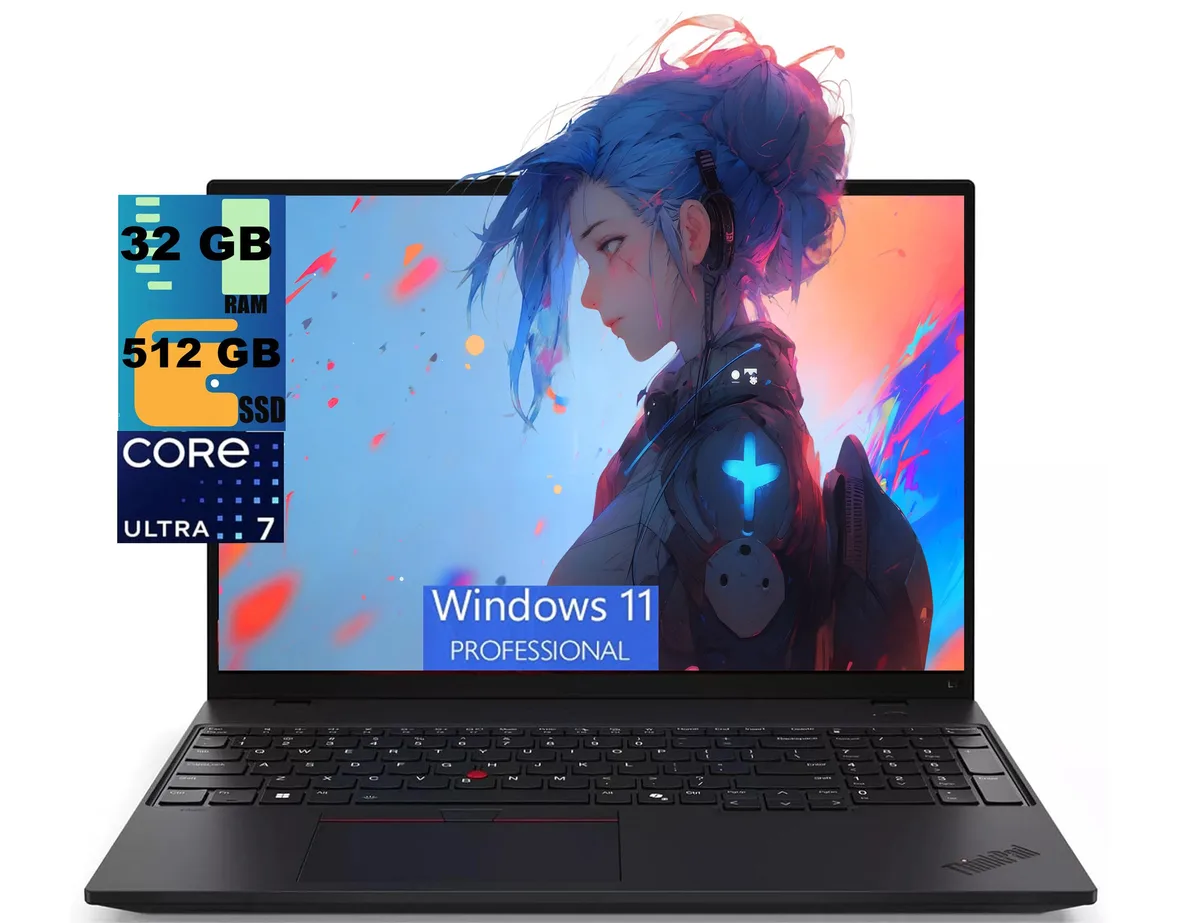
16-inch 1920 x 1200 IPS laptop with a 12-core Core Ultra 7 255U, 32 GB DDR4, 512 GB PCIe SSD, Wi-Fi 6E and Thunderbolt 4 ports
The Lenovo ThinkPad L16 Gen 2 is a new 16-inch Windows 11 Pro laptop built around a 12-core Intel Core Ultra 7 255U processor with a 5.2 GHz turbo frequency. It ships with 32GB of DDR4 memory and a 512GB PCIe SSD. The 16:10 WUXGA IPS panel delivers 1920 x 1200 resolution at 400 nits with an anti-glare finish. Integrated Intel Graphics handles visual output.
This configuration serves users who need ample memory for heavy browser loads, video calls and business applications while travelling light at 3.94 lb. The Thunderbolt 4 ports and Wi-Fi 6E support modern docks and fast wireless networks. Buyers who want a touchscreen, discrete graphics for rendering or a larger SSD should look at other models.
The 32GB DDR4 capacity comfortably runs virtual machines, large spreadsheets and dozens of browser tabs without paging. The 512GB PCIe drive holds the operating system, apps and a sizable project library with room to spare. Storage-intensive workloads such as local video editing or massive datasets will require external or cloud expansion.
| Series | Raider |
|---|---|
| Model | ThinkPad L16 |
| Color | Black |
| Operating System | Windows 11 Pro |
| CPU Type | Intel Core Ultra 7 (Series 1) |
| Processor Name | 1.00GHz |
| Turbo Frequency | 5.2 GHz |
| Number of Cores | 12-core Processor |
| Screen Size | 16.0" |
| Touchscreen | Non-Touch Screen |
| Display Type | FHD+ |
| Resolution | 1920 x 1200 |
| GPU/VPU | Intel Graphics |
| Graphic Type | Integrated Card |
| SSD | 512GB PCIe |
| HDD | No |
| Memory | 32GB |
| Optical Drive Type | No |
| WLAN | Yes |
| Bluetooth | Yes |
| USB | 2 |
| HDMI | 1 x HDMI |
| Audio Ports | 1 x Headphone/Microphone Combo Jack |
| Audio | Integrated Sound card |
| Speaker | Internal Speakers |
| Touchpad | Yes |
| Keyboard | Yes |
| Backlit Keyboard | Backlit |
| Webcam | Yes |
| Style | Standard |
| Type | Home / Personal |
| Usage | Consumer |
| Weight | 3 - 3.9 lbs. |
| Package Content | Laptop, Charger |
The spec sheet lists only one 512 GB PCIe SSD with no mention of an additional M.2 slot, so adding storage would require replacing the existing drive.
Yes, all three USB-A ports are backward compatible, so existing USB-A devices will work at their rated speeds.
Open Windows Display settings to confirm 1920 x 1200 at 60 Hz, then use the HDR calibration tool or a hardware colorimeter to measure peak brightness near 400 nits.
Ebenfalls in dieser Kategorie
Gleiche Abteilung, gleiche Kasse — acht Kryptowährungen und ein für 30 Minuten fixierter Kurs.
Womit Sie bezahlen und in welcher Währung Sie die Preise sehen.
Wird von Ihrem Wallet an der Kasse gesendet
Nur zur Anzeige — der Katalog ist in US-Dollar ausgezeichnet
Keine passende Währung gefunden.
Wählen Sie die Sprache, in der die Seite mit Ihnen spricht.
Keine passende Sprache gefunden.
Neu hier?
Haben Sie bereits eins?
Es gibt keine automatische Zurücksetzung: Dieser Shop versendet keine E-Mails, daher gibt es auch keinen Einmal-Link, den Sie anfordern könnten. Lassen Sie die im Konto hinterlegte Adresse stehen, sie wird von Hand bearbeitet.
Anfrage vermerkt
Es ist nichts auf dem Weg in Ihr Postfach — dieser Shop versendet grundsätzlich keine E-Mails. Jemand bearbeitet diese Anfragen von Hand.
Wieder eingefallen?


