

SanDisk
SanDisk Cruzer Blade 8 GB USB 2.0 USB flash drive Black SDCZ50-008G-B35
391,99 щ.д.
0.00497677BTC
В наличностПриемаме криптовалута — така монетите, които притежавате, могат да купят истински хардуер.Платете с крипто, похарчете го за истински хардуер. Безплатна застрахована доставка по целия свят над 399 $. Неутрални кашони без марка, изпратени от Германия.Безплатна застрахована доставка над 399 $. Курсът Ви е заключен за 30 минути веднага след отварянето на касата.Курс, заключен за 30 минути. Всеки артикул е запечатан, серийният му номер е проверен, и е покрит с 24-месечна гаранция.Запечатан, 24-месечна гаранция.
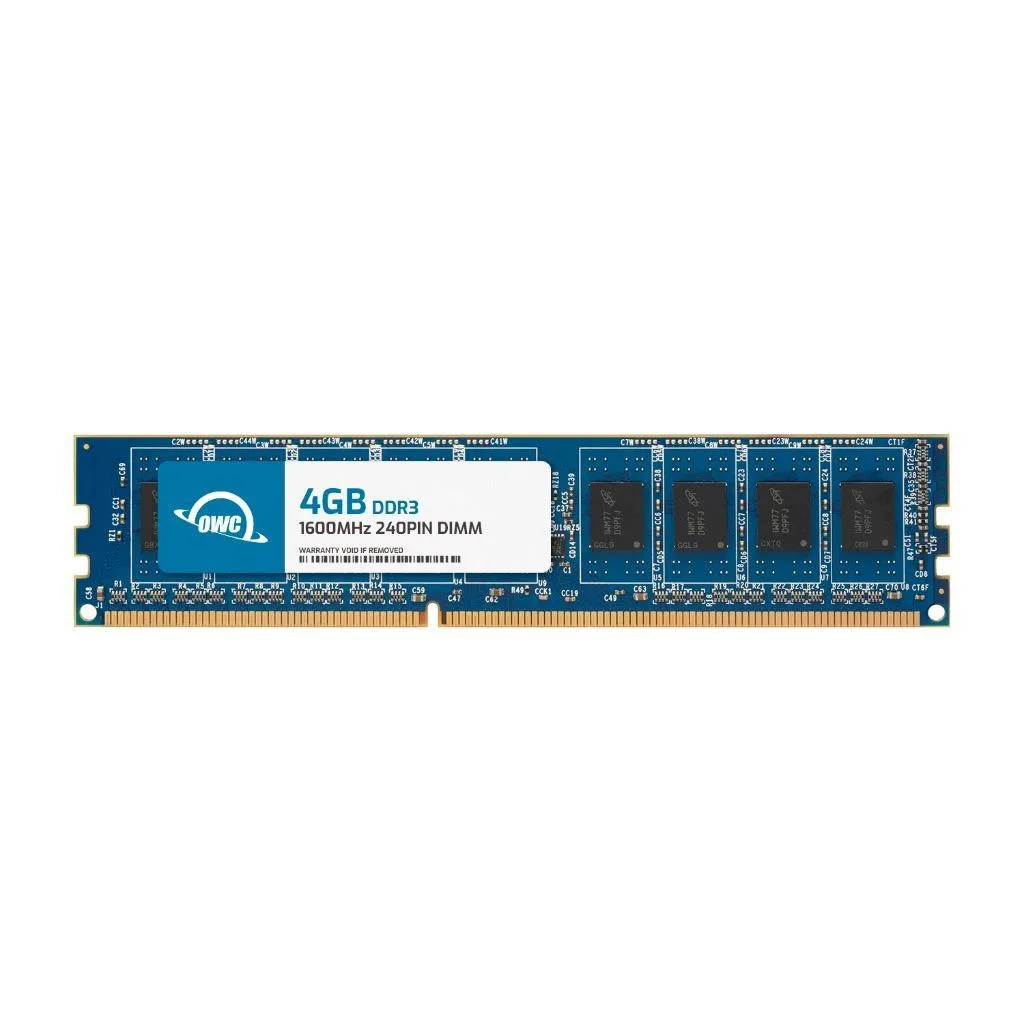


OWC
4 GB DDR3 desktop DIMM running at 1600 MHz with CL11 latency, 1.5 V operation, 2Rx8 layout and 240-pin form factor
This module provides 4 GB of DDR3 1600 memory with CL11 timing at 1.5 V. It uses a 240-pin unbuffered non-ECC design that matches the JEDEC PC3-12800 standard. The black PCB has no heat spreader and fits standard desktop DIMM slots.
It suits older desktops and workstations that require DDR3 1600 unbuffered memory. Systems needing ECC, registered modules, higher capacities, or newer DDR generations should choose a different product.
The stick installs directly into any 240-pin DDR3 desktop motherboard slot without extra power or cooling. Adding it frees up system responsiveness for everyday multitasking and larger file handling.
| Brand | OWC |
|---|---|
| Part Number | 1U6D32R804GB |
| Capacity | 4GB |
| Speed | DDR3 1600 (PC3 12800) |
| CAS Latency | CL11 |
| Voltage | 1.5V |
| ECC | No |
| Buffered/Registered | Unbuffered |
| Color | Black |
| Heat Spreader | No |
| Recommend Use | Desktops |
| LED Color | None |
A desktop motherboard with a DDR3 240-pin DIMM slot is needed for this module to fit and operate.
The system will run all modules at the slowest speed and highest latency, so this CL11 module will downclock to match CL9 timings.
Check the memory tab in CPU-Z or your BIOS; it should show 800 MHz DRAM frequency (1600 MT/s) and CL11 timings.
Още от този рафт
Същият рафт, същата каса — осем монети и заключване на курса за 30 минути.
Това, което изпращате, и това, в което четете цените.
Изпратено от Вашия портфейл при поръчката
Само за визуализация — каталогът е в долари
Никоя валута не съответства.
Изберете езика, на който сайтът да Ви говори.
Няма съвпадащ език.
Нови сте тук?
Вече имате профил?
Няма автоматично нулиране: този магазин не изпраща имейли, така че няма еднократна връзка, която да поискате. Оставете адреса в профила си и той ще бъде обработен ръчно.
Заявката е приета
Нищо няма да пристигне във Вашата пощенска кутия — този магазин изобщо не изпраща имейли. Заявките се обработват ръчно.
Спомнихте си я?



