


DELL
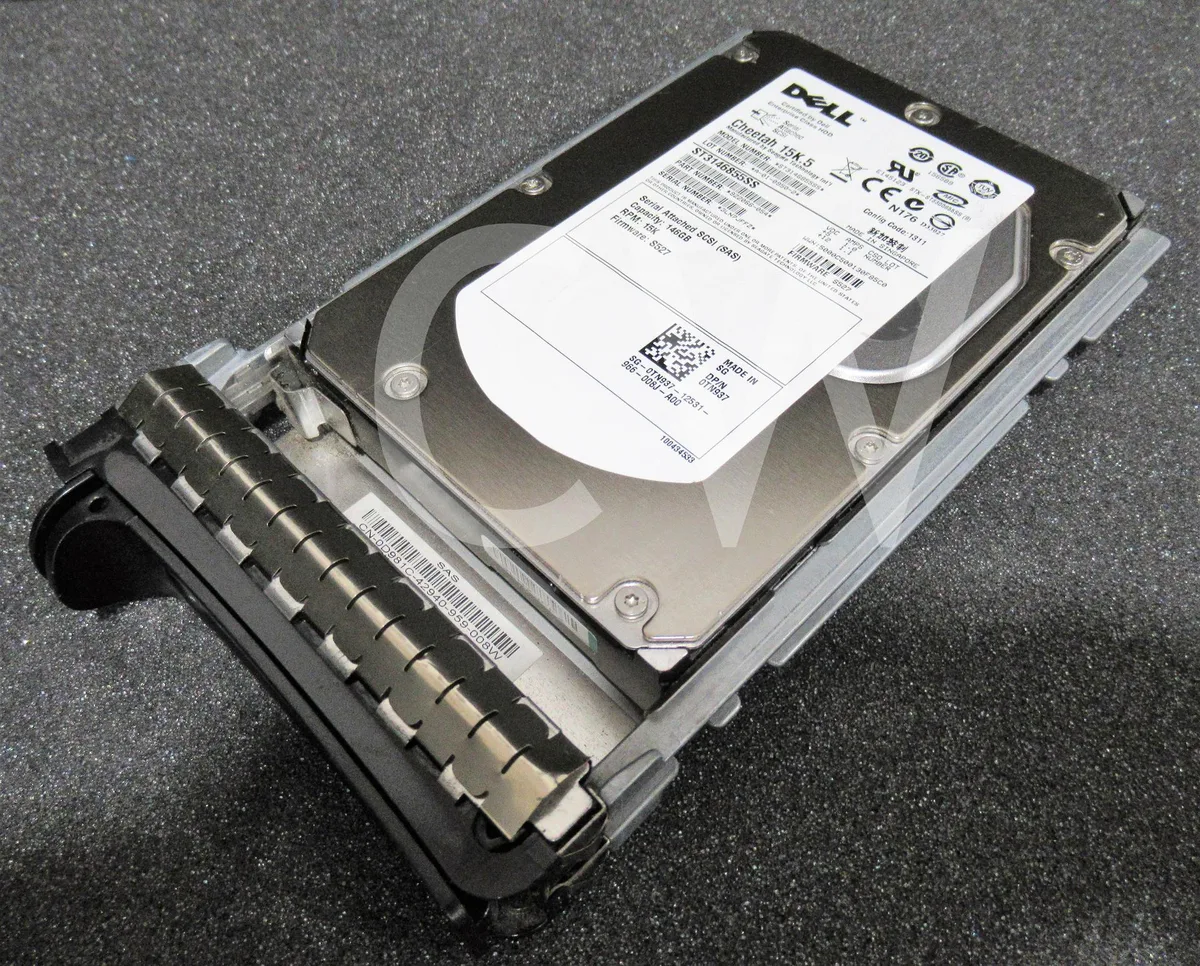
DELL ST3146855SS 146GB 15000RPM SAS 3.5" internal hard drive
A 10-pack of 146 GB 15 000 RPM SAS drives with 16 MB cache and included 3.5 inch caddies
- 15,000 RPM spindle speed accelerates transaction-heavy workloads
- 146 GB capacity stores critical OS and application data
- 5" SAS 3 Gb/s interface connects directly to enterprise controllers
- 16 MB cache buffers burst I/O for smoother throughput
- Includes ten drives with black-series caddies for immediate rack deployment
Enterprise 146GB SAS drive
This new Dell Cheetah 15K.5 hard drive delivers 146GB capacity at 15000RPM with a 3Gb/s SAS interface and 16MB cache. It is built for 3.5-inch server bays and includes a black series caddy for direct installation. The lot contains ten identical units suited for high-throughput enterprise workloads.
Suits transactional servers, not capacity tiers
Database and transaction processing systems that prioritise low latency and sustained random I/O will benefit from the 15000RPM spindle speed. Buyers who need larger storage volumes per drive or a 6Gb/s or faster SAS interface should look at other models.
The 3Gb/s SAS interface decides fit
The drive connects through a 3Gb/s SAS port, so the host controller or backplane must support that exact signalling rate. A mismatched interface will prevent the drive from operating at its rated performance.
Fordele
- 15,000 RPM spindle speed accelerates transaction-heavy workloads
- 146 GB capacity stores critical OS and application data
- 5" SAS 3 Gb/s interface connects directly to enterprise controllers
- 16 MB cache buffers burst I/O for smoother throughput
- Includes ten drives with black-series caddies for immediate rack deployment
Specifikationer
Der er endnu ikke offentliggjort specifikationer for denne vare.
Spørgsmål om denne vare
What does the 3Gb/s SAS interface mean for real-world speed?
The 3Gb/s SAS link sets the maximum bus bandwidth, so the 15000RPM platters and 16MB cache operate within that limit.
Will the included black caddy fit a standard 3.5-inch drive bay?
The drive is a 3.5-inch form factor and ships with a black series caddy designed for Dell 3.5-inch bays.
How do I install the drive and caddy, and what step is often missed?
Slide the drive into the caddy, secure it with the screws provided, insert the assembly into the bay until it clicks, then connect both the SAS data and power cables.
Også på denne hylde
Kunderne har også sammenlignet disse
Samme hylde, samme kasse — otte mønter og 30 minutters kurslås.




Western Digital
Western Digital G-DRIVE ArmorATD 5TB portable hard drive SDPH81G005TGBA1D
298,99 US$
0.00379617BTC
På lager
OWC
OWC Gemini Ultra X6 12TB Thunderbolt portable SSD (OWCTB3GMA6X12)
- 12TB
- Thunderbolt
2.645,99 US$
0.03359518BTC
På lager