

SanDisk
SanDisk Cruzer Blade 8 GB USB 2.0 USB flash drive Black SDCZ50-008G-B35
391,99 US$
0.005016BTC
På lagerVi tager imod kryptovaluta — så den krypto, du ejer, kan købe rigtig hardware.Betal med krypto, brug det på rigtig hardware. Gratis, forsikret levering til hele verden ved køb over 399 $. Neutrale, umærkede papkasser, sendt fra Tyskland.Gratis, forsikret levering over 399 $. Din kurs låses i 30 minutter, så snart kassen åbner.Kurs låst i 30 minutter. Hver vare er forseglet, har kontrolleret serienummer og er dækket af 24 måneders garanti.Forseglet, 24 måneders garanti.


MCDODO
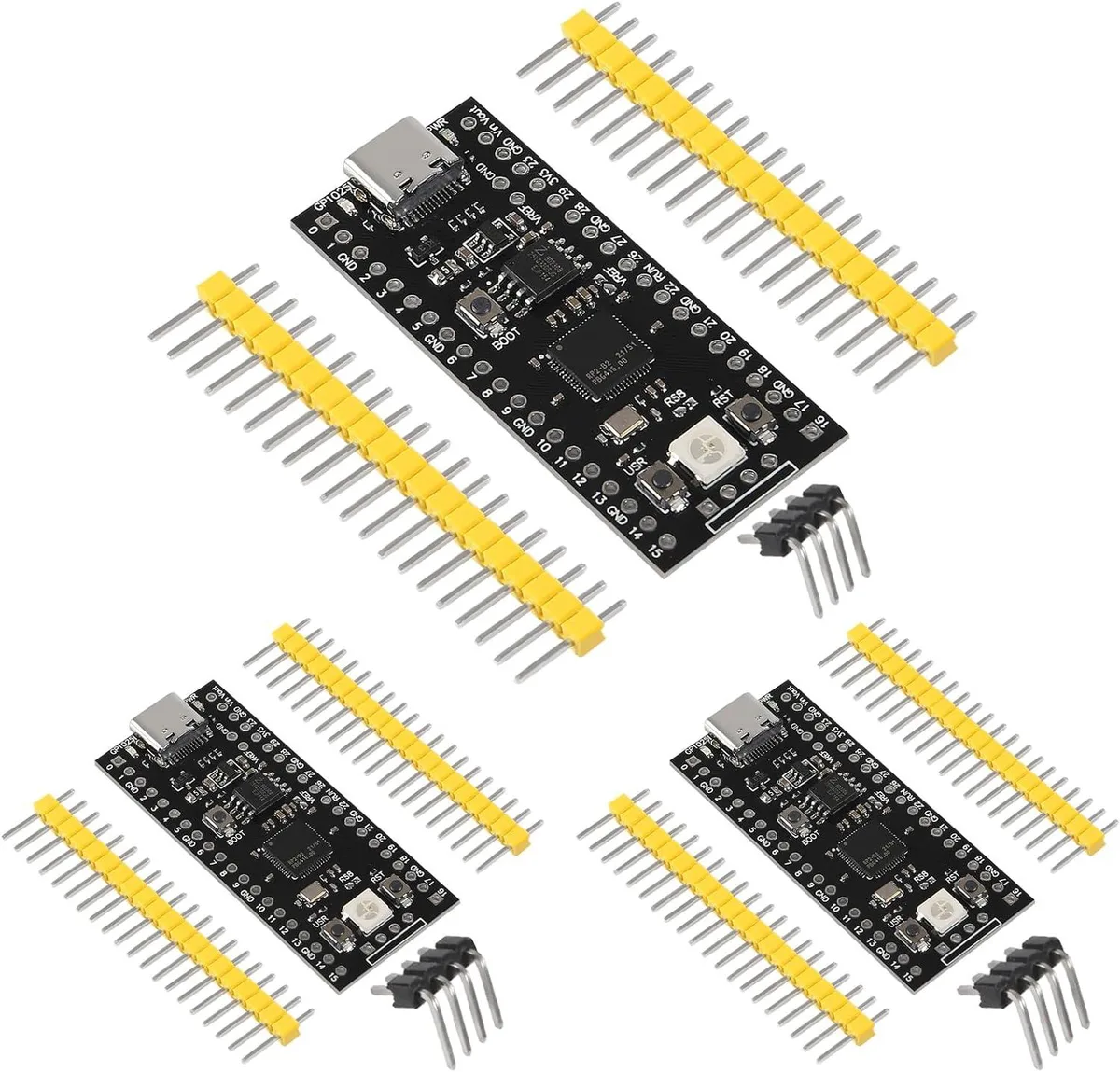
Three RP2040 microcontroller boards with USB-C, 16 MB flash and RGB LEDs for MicroPython or C/C++ development
This pack contains three RP2040 core boards built around a dual-core Arm Cortex-M0+ processor clocked up to 133 MHz. They suit hobbyists, students and engineers who need multiple low-cost microcontrollers for parallel experiments or classroom kits. Each board provides 16 MB of flash storage for firmware and data.
A USB Type-C connector supplies power and a serial link without legacy cables. The pinout exposes two SPI, two I2C and two UART interfaces plus three 12-bit ADC channels and sixteen controllable PWM outputs. Builders can wire sensors, displays or motor drivers directly to the headers for rapid prototyping.
An integrated RGB LED group gives instant visual feedback for status codes or debugging without extra components. The firmware environment accepts both MicroPython and C/C++ toolchains so developers can switch languages or reuse existing libraries across the three boards.
| Type | Single Board Computers |
|---|
The board uses a USB-C interface and the dual-core Arm Cortex M0+ processor runs at up to 133 MHz.
Each board provides castellated edges and standard header holes that match the Raspberry Pi Pico form factor for soldering or socket mounting.
Hold the BOOTSEL button while plugging the USB-C cable, release to appear as a mass-storage device, then drag the MicroPython UF2 file onto it; forgetting to hold BOOTSEL is the usual mistake.
Også på denne hylde
Samme hylde, samme kasse — otte mønter og 30 minutters kurslås.
Det du betaler med, og det du ser priserne i.
Sendes fra din tegnebog i kassen
Kun til visning — kataloget er prissat i USD
Ingen valuta matcher det.
Vælg det sprog, siden taler til dig på.
Ingen sprog matcher.
Ny her?
Har du allerede en?
Der findes ingen automatisk nulstilling: denne butik sender ingen e-mails, så der er intet engangslink at bede om. Efterlad adressen på kontoen, så bliver den behandlet manuelt.
Anmodning registreret
Der er intet på vej til din indbakke — denne butik sender slet ingen e-mails. Nogen behandler dem manuelt.
Kom du i tanke om den?



