DELL
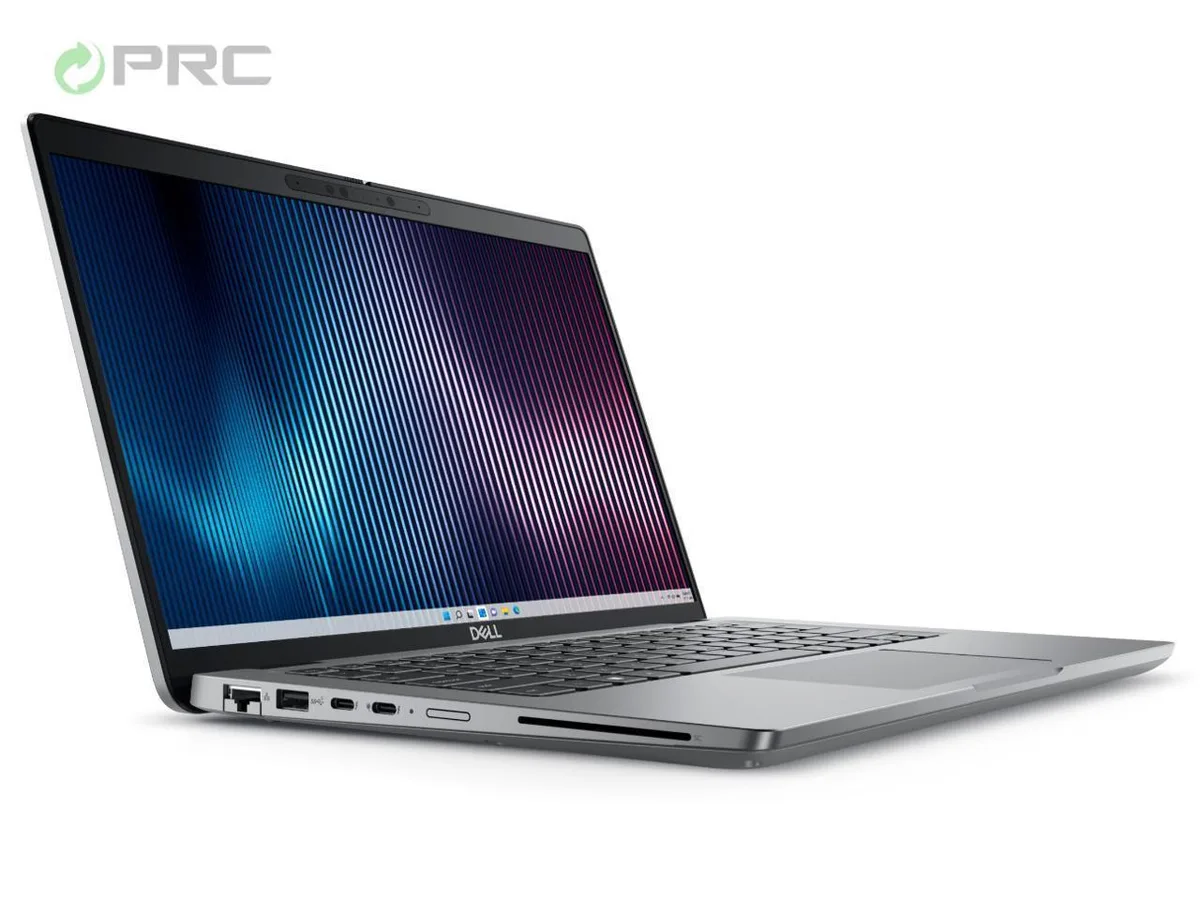
DELL Latitude 5000 5440 laptop 14" FHD Core i5-1335U 16GB DDR4 2TB NVMe
- Gray
- Windows 11 Pro
715,99 $
0.00930207BTC
VarastossaHyväksymme kryptoa — hallussasi olevat kolikot voivat näin ostaa oikeaa laitteistoa.Maksa kryptolla, käytä se oikeaan laitteistoon. Ilmainen vakuutettu toimitus maailmanlaajuisesti yli 399 $. Neutraalit, tuotemerkittömät ulkopakkaukset, lähetetään Saksasta.Ilmainen vakuutettu toimitus yli 399 $. Kurssisi lukitaan 30 minuutiksi heti, kun kassa avautuu.Kurssi lukittu 30 minuutiksi. Jokainen tuote on sinetöity, sen sarjanumero on tarkistettu, ja sillä on 24 kuukauden takuu.Sinetöity, 24 kuukauden takuu.


DELL
A 14 inch FHD business laptop with a 13th Gen Core i5, 2TB SSD and 8GB DDR4 running Windows 11 Pro
Options i5-1335U 8GB/2TB W11P
The Dell Latitude 5000 5440 is a 14.0 inch FHD laptop built around a 13th Gen Intel Core i5-1335U processor with ten cores reaching 4.6 GHz. It ships with 8 GB of DDR4 memory and a 2 TB PCIe NVMe M.2 SSD. Windows 11 Pro comes pre-installed and a 65 W AC adapter is included.
This configuration handles office applications, video calls and web browsing with the integrated Intel Iris Xe Graphics and a 250 nit anti-glare display. Buyers who want more memory than the 8 GB supplied or who need a dedicated graphics card for rendering should look at a different specification.
The chassis provides one RJ-45 Ethernet port, two USB 3.2 Gen 1 Type-A ports, one USB Type-C 3.2 Gen 2 port, one USB 3.2 Gen 1 port with PowerShare and an HDMI 2.0 output. Wi-Fi 6 and Bluetooth 5.2 handle wireless links while the 1.39 kg frame keeps the bag light.
| Brand | DELL |
|---|---|
| Series | 5000 |
| Model | Latitude |
| Part Number | 5440 |
| Color | Gray |
| Operating System | Windows 11 Pro |
| CPU Type | Intel Core i5 13th Gen |
| Processor Name | Intel Core i5-1335U |
| CPU L2 Cache | 6MB |
| Screen Size | 14.0" |
| Touchscreen | Non-Touch Screen |
| Display Type | FHD |
| Resolution | 1920 x 1080 |
| GPU/VPU | Intel Iris Xe Graphics |
| Graphic Type | Integrated Card |
| SSD | 2TB |
| HDD | No |
| Storage Spec | 2 TB |
| Memory | 8GB |
| Memory Speed | DDR4 |
| Memory Spec | 4 GB x 2 |
| Memory Slot (Total) | 2 |
| Memory Slot (Available) | 0 |
| Max Memory Supported | 64 GB |
| Optical Drive Type | No |
| LAN | 10/100/1000Mbps |
| WiFi Generation | Wi-Fi 6 |
| Bluetooth | Yes |
| USB | 2 x USB 3.2 Gen 1, 1 x USB 3.2 (PowerShare), 1 x USB-C 3.2 Gen 2 |
| Video Port | 1 x HDMI 2.0 |
| HDMI | 1 x HDMI 2.0 |
| Audio Ports | 1 x Microphone Jack, 1 x Headphone Jack |
| Audio | Integrated Sound card |
| Touchpad | Yes |
| Keyboard | Standard |
| Webcam | Yes |
| Style | Ultrabook |
| Type | Home / Personal |
| Usage | Consumer |
| AC Adapter/Charger | 65-watt AC Adapter |
| Weight | 3 - 3.9 lbs. |
Tämän mallin muut versiot
Sama tuoteperhe, eri muisti, jäähdytin tai kellotaajuus — vertaile ennen päätöstä.
The laptop ships with an OEM 65 W AC adapter that uses a standard Dell barrel connector; any earlier Dell charger with the same barrel tip and 65 W output will work.
Yes, the two USB 3.2 Gen 1 Type-A ports accept legacy USB-A devices at up to 5 Gbps without adapters.
Open Device Manager, expand Display adapters, and confirm Intel Iris Xe Graphics appears without a yellow warning icon.
Myös tällä osastolla
Sama osasto, sama kassa — kahdeksan kryptovaluuttaa ja 30 minuutin kurssilukko.
Valuutta, jolla maksetaan, sekä valuutta, jossa hinnat näytetään.
Lähetetään lompakostasi kassalla
Vain näyttöä varten — hinnat ovat Yhdysvaltain dollareissa
Valuuttaa ei löytynyt.
Valitse kieli, jolla sivusto puhuu sinulle.
Ei vastaavaa kieltä.
Uusi täällä?
Onko sinulla jo tili?
Automaattista palautusta ei ole: kauppa ei lähetä sähköpostia lainkaan, joten kertakäyttöistä linkkiä ei ole mistä pyytää. Jätä osoite tilille, niin se käsitellään käsin.
Pyyntö kirjattu
Mikään ei ole tulossa sähköpostiisi — tämä kauppa ei lähetä sähköpostia lainkaan. Joku käsittelee nämä pyynnöt käsin.
Muistitko sen?