

ASUS
ASUS CR1104FTA-YZ84T Chromebook 11.6" Touch N150 8GB 64GB Mineral Gray
- 11.6"
414,99 $
0.0053318BTC
VarastossaHyväksymme kryptoa — hallussasi olevat kolikot voivat näin ostaa oikeaa laitteistoa.Maksa kryptolla, käytä se oikeaan laitteistoon. Ilmainen vakuutettu toimitus maailmanlaajuisesti yli 399 $. Neutraalit, tuotemerkittömät ulkopakkaukset, lähetetään Saksasta.Ilmainen vakuutettu toimitus yli 399 $. Kurssisi lukitaan 30 minuutiksi heti, kun kassa avautuu.Kurssi lukittu 30 minuutiksi. Jokainen tuote on sinetöity, sen sarjanumero on tarkistettu, ja sillä on 24 kuukauden takuu.Sinetöity, 24 kuukauden takuu.


HP
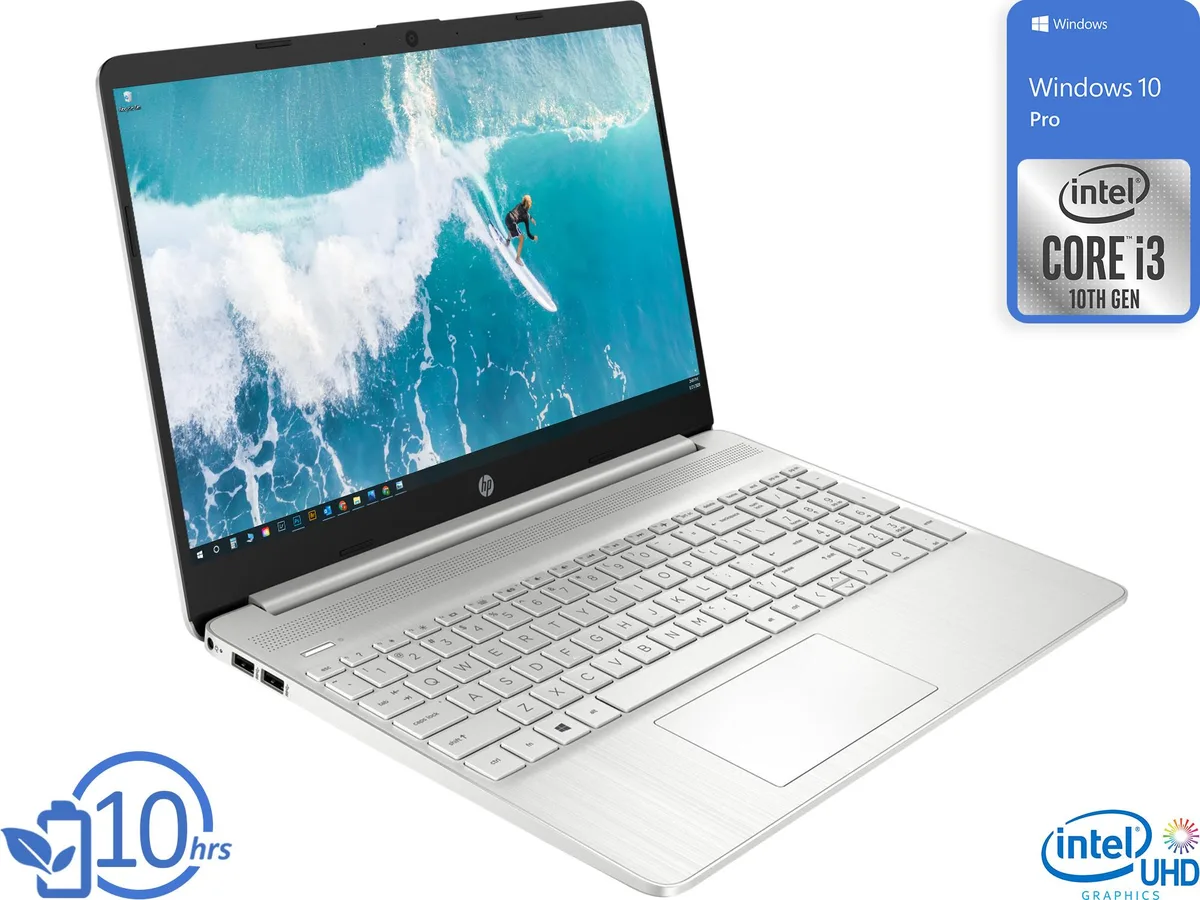
15.6-inch HD laptop with Intel Core i3-1005G1, 8GB DDR4 memory and 128GB NVMe storage running Windows 10 Pro
This HP 15 laptop in white ships with Windows 10 Pro and an Intel Core i3-1005G1 dual-core processor that reaches 3.4GHz. The 15.6-inch HD display runs at 1366 x 768 and uses integrated Intel UHD Graphics. It includes 8GB of DDR4 2400 memory and a 128GB NVMe SSD, plus HDMI, a 3-in-1 card reader, two USB 3.1 Gen 1 ports and one USB-C 3.1 Gen 1 port.
The 128GB NVMe drive and 8GB of RAM suit web browsing, document editing and video calls, and the 720p webcam supports conferencing. Buyers who want more storage or memory than the factory configuration provides should look elsewhere, as the specifications list no larger drive or higher memory capacity. Creative professionals needing discrete graphics or a higher-resolution screen will not find those features here.
The single 128GB NVMe SSD is the only internal drive and sets the total capacity available for the operating system, applications and files. If your workflow demands more space than 128GB without relying on external storage or cloud services, this unit will not meet that requirement.
| Brand | HP |
|---|---|
| Model | 15 |
| Color | White |
| Operating System | Windows 10 Pro |
| CPU Type | Intel Core i3 10th Gen |
| Processor Name | Intel Core i3-1005G1 |
| Turbo Frequency | 3.4GHz |
| Number of Cores | Dual-core Processor |
| Screen Size | 15.6" |
| Touchscreen | Non-Touch Screen |
| Wide Screen Support | Yes |
| Display Type | HD |
| Resolution | 1366 x 768 |
| GPU/VPU | Intel UHD Graphics |
| Graphic Type | Integrated Card |
| SSD | 128GB |
| HDD | No |
| Storage Spec | 128GB NVMe SSD |
| Memory | 8GB |
| Memory Speed | DDR4 2400 |
| Memory Spec | 8 GB x 1 |
| Memory Slot (Total) | 1 |
| Memory Slot (Available) | 0 |
| Max Memory Supported | 16 GB |
| WLAN | Wi-Fi 5 (802.11ac) |
| Bluetooth | Bluetooth 4.2 |
| USB | 2x USB 3.1 Gen 1, 1x USB-C 3.1 Gen 1 |
| Video Port | 1x HDMI |
| HDMI | 1 x HDMI |
| Audio Ports | 1 x Headphone/Microphone Combo Jack |
| Audio | Integrated Sound card |
| Speaker | Integrated Stereo Speakers |
| Touchpad | Yes |
| Keyboard | Full-size with number pad |
| Backlit Keyboard | Non-backlit |
| Webcam | Yes |
| Card Reader | 3-in-1 |
| Type | Everyday Value |
| AC Adapter/Charger | 45-watt AC Adapter |
| Battery | 3-cell Lithium Ion |
| Battery Life | > 5 hours |
| Dimensions (W x D x H) | 9.52" x 14.11" x 0.7" |
| Weight | 3 - 3.9 lbs. |
The HP 15 supports up to 16 GB of DDR4 2400 SO-DIMM memory, so you can add one 8 GB module to the existing 8 GB.
Remove the bottom cover screws, then pry the cover off carefully; the single SO-DIMM slot and M.2 NVMe drive sit side by side underneath.
Wipe the webcam lens with a microfibre cloth whenever image quality drops; the lens cover is fixed, so no replacement part exists.
Myös tällä osastolla
Sama osasto, sama kassa — kahdeksan kryptovaluuttaa ja 30 minuutin kurssilukko.
Valuutta, jolla maksetaan, sekä valuutta, jossa hinnat näytetään.
Lähetetään lompakostasi kassalla
Vain näyttöä varten — hinnat ovat Yhdysvaltain dollareissa
Valuuttaa ei löytynyt.
Valitse kieli, jolla sivusto puhuu sinulle.
Ei vastaavaa kieltä.
Uusi täällä?
Onko sinulla jo tili?
Automaattista palautusta ei ole: kauppa ei lähetä sähköpostia lainkaan, joten kertakäyttöistä linkkiä ei ole mistä pyytää. Jätä osoite tilille, niin se käsitellään käsin.
Pyyntö kirjattu
Mikään ei ole tulossa sähköpostiisi — tämä kauppa ei lähetä sähköpostia lainkaan. Joku käsittelee nämä pyynnöt käsin.
Muistitko sen?


