


Fans
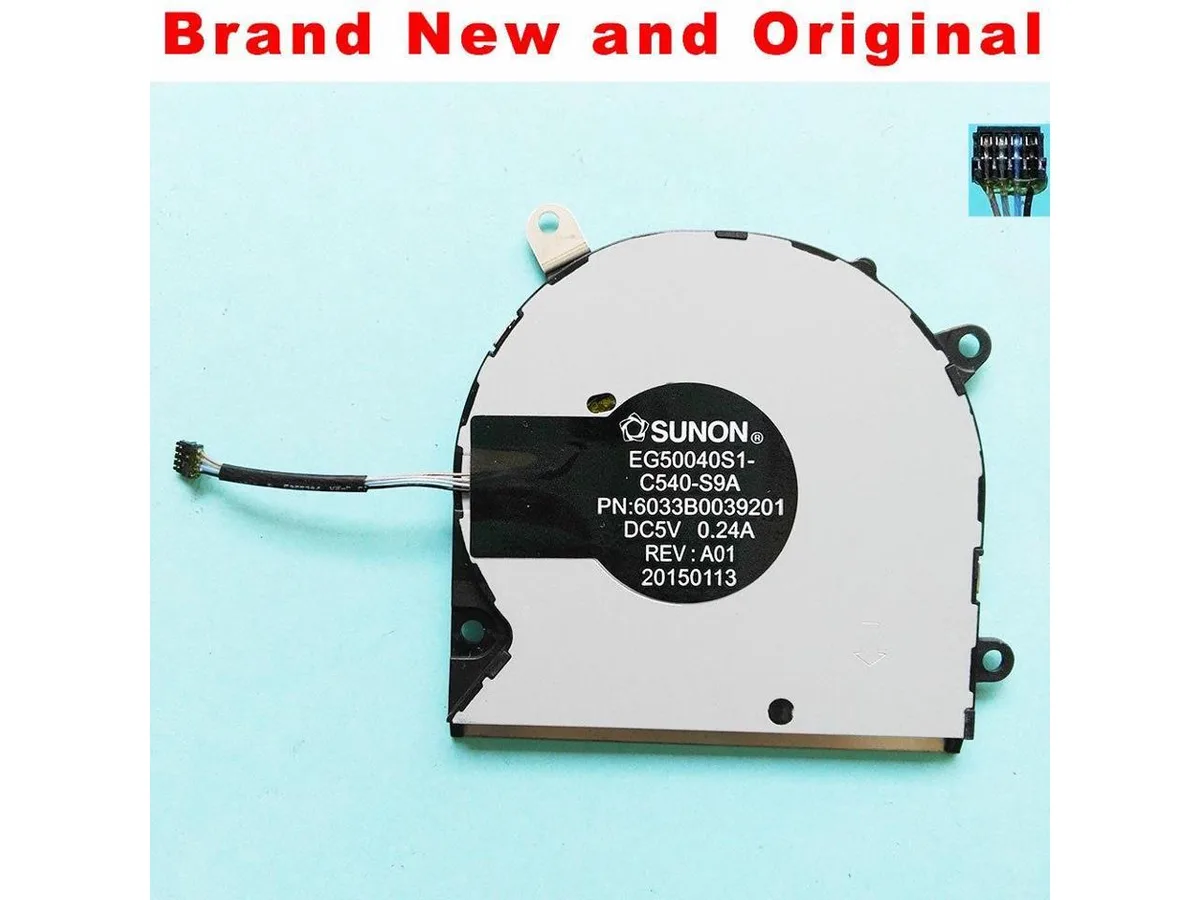
Fans CPU cooler for SUNON EG50040S1-C540-S9A 6033B0039201 DC5V 0.24A
A new CPU air cooler compatible with the SUNON EG50040S1-C540-S9A model
- Original SUNON replacement ensures drop-in compatibility
- DC 5 V 0.24 A rating matches factory power spec
- Part number 6033B0039201 verifies exact model fit
- New condition guarantees full service life out of the box
Replacement CPU Fan for SUNON EG50040S1-C540-S9A
This new and original CPU fan is built to match the SUNON EG50040S1-C540-S9A specification. It operates at DC5V with a 0.24A current draw. The unit serves as a direct cooling component for compatible heatsink assemblies.
Restores Cooling on Supported Heatsinks
This fan replaces a worn or failed unit on an existing SUNON EG50040S1-C540-S9A cooler. The swap is worthwhile when the original fan spins loudly, stalls, or no longer moves sufficient air. It is not suited for builders needing a complete heatsink assembly or a different mounting pattern.
Helstu kostir
- Original SUNON replacement ensures drop-in compatibility
- DC 5 V 0.24 A rating matches factory power spec
- Part number 6033B0039201 verifies exact model fit
- New condition guarantees full service life out of the box
Tæknilýsing
Engin birt tæknilýsing fyrir þessa vöru enn.
Spurningar um þessa vöru
What voltage and current does the EG50040S1-C540-S9A fan require?
The fan operates at DC 5 V and draws 0.24 A, so the motherboard header or controller must supply at least that current at 5 V.
How do you connect the 6033B0039201 cooler to the motherboard, and what step is often missed?
Plug the 3-pin or 4-pin connector into the CPU_FAN header, then secure the mounting screws in a diagonal pattern; the step most people skip is setting the fan curve in BIOS so the cooler ramps up under load.
Einnig í þessum vöruflokki
Fólk bar þetta saman
Sama hilla, sama greiðsluferli — átta myntir og 30 mínútna gengislæsing.



ModMyMods
ModMyMods MOD-0002 3/8" ID x 1/2" OD Clear PVC Tubing DIY Cooling
- Clear
0,82 USD
0.00001049BTC
Til á lager