

Thermalright
Thermalright MC-2 ARGB Memory Cooler White 3200 RPM
- Fan & Heatsinks
- DDR/DDR2/DDR3/DDR4/…
22,99 US$
0.00028457BTC
I lagerVi tar emot kryptovaluta — så att kryptot du äger kan köpa riktig hårdvara.Betala med krypto, använd det till riktig hårdvara. Fri, försäkrad frakt över hela världen vid köp över 399 $. Neutrala, omärkta ytterkartonger, skickade från Tyskland.Fri, försäkrad frakt över 399 $. Din kurs låses i 30 minuter så snart kassan öppnas.Kursen låst i 30 minuter. Varje artikel är förseglad, har kontrollerat serienummer och täcks av 24 månaders garanti.Förseglad, 24 månaders garanti.


Fans
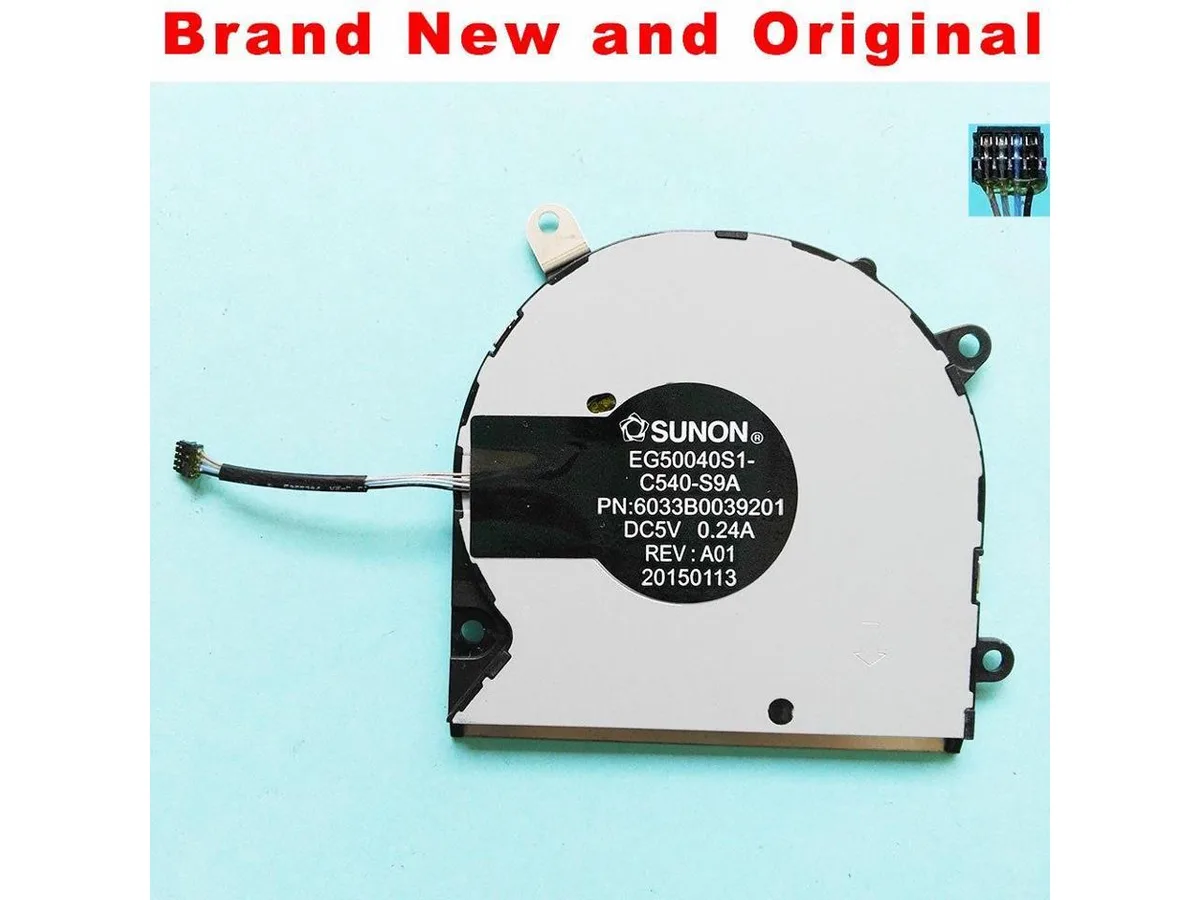
A new CPU air cooler compatible with the SUNON EG50040S1-C540-S9A model
This new and original CPU fan is built to match the SUNON EG50040S1-C540-S9A specification. It operates at DC5V with a 0.24A current draw. The unit serves as a direct cooling component for compatible heatsink assemblies.
This fan replaces a worn or failed unit on an existing SUNON EG50040S1-C540-S9A cooler. The swap is worthwhile when the original fan spins loudly, stalls, or no longer moves sufficient air. It is not suited for builders needing a complete heatsink assembly or a different mounting pattern.
Inga publicerade specifikationer för den här produkten än.
The fan operates at DC 5 V and draws 0.24 A, so the motherboard header or controller must supply at least that current at 5 V.
Plug the 3-pin or 4-pin connector into the CPU_FAN header, then secure the mounting screws in a diagonal pattern; the step most people skip is setting the fan curve in BIOS so the cooler ramps up under load.
Även i den här avdelningen
Samma hylla, samma kassa — åtta mynt och ett 30-minuters kurslås.
Det du betalar med, och det du ser priserna i.
Skickas från din plånbok i kassan
Endast visning — katalogen är prissatt i US-dollar
Ingen valuta matchar.
Välj det språk du vill att webbplatsen ska visas på.
Ny här?
Har du redan ett konto?
Det finns ingen automatisk återställning: den här butiken skickar inga e-postmeddelanden, så det finns ingen engångslänk att begära. Lämna adressen kopplad till kontot, så hanteras den för hand.
Förfrågan noterad
Inget är på väg till din inkorg — den här butiken skickar aldrig e-post. Någon tar hand om detta manuellt.
Kom du på det?


