ARCTIC COOLING
ARCTIC COOLING ACTCP00007B MX-4 2019 Edition thermal paste 2.0g
- 2.0g
- 8.5 W/mK
$4.99
0.00006367BTC
In stockWe take cryptocurrency — so the coins you hold can buy real hardware.Pay in crypto, spend it on real hardware. Free insured shipping worldwide over $399. Plain, unbranded boxes, sent from Germany.Free insured shipping over $399. Your rate is locked for 30 minutes once checkout opens.Rate locked 30 minutes. Every item sealed, serial-checked and covered by a 24-month warranty.Sealed, 24-month warranty.


Fans
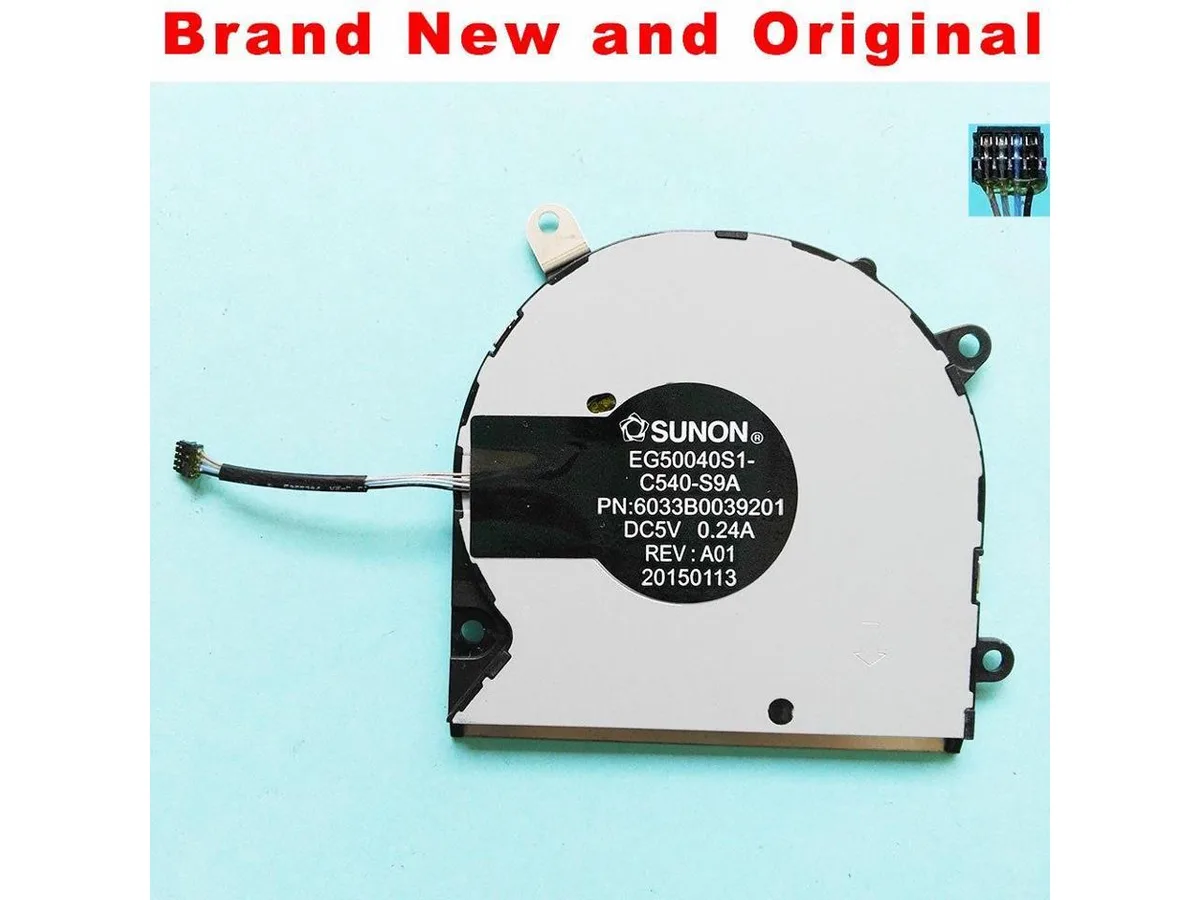
A new CPU air cooler compatible with the SUNON EG50040S1-C540-S9A model
This new and original CPU fan is built to match the SUNON EG50040S1-C540-S9A specification. It operates at DC5V with a 0.24A current draw. The unit serves as a direct cooling component for compatible heatsink assemblies.
This fan replaces a worn or failed unit on an existing SUNON EG50040S1-C540-S9A cooler. The swap is worthwhile when the original fan spins loudly, stalls, or no longer moves sufficient air. It is not suited for builders needing a complete heatsink assembly or a different mounting pattern.
No published specifications for this item yet.
The fan operates at DC 5 V and draws 0.24 A, so the motherboard header or controller must supply at least that current at 5 V.
Plug the 3-pin or 4-pin connector into the CPU_FAN header, then secure the mounting screws in a diagonal pattern; the step most people skip is setting the fan curve in BIOS so the cooler ramps up under load.
Also in this aisle
Same shelf, same checkout — eight coins and a 30-minute rate lock.
What you pay in, and what you read prices in.
Sent from your wallet at checkout
Display only — the catalogue is priced in USD
No currency matches that.
Pick the language the site speaks to you in.
New here?
Already have one?
There is no automatic reset: this shop sends no mail, so there is no one-time link to ask for. Leave the address on the account and it gets picked up by hand.
Request noted
Nothing is on its way to your inbox — this shop sends no mail at all. Someone picks these up by hand.
Remembered it?