

BFKK
BFKK 3U Rackmount Server Chassis EATX/ATX/MATX 4x5.25 6x3.5 Top/Side Cooling
- Rackmount
214,99 USD
0.00276796BTC
Til á lagerVið tökum við rafmynt — svo myntirnar sem þú átt geta keypt alvöru vélbúnað.Greiddu í rafmynt, eyddu henni í alvöru vélbúnað. Frí, tryggð sending um allan heim fyrir pantanir yfir 399 $. Hlutlausir pappakassar án merkinga, sendir frá Þýskalandi.Frí, tryggð sending yfir 399 $. Gengið þitt er læst í 30 mínútur um leið og greiðsluferlið hefst.Gengið læst í 30 mínútur. Hver vara er innsigluð, raðnúmer hennar yfirfarið, og hún nýtur 24 mánaða ábyrgðar.Innsiglað, með 24 mánaða ábyrgð.


HP
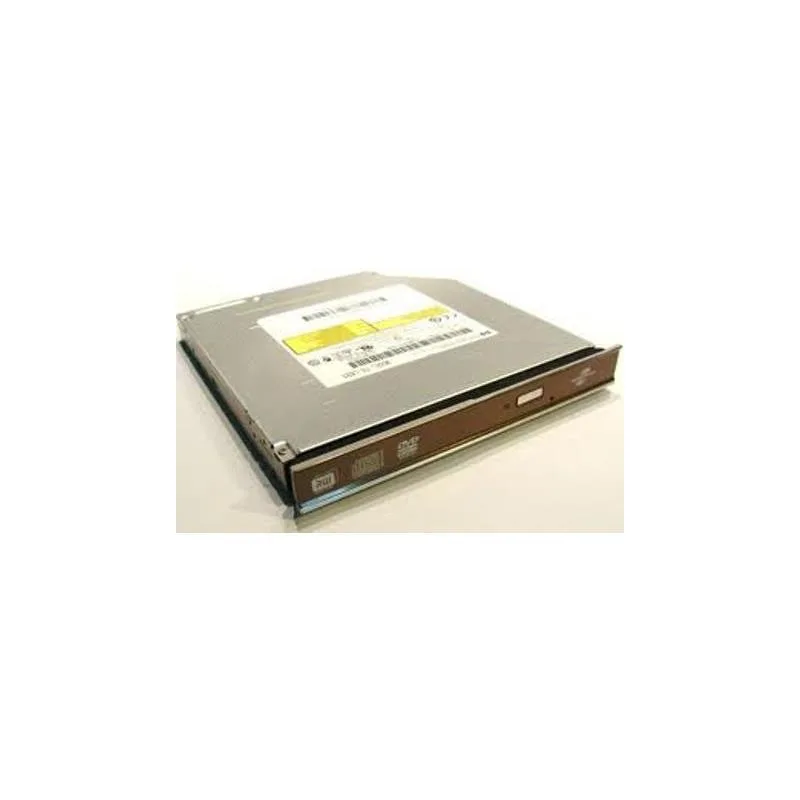
Slim 12.7mm internal DVD writer with Lightscribe labelling over SATA
This internal optical drive fits a standard 12.7mm bay and connects through a SATA interface. It writes DVDs at up to 8X speed and supports LightScribe labelling for compatible media. The unit is supplied new and intended for notebook or slimline chassis installations.
The drive restores read and write capability for DVD and CD media where the original unit has stopped working or was never fitted. The upgrade is worthwhile when software distribution, data archival or disc authoring still requires physical optical media. It does not address needs for Blu-ray playback or higher write speeds.
| Brand | HP |
|---|
The drive measures 12.7 mm in height, 1.3 cm in width, and 7.5 cm in length, matching a standard slimline notebook optical bay.
Connect the combined SATA data and power connector firmly; the step often missed is ensuring the drive is fully seated so the connector engages completely.
Einnig í þessum vöruflokki
Sama hilla, sama greiðsluferli — átta myntir og 30 mínútna gengislæsing.
Það sem þú greiðir í, og það sem þú sérð verð í.
Sent úr veskinu þínu í greiðsluferlinu
Aðeins til skýringar — verð í vörulistanum eru í Bandaríkjadölum
Enginn gjaldmiðill passar við það.
Veldu tungumálið sem síðan talar við þig á.
Ekkert tungumál fannst.
Fyrsta heimsókn?
Áttu þegar aðgang?
Það er engin sjálfvirk endurstilling: þessi verslun sendir engan tölvupóst, svo það er enginn einnota tengill til að biðja um. Skildu netfangið eftir á aðganginum og einhver sinnir því handvirkt.
Beiðni skráð
Ekkert er á leiðinni í pósthólfið þitt — þessi verslun sendir engan tölvupóst. Einhver sinnir þessu handvirkt.
Mundir þú það?



