

BFKK
BFKK 3U Rackmount Server Chassis EATX/ATX/MATX 4x5.25 6x3.5 Top/Side Cooling
- Rackmount
214,99 $
0.00276796BTC
Na zalogiSprejemamo kriptovalute — tako lahko sredstva, ki jih imate, kupijo pravo strojno opremo.Plačajte v kriptovaluti, zapravite jo za pravo strojno opremo. Brezplačna zavarovana dostava po vsem svetu nad 399 $. Nevtralni kartoni brez znamke, poslani iz Nemčije.Brezplačna zavarovana dostava nad 399 $. Vaš tečaj je zaklenjen za 30 minut, takoj ko se odpre blagajna.Tečaj zaklenjen 30 minut. Vsak izdelek je zapečaten, njegova serijska številka preverjena, in krit z 24-mesečno garancijo.Zapečateno, 24-mesečna garancija.


HP
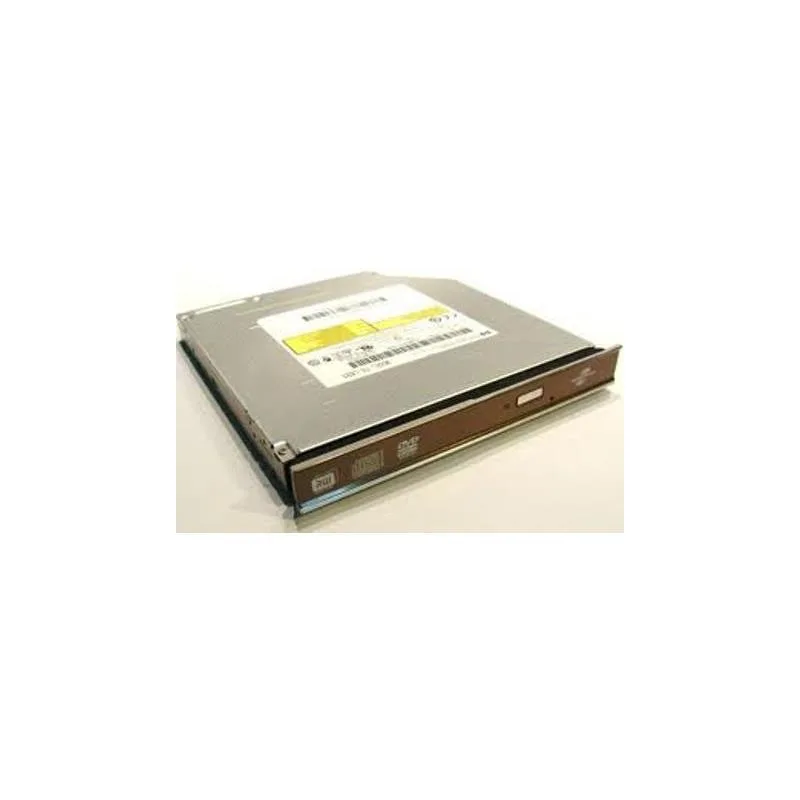
Slim 12.7mm internal DVD writer with Lightscribe labelling over SATA
This internal optical drive fits a standard 12.7mm bay and connects through a SATA interface. It writes DVDs at up to 8X speed and supports LightScribe labelling for compatible media. The unit is supplied new and intended for notebook or slimline chassis installations.
The drive restores read and write capability for DVD and CD media where the original unit has stopped working or was never fitted. The upgrade is worthwhile when software distribution, data archival or disc authoring still requires physical optical media. It does not address needs for Blu-ray playback or higher write speeds.
| Brand | HP |
|---|
The drive measures 12.7 mm in height, 1.3 cm in width, and 7.5 cm in length, matching a standard slimline notebook optical bay.
Connect the combined SATA data and power connector firmly; the step often missed is ensuring the drive is fully seated so the connector engages completely.
Tudi v tem oddelku
Ista polica, ista blagajna — osem kriptovalut in 30-minutni zaklep tečaja.
V čem plačujete in v čem berete cene.
Poslano iz Vaše denarnice ob blagajni
Samo za prikaz — katalog je cenovno izražen v dolarjih
Nobena valuta ne ustreza.
Izberite jezik, v katerem Vam govori spletna stran.
Ni ustreznega jezika.
Prvič tu?
Že imate račun?
Samodejne ponastavitve ni: ta trgovina ne pošilja e-pošte, zato ni enkratne povezave, ki bi jo lahko zahtevali. Pustite naslov na računu — nekdo ga bo obravnaval ročno.
Zahteva zabeležena
V Vašo elektronsko pošto ne prihaja nič — ta trgovina ne pošilja nobene e-pošte. Zahteve nekdo obravnava ročno.
Ste se spomnili?



