

BFKK
BFKK 3U Rackmount Server Chassis EATX/ATX/MATX 4x5.25 6x3.5 Top/Side Cooling
- Rackmount
214,99 US$
0.00277285BTC
I lagerVi tar emot kryptovaluta — så att kryptot du äger kan köpa riktig hårdvara.Betala med krypto, använd det till riktig hårdvara. Fri, försäkrad frakt över hela världen vid köp över 399 $. Neutrala, omärkta ytterkartonger, skickade från Tyskland.Fri, försäkrad frakt över 399 $. Din kurs låses i 30 minuter så snart kassan öppnas.Kursen låst i 30 minuter. Varje artikel är förseglad, har kontrollerat serienummer och täcks av 24 månaders garanti.Förseglad, 24 månaders garanti.


HP
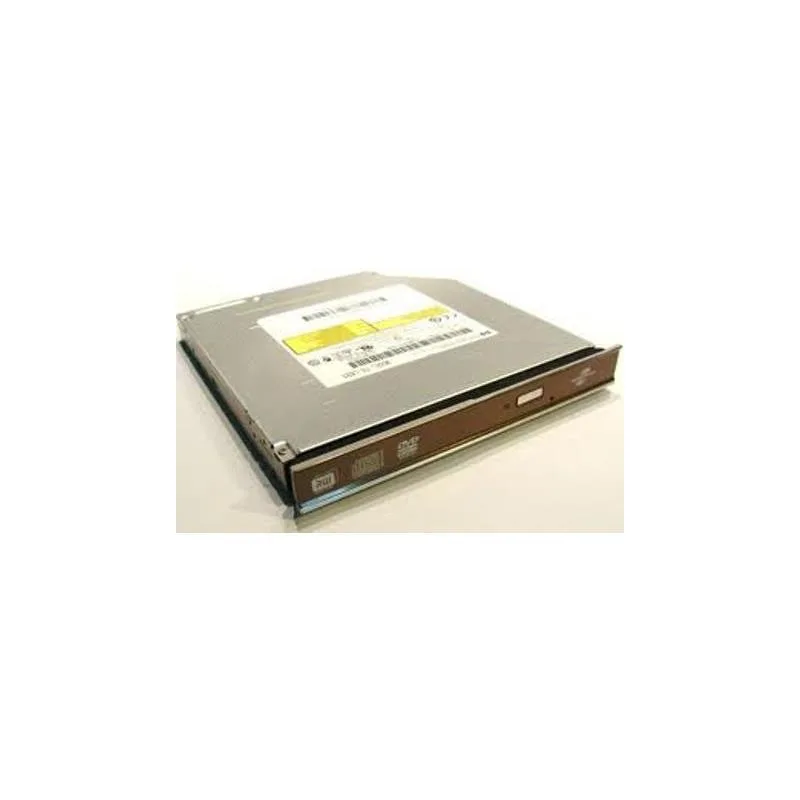
Slim 12.7mm internal DVD writer with Lightscribe labelling over SATA
This internal optical drive fits a standard 12.7mm bay and connects through a SATA interface. It writes DVDs at up to 8X speed and supports LightScribe labelling for compatible media. The unit is supplied new and intended for notebook or slimline chassis installations.
The drive restores read and write capability for DVD and CD media where the original unit has stopped working or was never fitted. The upgrade is worthwhile when software distribution, data archival or disc authoring still requires physical optical media. It does not address needs for Blu-ray playback or higher write speeds.
| Brand | HP |
|---|
The drive measures 12.7 mm in height, 1.3 cm in width, and 7.5 cm in length, matching a standard slimline notebook optical bay.
Connect the combined SATA data and power connector firmly; the step often missed is ensuring the drive is fully seated so the connector engages completely.
Även i den här avdelningen
Samma hylla, samma kassa — åtta mynt och ett 30-minuters kurslås.
Det du betalar med, och det du ser priserna i.
Skickas från din plånbok i kassan
Endast visning — katalogen är prissatt i US-dollar
Ingen valuta matchar.
Välj det språk du vill att webbplatsen ska visas på.
Inga språk matchar.
Ny här?
Har du redan ett konto?
Det finns ingen automatisk återställning: den här butiken skickar inga e-postmeddelanden, så det finns ingen engångslänk att begära. Lämna adressen kopplad till kontot, så hanteras den för hand.
Förfrågan noterad
Inget är på väg till din inkorg — den här butiken skickar aldrig e-post. Någon tar hand om detta manuellt.
Kom du på det?



