
Acer America
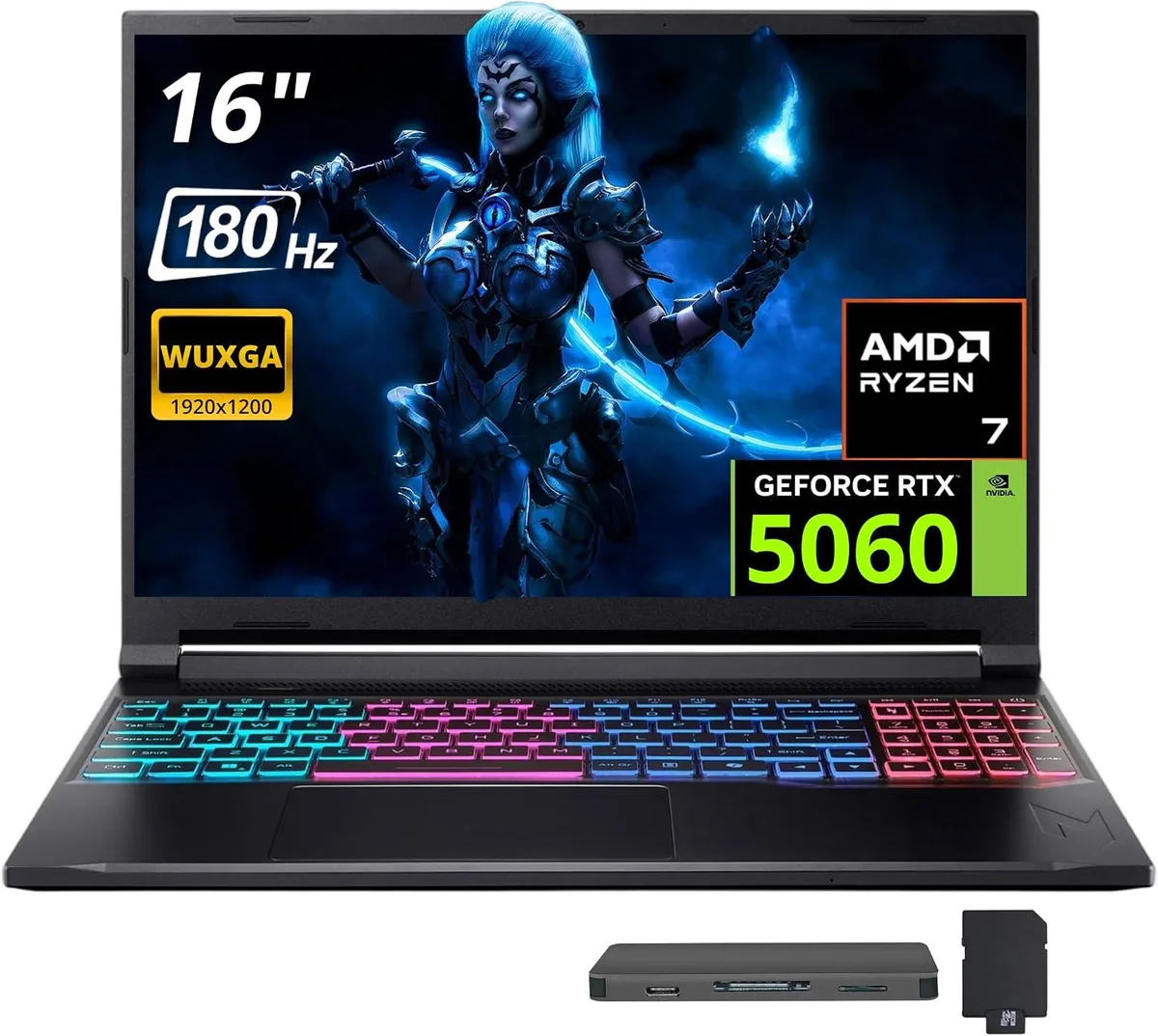
Acer Nitro V 16S AI 16" 180 Hz Gaming Laptop, AMD Ryzen 260, 16GB RAM, 1TB SSD + 1TB Dock Set
- Black
- AMD Ryzen 260
USD 1,118.99
0.01447369BTC
Ada stokKami menerima kripto — jadi koin yang anda simpan boleh membeli perkakasan sebenar.Bayar dengan kripto, belanjakannya untuk perkakasan sebenar. Penghantaran berinsurans percuma ke seluruh dunia untuk belian melebihi USD 399. Kotak biasa tanpa jenama, dihantar dari Jerman.Penghantaran berinsurans percuma untuk belian melebihi USD 399. Kadar anda dikunci selama 30 minit sebaik sahaja proses pesanan bermula.Kadar dikunci selama 30 minit. Setiap item disegel, nombor sirinya disemak, dan dilindungi waranti 24 bulan.Disegel, waranti 24 bulan.


Acer America
16-inch 180 Hz WUXGA gaming laptop with AMD Ryzen 260, 32 GB DDR5, 2 TB SSD plus 1 TB dock, RTX 5060 and Windows 11 Pro
Capacity 32GB DDR5 · 2TB SSD
The Acer Nitro V 16S AI pairs a 16-inch 1920 x 1200 display running at 180 Hz with an AMD Ryzen 260 eight-core processor and an NVIDIA GeForce RTX 5060 GPU. Thirty-two gigabytes of DDR5 5600 system memory and a 2 TB solid-state drive give fast load times and headroom for multitasking. Windows 11 Pro ships pre-installed on the black chassis.
Moving from a standard 60 Hz screen to the 180 Hz panel makes motion visibly smoother in competitive titles, while the jump to 32 GB DDR5 removes the bottleneck that appears when modern games and background apps share limited memory. The RTX 5060 with GDDR7 video memory delivers a clear step up over previous mobile GPUs, so the upgrade pays off when frame rates and texture detail matter most.
A single HDMI 2.1 port drives external high-refresh monitors at native resolution, and the included 7-in-1 docking station adds a 1 TB SSD, a 32 GB microSD card with adapter, a USB-C data cable, a 3-in-1 charging cable and a suede cleaning cloth. Three USB-A ports and one USB-C port on the laptop itself handle peripherals, while 802.11ax Wi-Fi and Bluetooth 5.3 cover wireless needs. The four-zone RGB keyboard rounds out the feature set without demanding extra desk space.
| Color | Black |
|---|---|
| Processor Name | AMD Ryzen 260 |
| Number of Cores | 8-core Processor |
| Screen Size | 16.0" |
| Touchscreen | Non-Touch Screen |
| Display Type | WQXGA |
| Resolution | 1920 x 1200 |
| Refresh Rate | 180 Hz |
| Operating System | Windows 11 Pro |
| GPU/VPU | NVIDIA GeForce RTX 5060 |
| Memory | 32GB |
| Memory Speed | DDR5 5600 |
| Memory Type | GDDR7 |
| WLAN | 802.11ax Wireless LAN |
| Bluetooth | Bluetooth 5.3 |
| USB | 1 x USB-C, 3 x USB-A |
| HDMI | 1 x HDMI 2.1 |
| Backlit Keyboard | Backlit |
| Webcam | Yes |
| Type | Gaming |
| Usage | Gaming |
Versi lain model ini
Keluarga yang sama, memori, penyejuk atau kelajuan jam yang berbeza — bandingkan sebelum membuat keputusan.
The laptop is a portable 16.0 inch clamshell with no VESA mounting holes; it is designed for desk or lap use only.
The 32GB DDR5 5600 memory is soldered and not user-replaceable; the 2TB internal SSD is pre-installed, while the 1TB dock SSD connects via the supplied USB-C cable — the step often missed is installing the dock drivers before first use.
Clean the non-touch 180 Hz display with the included suede cloth; keep the RTX 5060 GPU vents clear of dust and update NVIDIA drivers regularly for optimal performance.
Juga di rak ini
Rak yang sama, checkout yang sama — lapan koin kripto dan kunci kadar 30 minit.
Apa yang anda hantar untuk membayar, dan mata wang yang anda guna untuk membaca harga.
Dihantar daripada dompet anda semasa semak keluar
Untuk paparan sahaja — katalog diberi harga dalam USD
Tiada mata wang yang sepadan.
Pilih bahasa yang digunakan oleh laman web ini.
Tiada bahasa yang sepadan.
Pengguna baharu?
Sudah mempunyai akaun?
Tiada set semula automatik: kedai ini tidak menghantar sebarang e-mel, jadi tiada pautan sekali guna untuk diminta. Biarkan alamat pada akaun tersebut, ia akan diuruskan secara manual.
Permintaan direkodkan
Tiada apa-apa akan sampai ke peti masuk anda — kedai ini tidak menghantar sebarang e-mel. Seseorang akan menguruskannya secara manual.
Sudah teringat?





