Acer America
Acer America Nitro V 16S AI 16" 180 Hz gaming laptop AMD Ryzen 260 RTX 5060 16GB DDR5 1TB
- Black
- AMD Ryzen 260
1 369 $US
0.01772283BTC
En stockNous acceptons la cryptomonnaie — les cryptos que vous détenez peuvent ainsi acheter du matériel réel.Payez en crypto, dépensez-la en matériel réel. Livraison assurée offerte partout dans le monde au-delà de 399 $. Cartons neutres, sans marque, expédiés depuis l’Allemagne.Livraison assurée offerte au-delà de 399 $. Votre taux est bloqué pendant 30 minutes dès l’ouverture de la caisse.Taux bloqué 30 minutes. Chaque article est scellé, son numéro de série est vérifié, et il est couvert par une garantie de 24 mois.Scellé, garanti 24 mois.


Acer America
16-inch 180 Hz WUXGA gaming laptop with AMD Ryzen 260, 32 GB DDR5, 2 TB SSD plus 1 TB dock, RTX 5060 and Windows 11 Pro
Capacity 32GB DDR5 | 2TB SSD
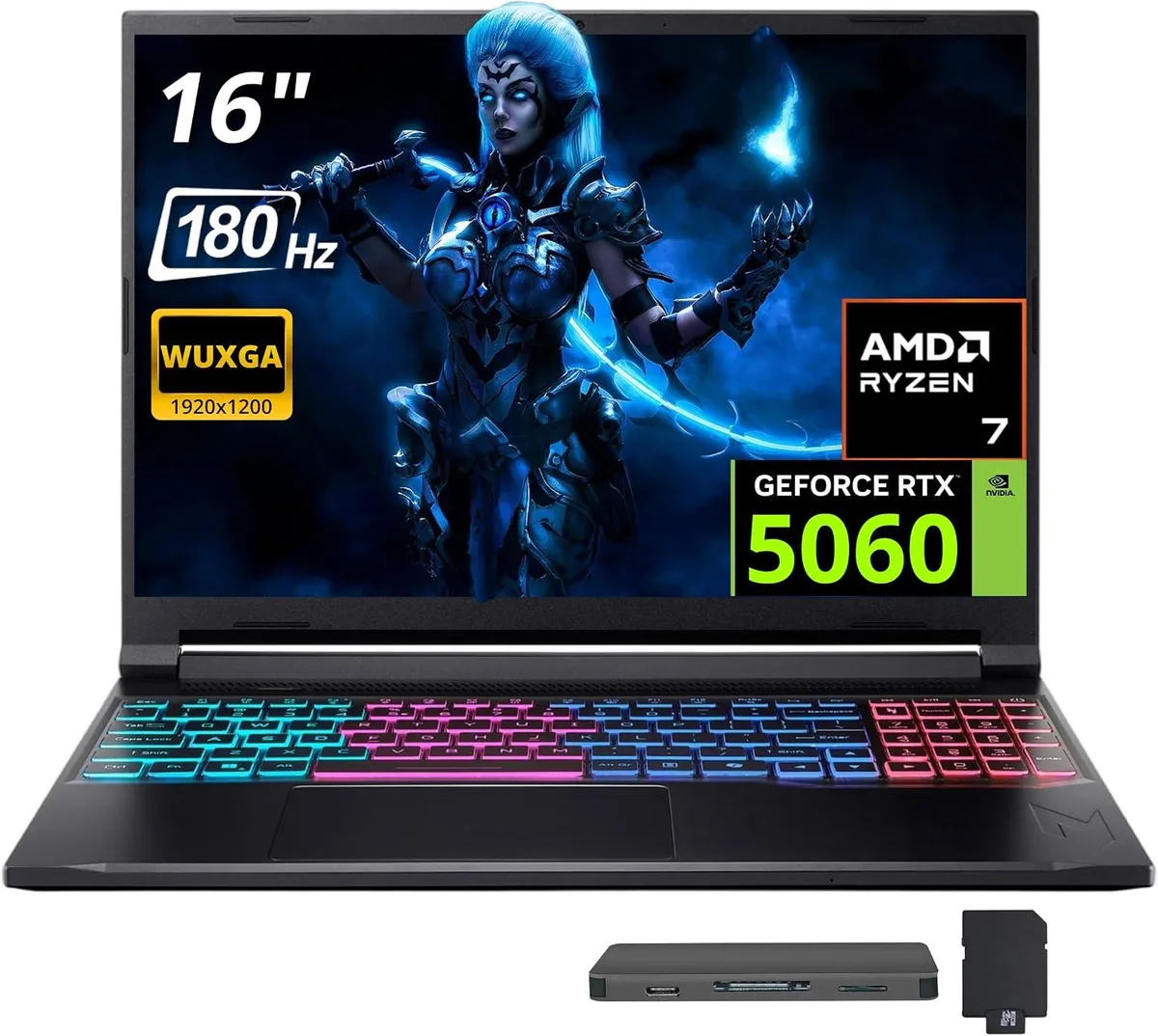
The Acer Nitro V 16S AI pairs a 16-inch 1920 x 1200 display running at 180 Hz with an AMD Ryzen 260 eight-core processor and an NVIDIA GeForce RTX 5060 GPU. Thirty-two gigabytes of DDR5 5600 system memory and a 2 TB solid-state drive give fast load times and headroom for multitasking. Windows 11 Pro ships pre-installed on the black chassis.
Moving from a standard 60 Hz screen to the 180 Hz panel makes motion visibly smoother in competitive titles, while the jump to 32 GB DDR5 removes the bottleneck that appears when modern games and background apps share limited memory. The RTX 5060 with GDDR7 video memory delivers a clear step up over previous mobile GPUs, so the upgrade pays off when frame rates and texture detail matter most.
A single HDMI 2.1 port drives external high-refresh monitors at native resolution, and the included 7-in-1 docking station adds a 1 TB SSD, a 32 GB microSD card with adapter, a USB-C data cable, a 3-in-1 charging cable and a suede cleaning cloth. Three USB-A ports and one USB-C port on the laptop itself handle peripherals, while 802.11ax Wi-Fi and Bluetooth 5.3 cover wireless needs. The four-zone RGB keyboard rounds out the feature set without demanding extra desk space.
| Color | Black |
|---|---|
| Processor Name | AMD Ryzen 260 |
| Number of Cores | 8-core Processor |
| Screen Size | 16.0" |
| Touchscreen | Non-Touch Screen |
| Display Type | WQXGA |
| Resolution | 1920 x 1200 |
| Refresh Rate | 180 Hz |
| Operating System | Windows 11 Pro |
| GPU/VPU | NVIDIA GeForce RTX 5060 |
| Memory | 32GB |
| Memory Speed | DDR5 5600 |
| Memory Type | GDDR7 |
| WLAN | 802.11ax Wireless LAN |
| Bluetooth | Bluetooth 5.3 |
| USB | 1 x USB-C, 3 x USB-A |
| HDMI | 1 x HDMI 2.1 |
| Backlit Keyboard | Backlit |
| Webcam | Yes |
| Type | Gaming |
| Usage | Gaming |
Autres versions de ce modèle
Même famille, mémoire, ventirad ou fréquence différents — comparez avant de vous décider.
The laptop is a portable 16.0 inch clamshell with no VESA mounting holes; it is designed for desk or lap use only.
The 32GB DDR5 5600 memory is soldered and not user-replaceable; the 2TB internal SSD is pre-installed, while the 1TB dock SSD connects via the supplied USB-C cable — the step often missed is installing the dock drivers before first use.
Clean the non-touch 180 Hz display with the included suede cloth; keep the RTX 5060 GPU vents clear of dust and update NVIDIA drivers regularly for optimal performance.
Également dans ce rayon
Même rayon, même caisse — huit monnaies et un taux bloqué 30 minutes.
Ce que vous envoyez, et ce dans quoi vous lisez les prix.
Envoyé depuis votre portefeuille à la caisse
Affichage seul — le catalogue est libellé en dollars
Aucune monnaie ne correspond.
Choisissez la langue dans laquelle le site vous parle.
Première visite ?
Vous avez déjà un compte ?
Il n’y a pas de réinitialisation automatique : cette boutique n’envoie aucun e-mail, il n’existe donc aucun lien à usage unique à demander. Laissez l’adresse sur le compte, elle sera traitée à la main.
Demande enregistrée
Rien n’arrivera dans votre boîte de réception — cette boutique n’envoie aucun e-mail. Quelqu’un s’en occupe à la main.
Vous l’avez retrouvé ?